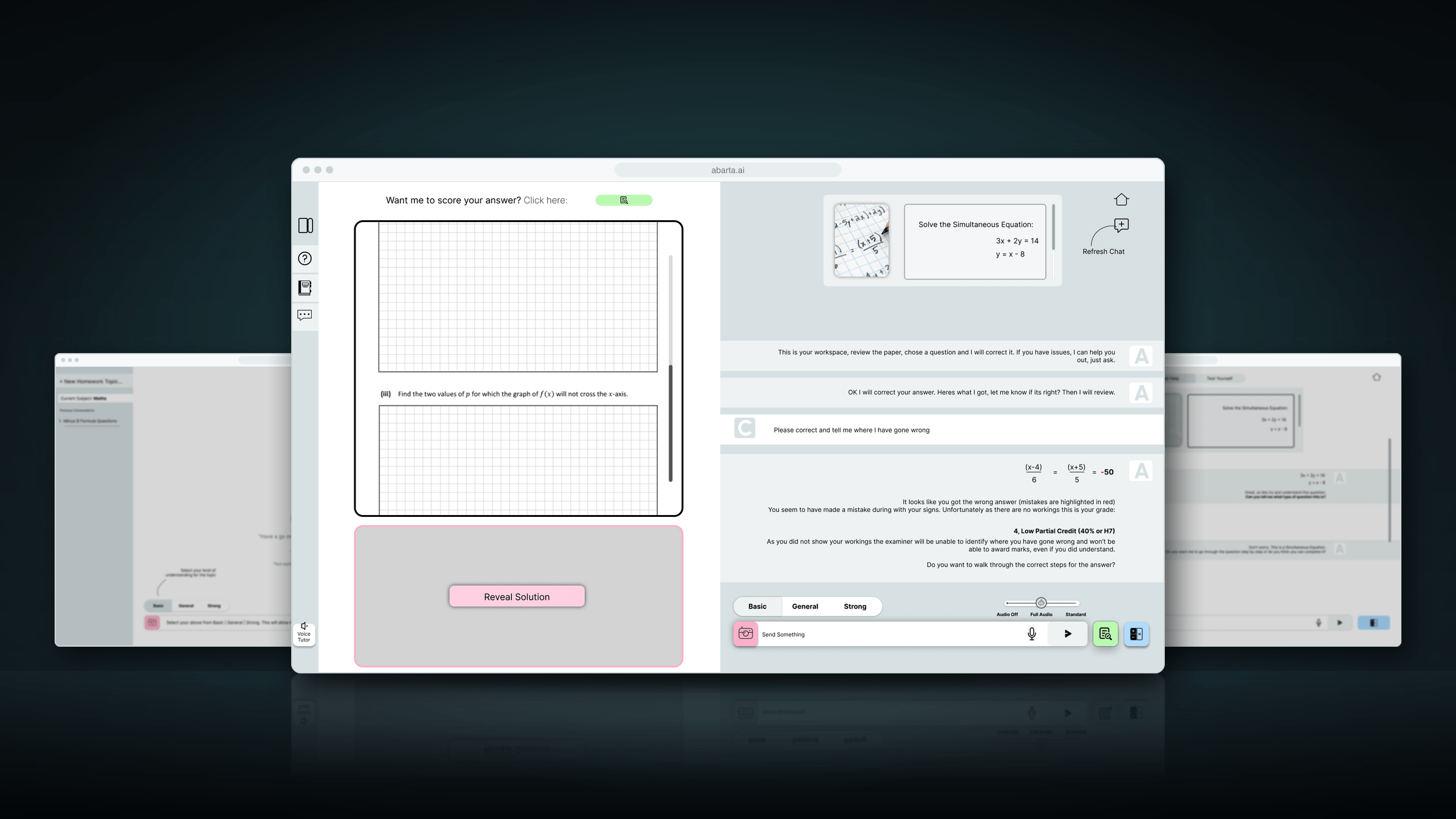
At a glance
- Role
- Project manager and UI designer
- Team
- Justin McCarthy (founder), Robert McCarthy (AI engineer) and an outsourced engineer
- Tools
- Figma, Visio, Excel, PowerPoint
- Timeline
- March – September 2023
- Status
- Taken through development, then stopped: AI was moving too fast to keep investing
What it shows
- Project management: a plan, a critical path and milestones
- Cutting a long list of AI features down to an MVP
- Step-by-step feature flows for developers
- Interface design for an AI tutor
Discover
In early 2023, ChatGPT had just arrived, and Abarta’s founder, Justin McCarthy, set out to find where it could help people most. We gathered ideas and ranked them, even asking GPT for its view, and a maths aid for students came out on top.
That became Abarta: an AI tutor for the Leaving Certificate, the exam that ends secondary school in Ireland, starting with maths. The team was small: the founder, Robert McCarthy as AI engineer, an outsourced engineer, and me as project manager. My work was mostly four things: developing new feature ideas, mapping each feature as a process in Visio, designing the interface, and presenting the features.
How it came together
1DiscoverMarch – April 2023
Ideas ranked
We gathered ideas for using GPT and ranked them. A maths aid for Leaving Certificate students came out on top.
Testing what GPT could do
Early tests of tutoring, reading handwriting and doing maths. GPT made calculation mistakes, so its maths would need checking.
2DefineMay 2023
A plan with a critical path
Every feature broken into tasks, with owners, dependencies, priorities and milestones, on one timeline.
The MVP cut to two features
A Homework Helper and a Past Paper Helper, for Leaving Certificate maths only.
Feature flows for the developers
Every step of both features: who acts, their choices, what should happen, and questions for the developers.
3DesignJune 2023
Brand and interface
The logo, colours and icons, and the screens of the web app.
Version 1 in Figma
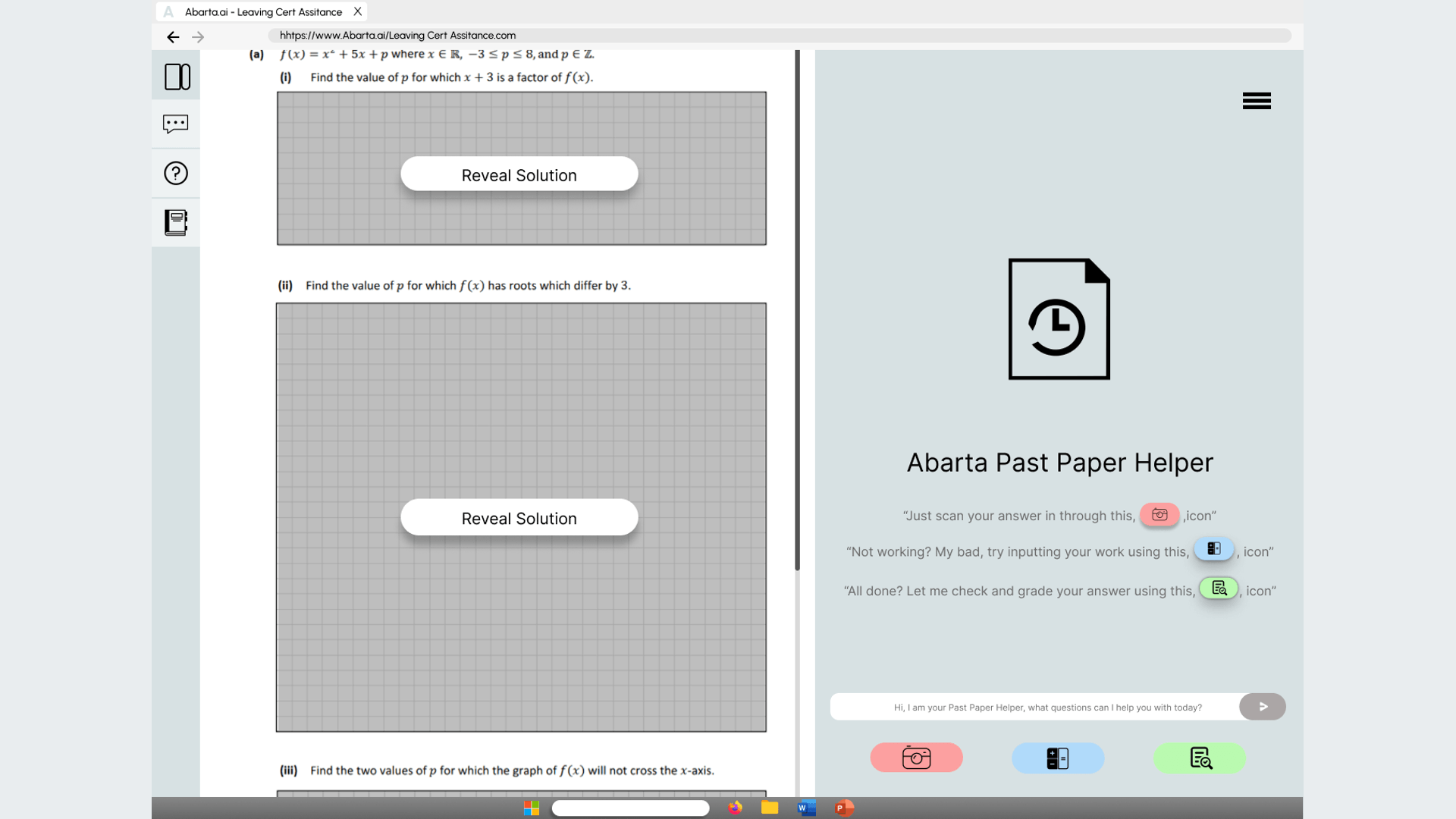
Two helpers, and three buttons beside each past paper to scan, type or check an answer.
The final design, confirmed for development
Subject and level choices, a sidebar for topics and history, and marking in the chat.
4DeliverJune – September 2023
Development partners compared
A brief for developers, and several software firms compared.
A four-phase build plan
A proof of concept, a core prototype, the MVP, then deployment.
What already existed
I tested the AI tutors already out there, including Khan Academy’s Khanmigo and Google’s AI tools, to see where Abarta could do better. One lesson came straight from Khan Academy: have the model check its own answer in a second step before the student sees it.
What GPT could and couldn’t do
Our AI engineer tested the parts a maths tutor depends on:
- Maths. GPT made calculation mistakes. We looked at two fixes: GPT writes code for the hard calculations, which runs and puts the answer back, or a maths engine (WolframAlpha) checks the workings.
- Handwriting. Students work on paper, so the app had to read a photo of their workings. Of the services tried, Mathpix read handwritten maths best.
- Cost. GPT-4 was expensive to call, so the running cost per student mattered from the start.
Define
From a long list to an MVP
Developing new feature ideas was a big part of my role, and the list ran to eleven: helpers for homework, past papers, revision, textbooks and notes, a maths verifier, a starting assessment, help for teachers, exam correction and a mock-exam planner. For the MVP we kept two, for maths only:
- Homework Helper: a tutor beside the student while they do their homework.
- Past Paper Helper: past exam papers, with a tutor in a sidebar.
Both were designed so that subjects, levels (Higher and Ordinary) and the Junior Certificate could be added later without starting again.
- Help, don’t do it for themThe tutor works through a problem with the student and checks they understand. It gives the answer only when asked.
- Feel like the real examPast-paper questions look like the printed paper, with an answer space of the same size, and an optional timer for exam conditions.
- Maths you can trustCalculations checked before they’re shown, and answers marked against the Leaving Certificate marking schemes.
- Built to growNew subjects and levels can be added without redesigning the app.
Design
The Past Paper Helper, step by step
I mapped each MVP feature as a process in Visio, and wrote it out step by step for the developers: who acts, the choices they have, what should happen next, what was optional, what it depended on, and the questions we still had for the developers.
- Choose a paperSubject, level, then a past paper. It opens with the tutor in a sidebar.
- Choose a questionBy number, or by topic (such as trigonometry) across the years.
- Help, or try it yourself?Step-by-step help, or the tutor stays quiet until asked.
- Submit the answerTyped with a maths keyboard, or a photo of handwritten workings, which the student checks first.
- Marked and tutoredMarked against the marking scheme, with feedback and similar questions to try.
Getting stuck was designed in. After each step of the help, the tutor asks whether it makes sense; if not, it goes back to the basics before moving on. Every question and chat is saved, so students can look back, and their progress builds up topic by topic against the curriculum.
The Homework Helper
The same tutor, for any homework question. The student types the question or takes a photo of it, and the tutor asks questions to find out what they already understand, then helps them to the answer rather than giving it. It also says when a calculator should and shouldn’t be used. Its instructions were written to keep it on the task in hand.
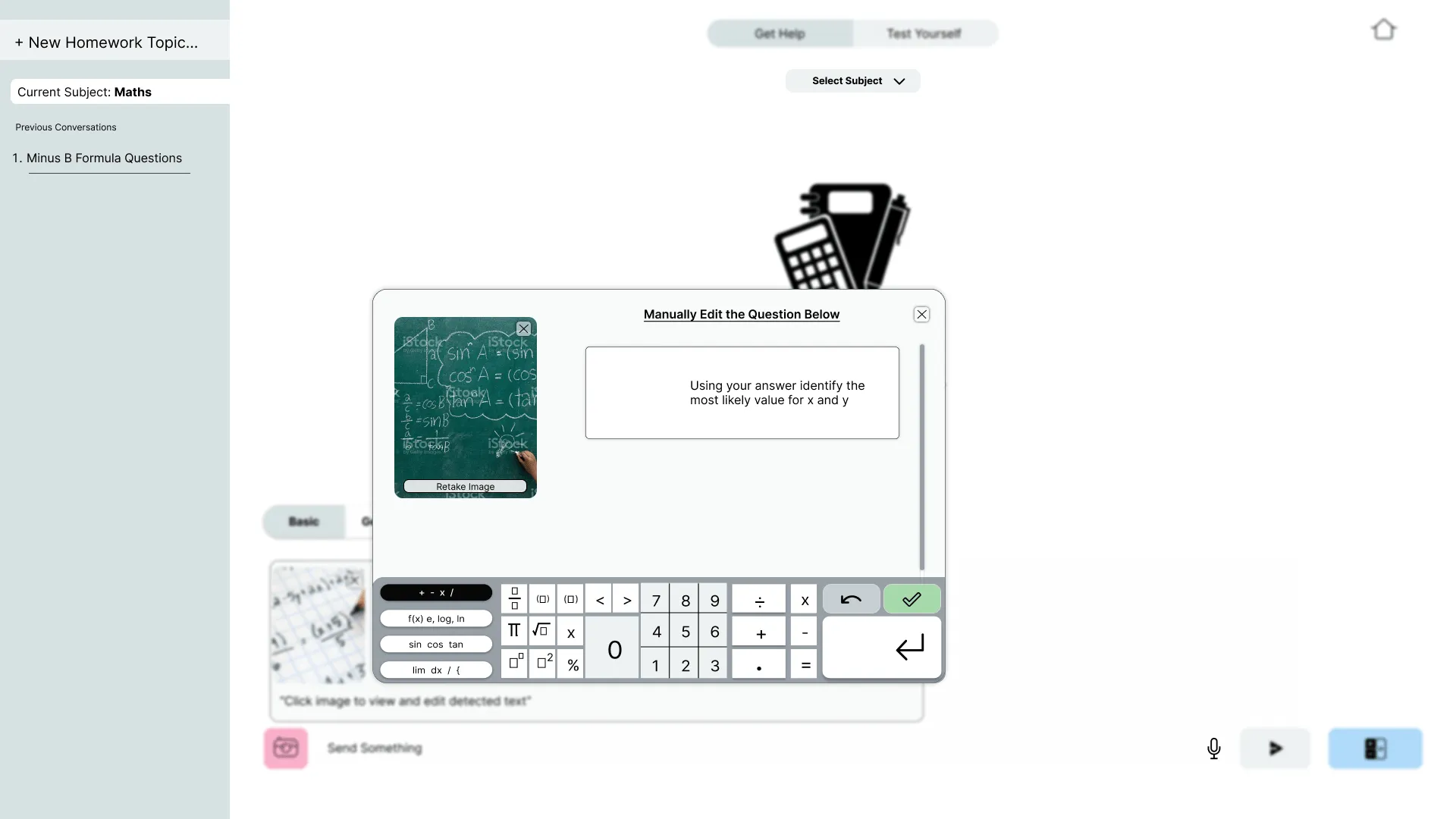
Snap the question. Students photograph a question, or their handwritten work.
Check what it read. The detected text can be corrected before the tutor starts, so a misread question doesn’t lead to the wrong help.
Retake. If the photo is unclear, take it again.
A maths keyboard. Fractions, powers, roots, logs, trigonometry and calculus: maths a normal keyboard can’t type.
Saved conversations. Every homework topic is kept, so students can come back to it.
The interface
I designed the brand and the interface: the logo, the colours, and a set of icons for each part of the app (homework, past papers, chats, topics, questions, grades, the camera and calculator, profile and settings). Then I made mockups in Figma to show the developers how each feature should look and behave.
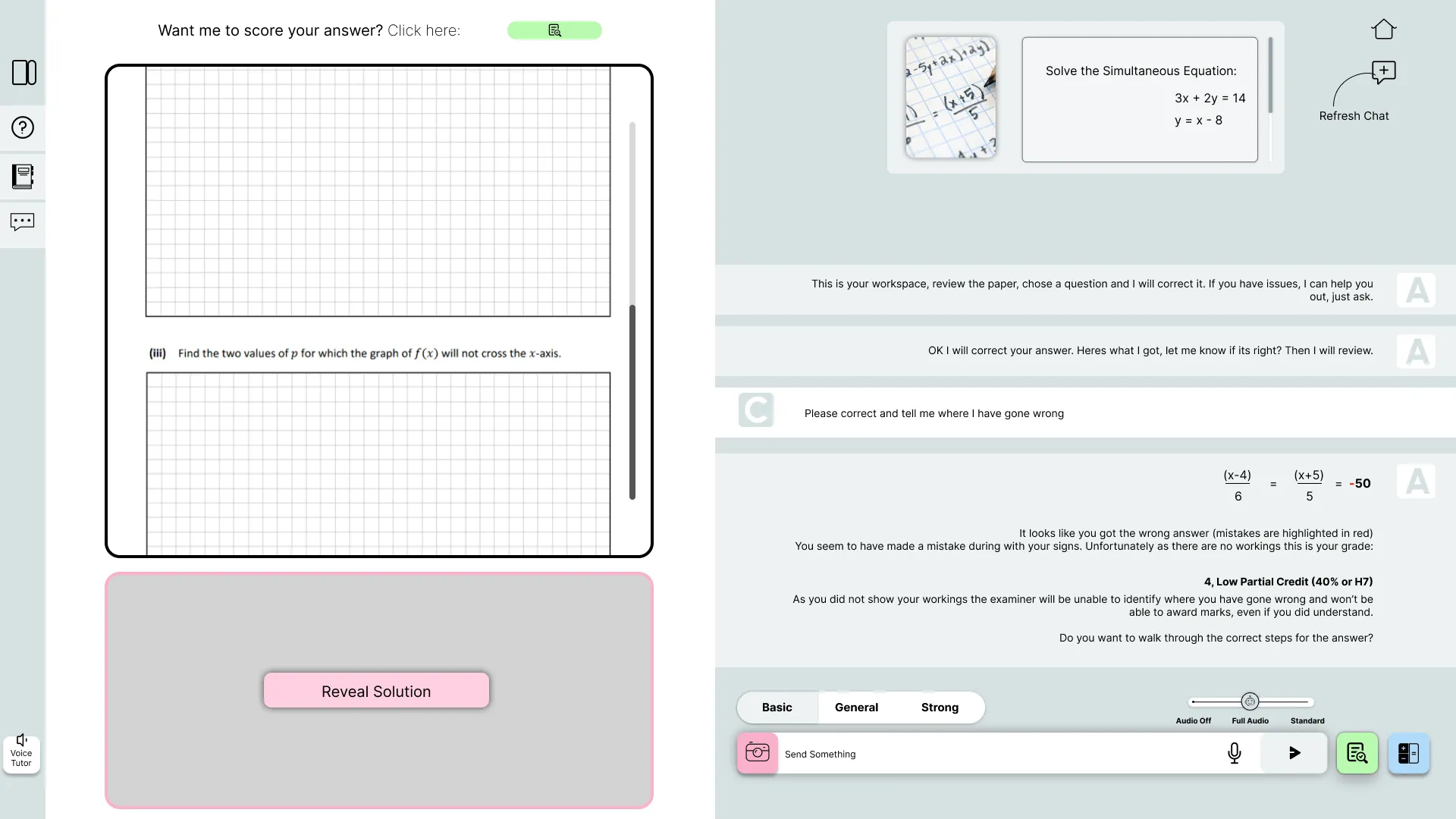
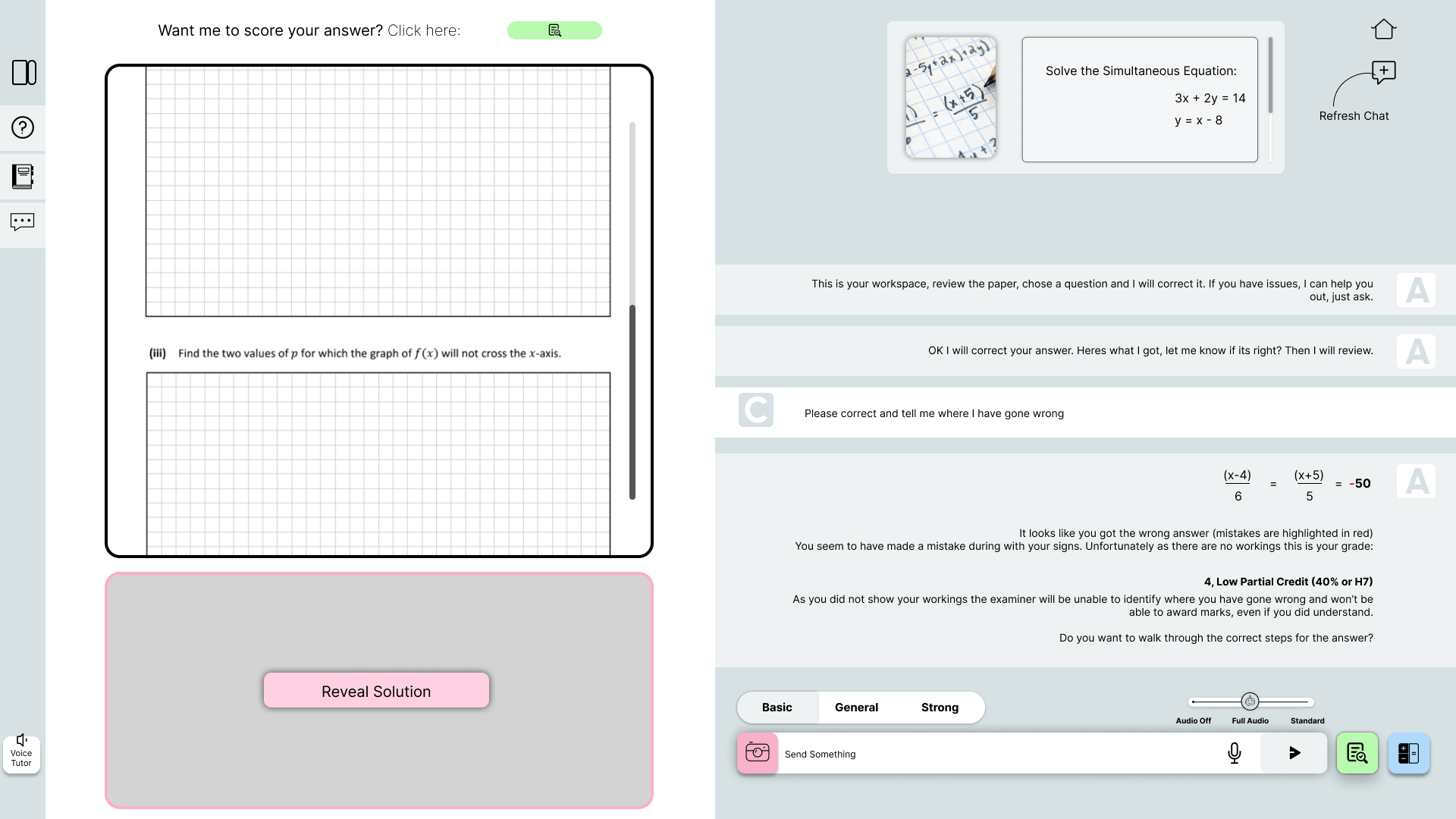
The real paper. Questions appear as they’re printed in the exam, with a gridded answer space of the same size, so practice feels like the day itself.
Marked when they’re ready. The student chooses when to have an answer scored.
The solution stays hidden. It’s there when the student asks for it, so they try first.
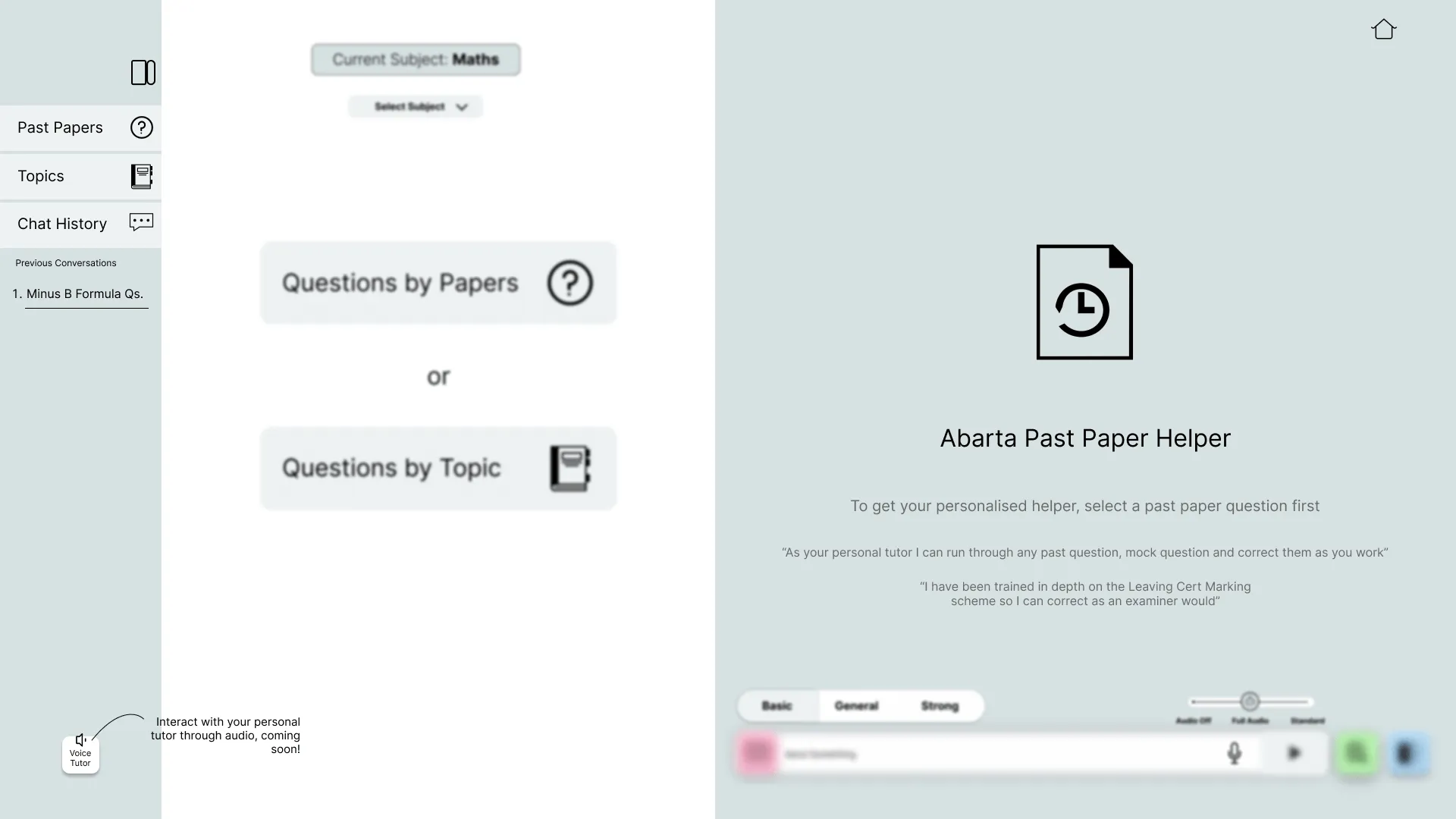
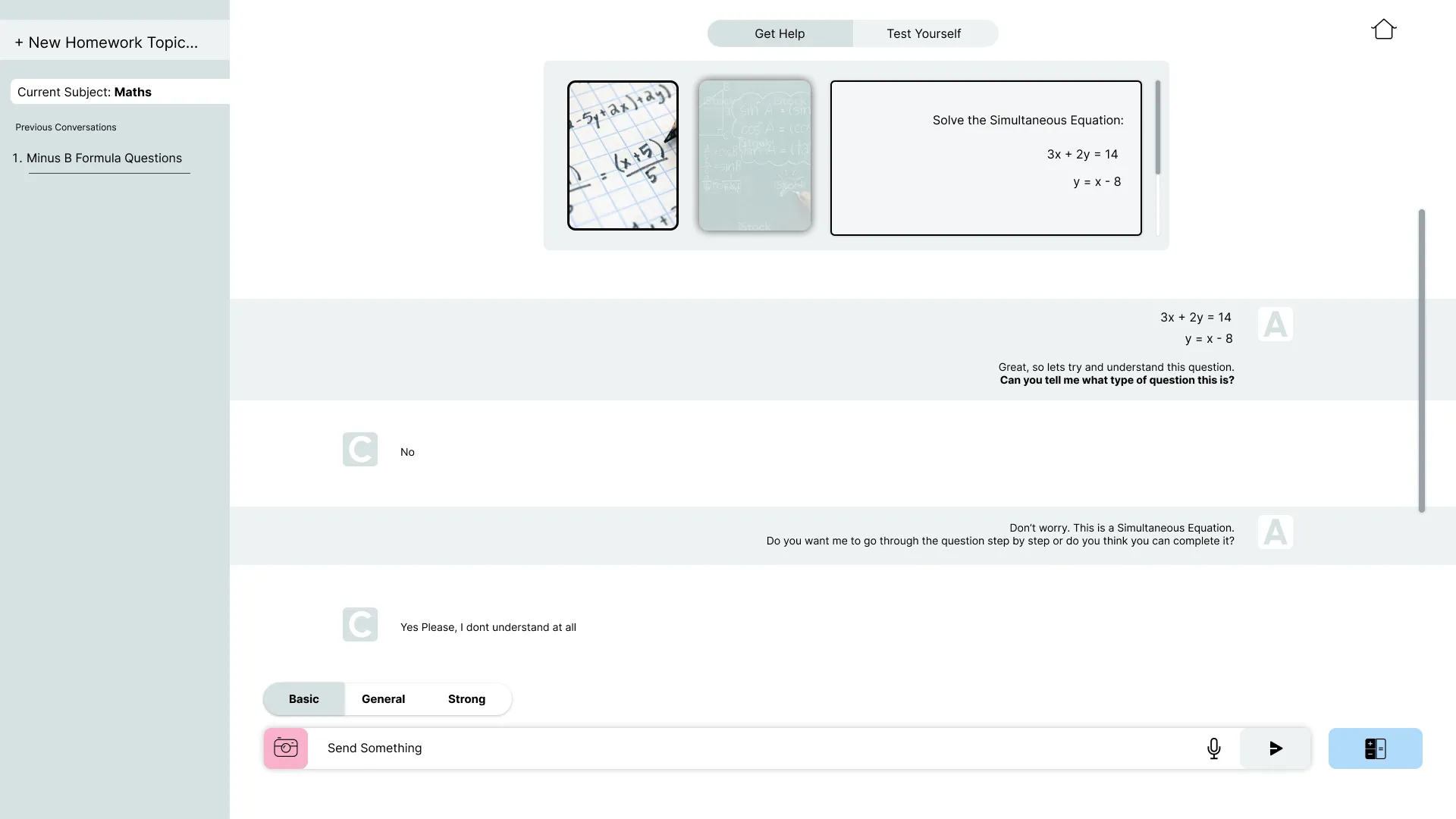
The question in view. The tutor shows the question it’s helping with, as a photo and as text.
Marked like an examiner. It points to the mistake, explains that without workings an examiner can’t give marks, gives the grade (here 4, low partial credit: a H7), then offers to walk through the right steps.
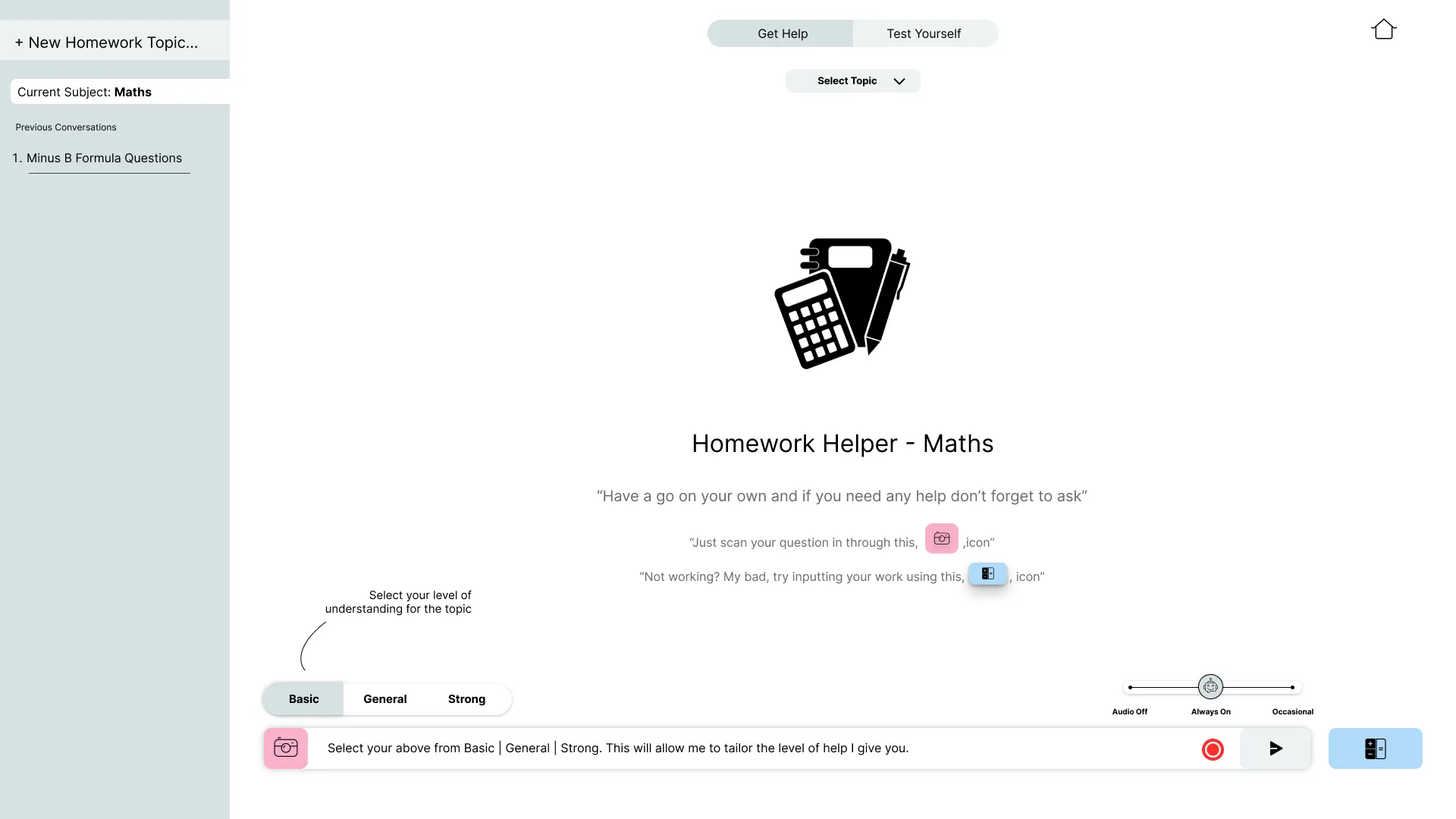
Help at the right level. Basic, General or Strong sets how much the tutor explains.
Audio. Off, standard or full, with a voice tutor to come.
Three ways to answer. Photograph handwritten work, type it with a maths keyboard, or send it to be marked.
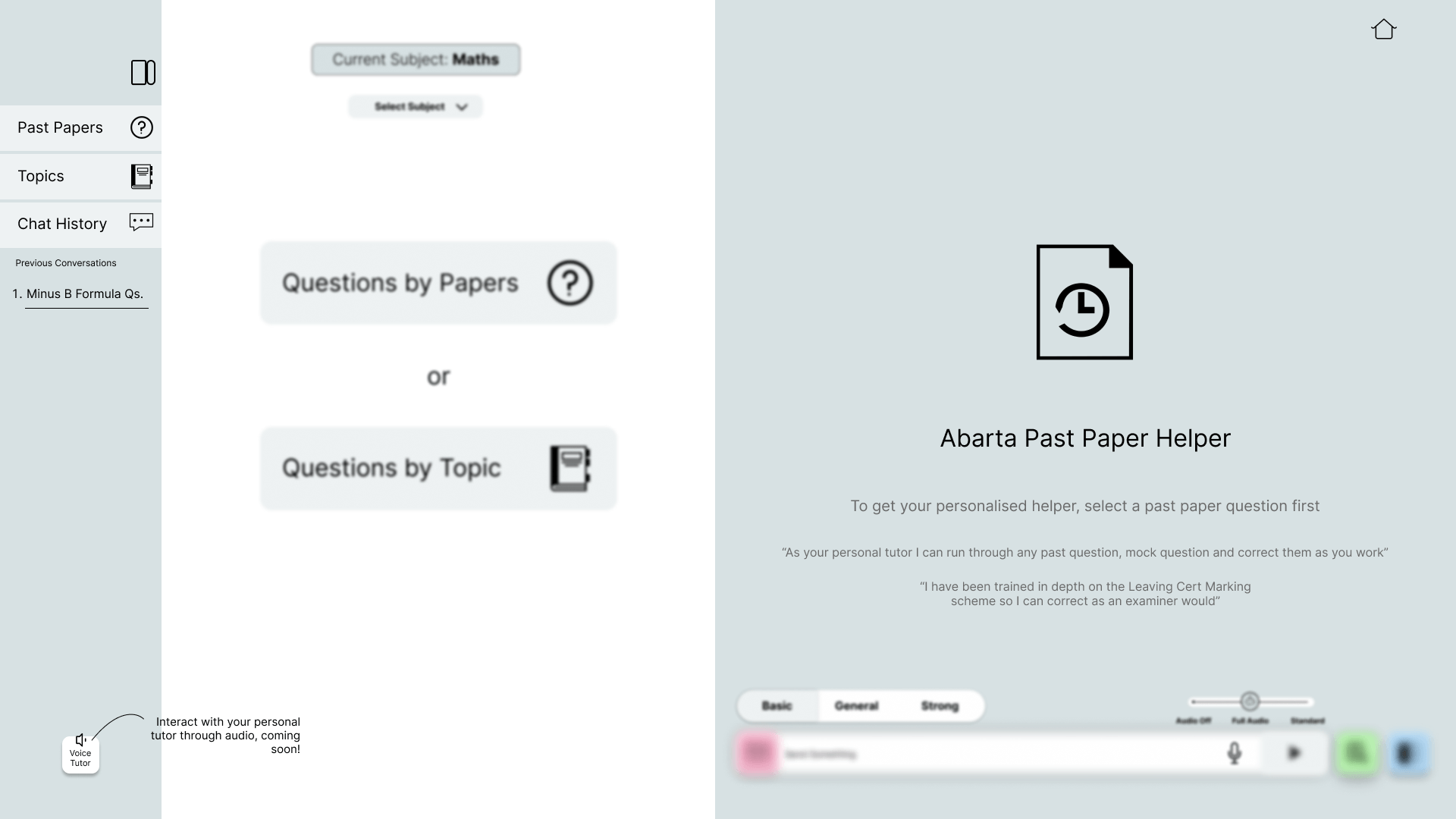
Past papers: find questions by paper or by topic. 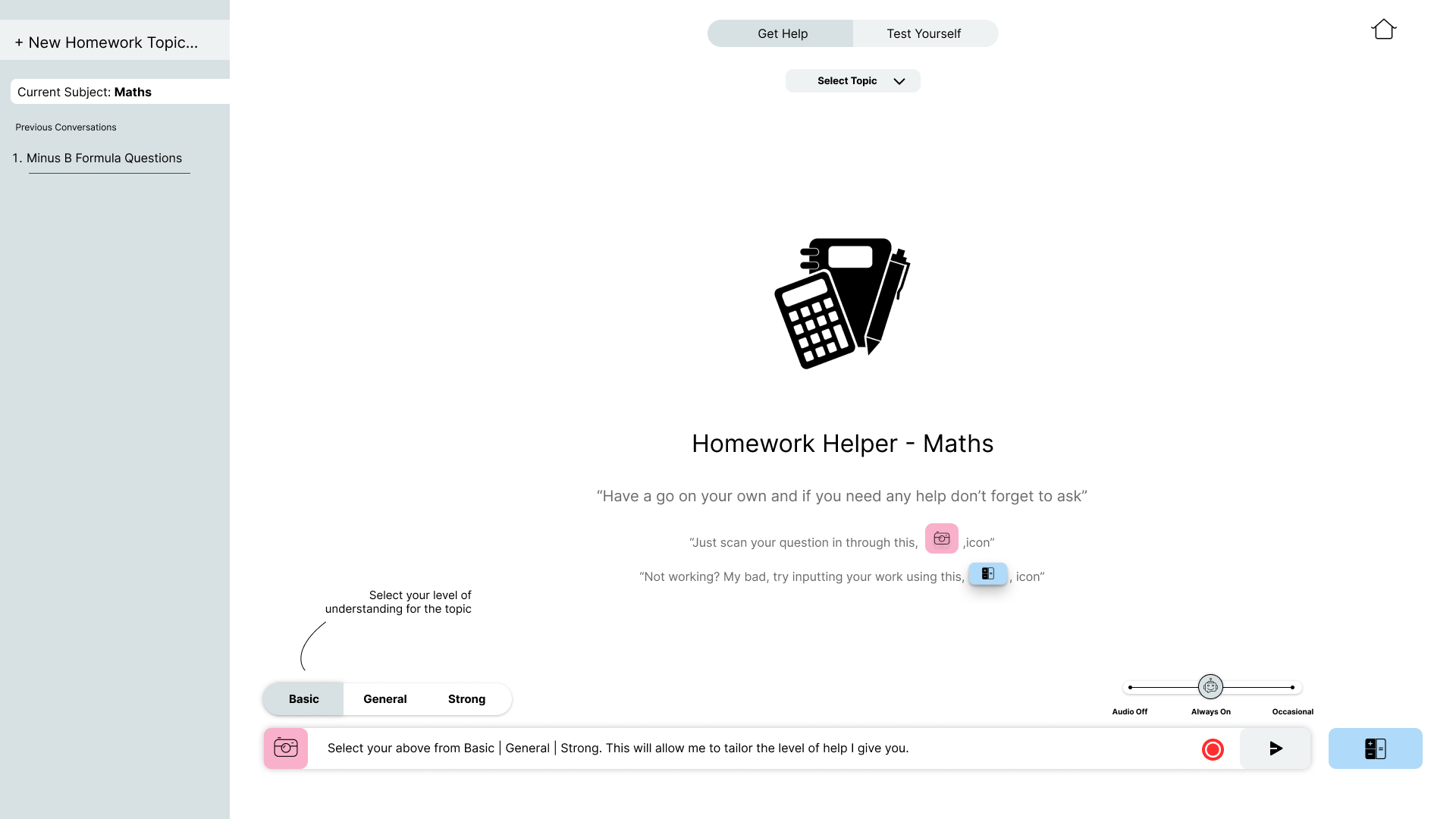
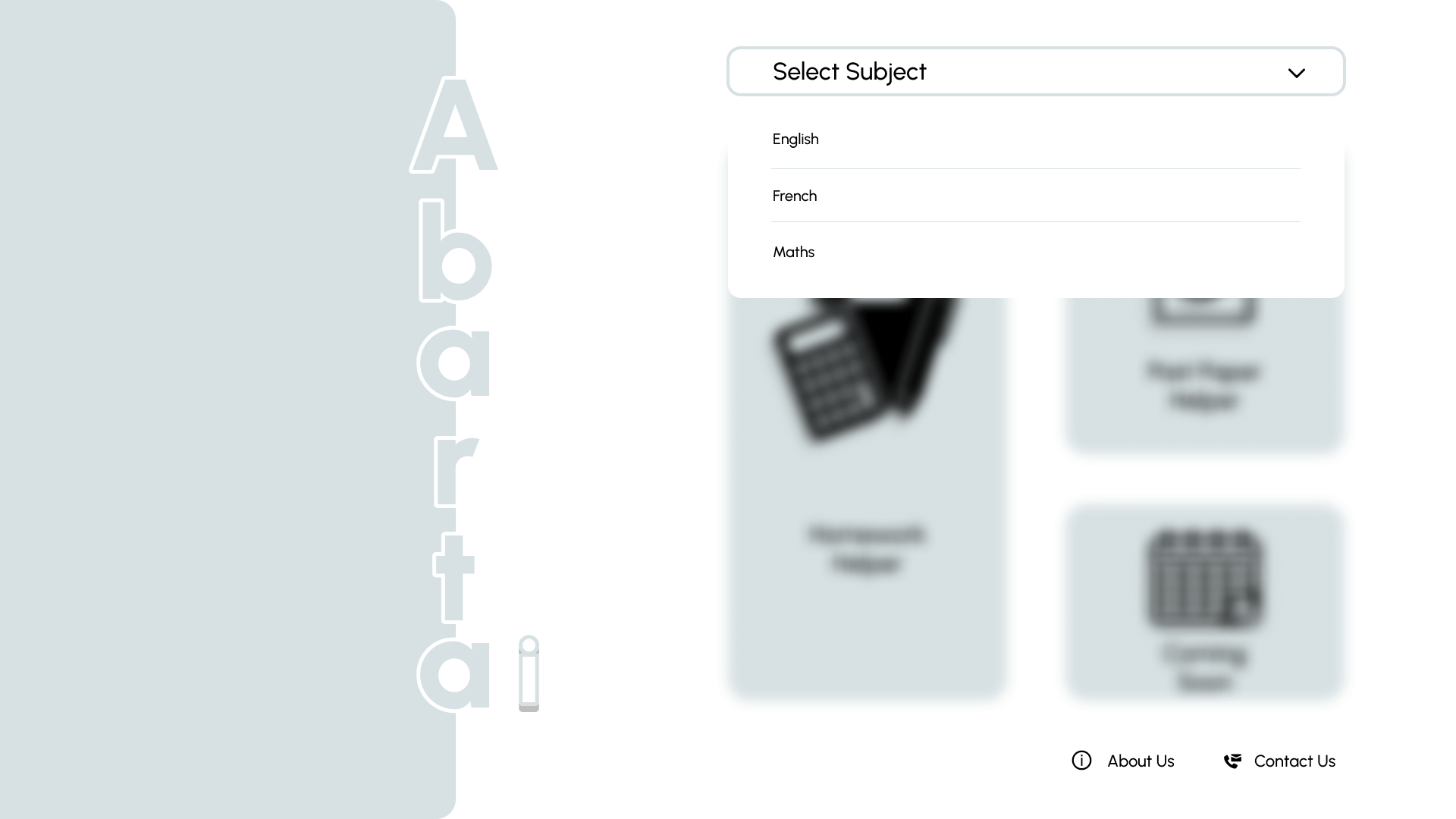
Homework: students choose their level, so the help fits them. 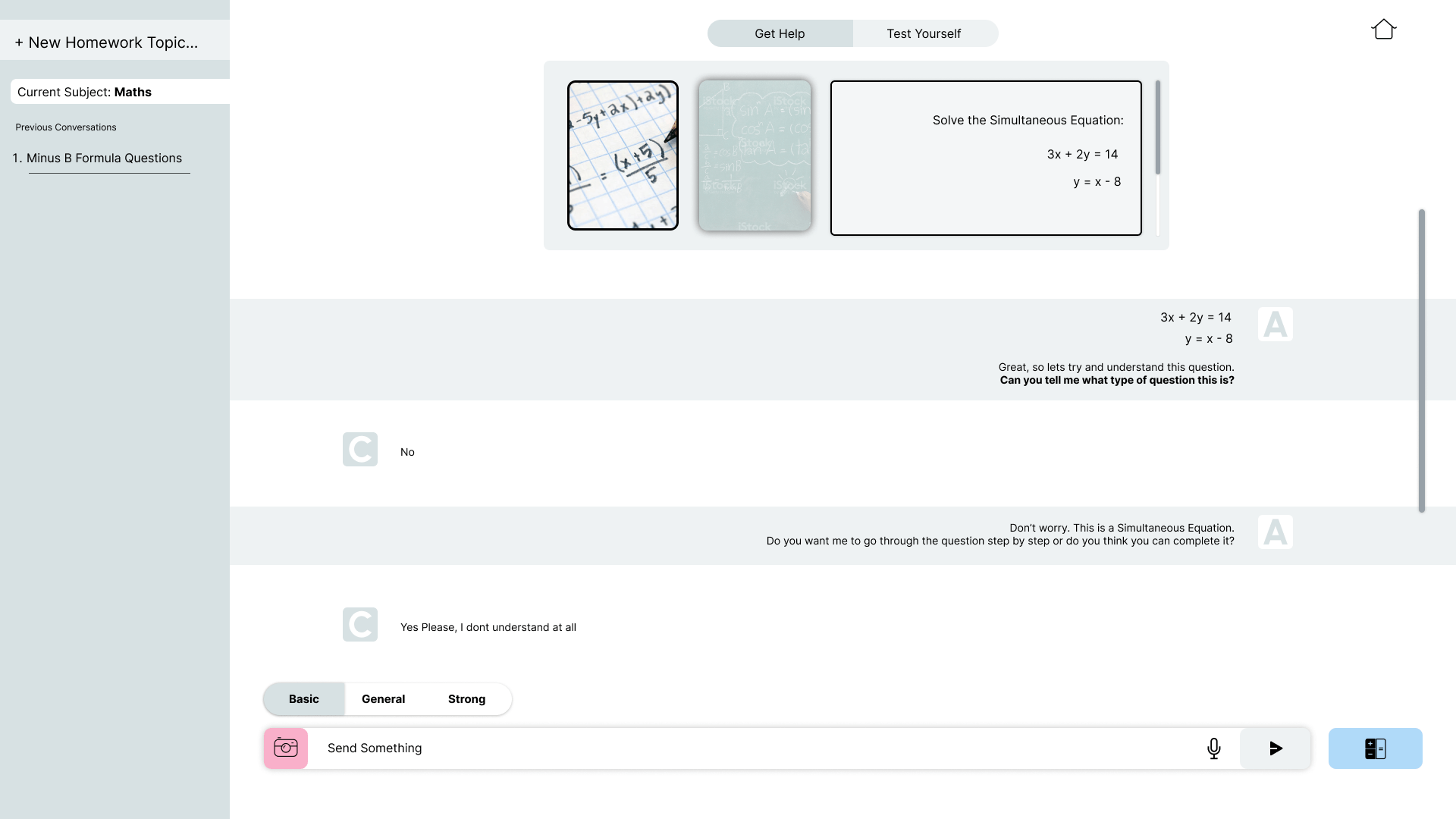
The tutor finds out what the student knows, then offers to go step by step.
From version 1 to the final design
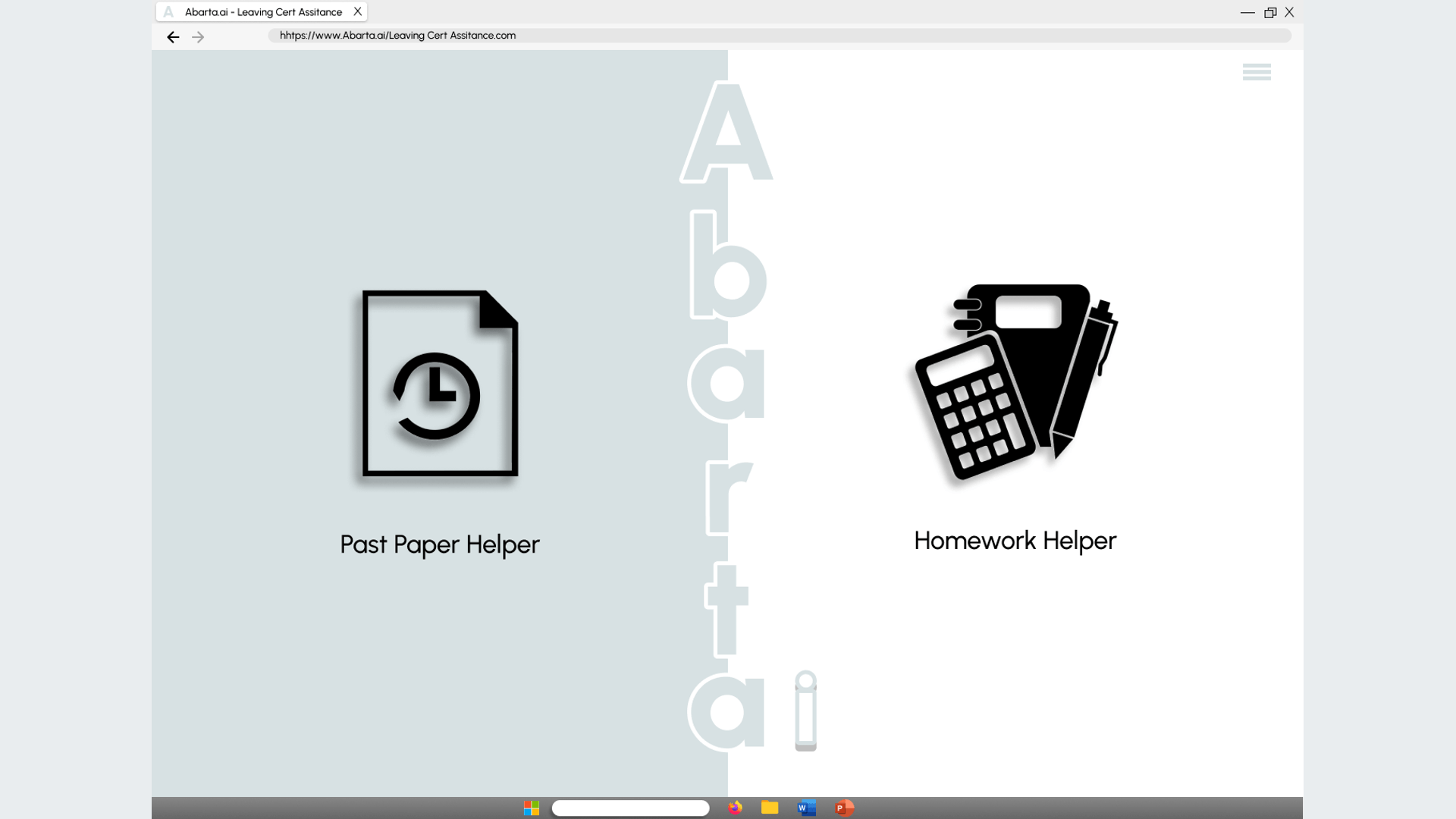
I designed Abarta in two rounds. Version 1 kept things simple: two helpers on the home page, and three buttons beside each past paper to scan, type or check an answer. The final design, confirmed for development, added a choice of subject (Maths, English and French), a choice of level (Basic, General or Strong), a sidebar for topics and chat history, audio settings with a voice tutor to come, and marking inside the chat, with the grade the answer would get.
Deliver
Running the project
As project manager, I set up how the team worked:
- A plan with a critical path. Every feature was broken into front-end and back-end tasks, each with an owner, dependencies, a priority and a date, building towards milestones: a go or no-go decision, an MVP ready for testing, a round of fixes, and launch in the App Store and Google Play.
- A launch date with a reason. Before the October bank holiday weekend, when students start the run-up to their exams.
- A steady rhythm. Weekly meetings with agendas and actions, meeting templates, a shared filing structure, and a library of tested prompts.
- Features presented for decisions. I presented each feature to the founder, from the idea and its process map to how it would look, so decisions about what to build next could be made quickly.
- Checks before building. A feasibility review to decide go or no-go, whether Abarta could legally use past exam papers, and an estimate of the running cost per student.
Handing over to the developers
The developers would get technical specifications (a document linked to flow diagrams in Visio), the step-by-step feature descriptions and the Figma mockups. We wrote a brief for developers and compared several software firms. The development plan had four phases:
- Proof of conceptBenchmarks for reading handwriting, GPT’s maths and its marking
- Core prototype
- MVP
- Deployment
Outcome
Abarta was taken through development. Then, with AI moving so fast, the founder decided it was too risky to invest further, and the project stopped there.
Working with GPT in its first months meant designing around its weaknesses: checking its maths, keeping it on task with tested instructions, and letting the student confirm what it read from a photo before it marked anything.
What’s next?
The plan beyond the MVP, from August 2023:
- A study helper that suggests study plans and tracks progress across every part of the app.
- A co-pilot beside textbooks and notes.
- Mock-exam marking with a person in the loop, to cut the time markers spend. It would start with French and Irish, where GPT was fluent and the content simpler, then move to English and Biology.