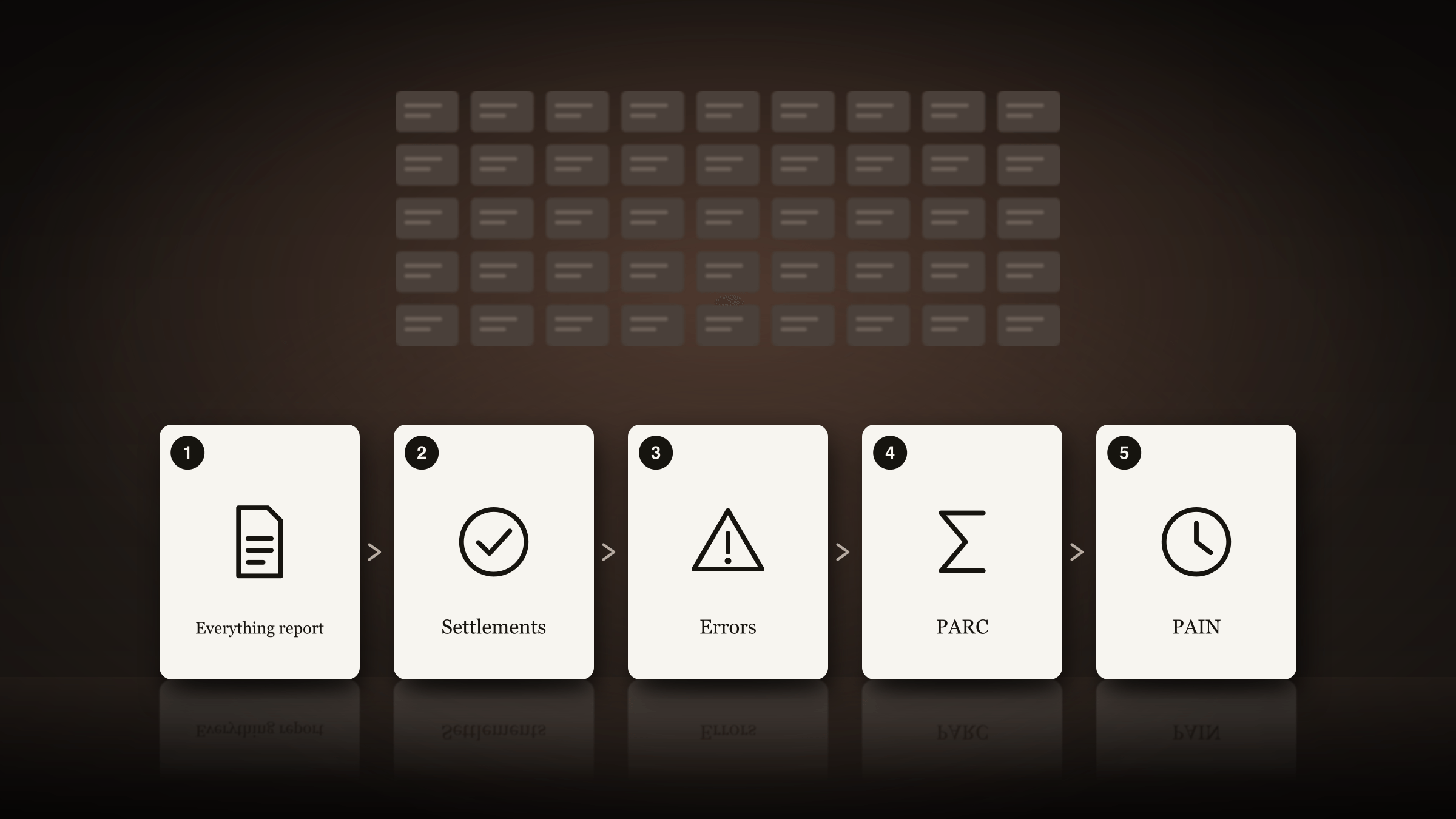
At a glance
- Role
- Custody Operations Specialist, U.S. Bank Global Fund Services
- Team
- Custody operations in Dublin, with the team’s business analyst and my manager
- Tools
- Excel, VBA
- Timeline
- May – October 2025
- Status
- Handed over to the team, with training and a handover process
What it shows
- Mapping a whole role, step by step
- Automation with guardrails: only exact matches are settled
- Excel and VBA driving the bank’s trade system
- Testing in a test environment before any real trade
Discover
In May 2025 I joined U.S. Bank Global Fund Services in Dublin as a Custody Operations Specialist. My job was settlements: making sure that every trade that settled in the market, in Europe and in the US, was settled in the bank’s own books too.
Almost all of it was done by hand.
How it came together
1Discover
The role, by hand
Every step of a settlements analyst’s day, done manually, in Europe and the US.
Excel could drive the trade system
A connector let Excel macros operate it.
2Define
One report for everything
Found with the team’s business analyst: every trade the team touched each day.
3Design
A master workbook
Four macros: Settlements, Errors, PARC and PAIN.
4Deliver
Tested, step by step
In the test environment, every step checked by hand, and reviewed by my manager before any real trade.
Training and handover
I trained the team, and wrote a handover and training process when I moved role.
EU LAC Spotlight Award
For the redesigned process.
The old day
- First thing: I searched the market’s trade portal for everything that had settled since the day before, one trade type at a time: four searches. For each trade, I found it in the bank’s trade system by its eight-digit reference, opened it, typed the settle command and confirmed it three times.
- At 10 or 11 am (depending on daylight saving): the same again for US trades, in the US version of the trade system.
- All day: the same cycle, again and again, as more trades settled. Before settling each one, I checked that five details matched the market exactly: the reference, the trade date and the quantity and, for some trade types, the currency and the value.
- The error queue: trades that couldn’t settle sat on a separate queue, often hundreds of them. Each had to be looked up and its market messages copied into the trade system by hand, which could take more than an hour.
- PARCs: trades that had partly settled and had now fully settled. I filtered a report for them by hand, and trades that had partly settled several times needed their own worksheets and sums.
- From 3:30 pm, the partial process: first any remaining PARCs, then the PAINs, trades that had partly settled but weren’t finished. Each meant filling in a template for the US team, often adding up several partial amounts, and then creating a posting in the trade system: on average 14 or more a day, and for US trades, reversing the original posting first. It took up to two hours.
Why it mattered
- Mistakes got through. With so many trades checked by eye, and many of them entered by hand by the trades team, some were settled in the bank’s books with details that didn’t match the market. They only surfaced later, as breaks.
- Late settlements undid the work. The partial process started at 3:30 to leave enough time, but the markets were still open and the bank accepted settlements until 4:30. A late settlement could send you back to the start.
- Reports, all day. Running them again and again caused confusion and slowed the computers down.
- No time left. Settlements filled the day, leaving little room for project work.
Define
What I noticed
- Excel could drive the trade systemA connector let Excel macros operate the bank’s trade system, so the clicking and typing could be automated.
- One report held everythingMeeting the team’s business analyst, I learnt that one report showed every detail of every trade we touched each day.
- No guardrailsNothing checked a settlement except the analyst’s care.
- Too many reports, too oftenRunning them all day caused confusion and slow computers.
- Start when the window closesIf the end of day took minutes, it could start at 4:30, when internal settlement closes, and nothing could undo it.
- The error queue was pure adminCopying hundreds of market messages by hand added nothing.
Design
One workbook, four macros
I brought it all together in one master workbook for the role, with four macros. The day now runs from a single report, the workbook, and the two versions of the trade system, open side by side.
- Run the everything reportEvery trade the team touched today, in one report.
- Settlements macroChecks and settles every EU and US trade, twice a day.
- Error macroUpdates every error message in the trade system.
- PARC macroDoes the sums for partly settled trades, then settles what matches.
- PAIN macroOne run at 4:30: every partial settlement posted by 4:35.
The four macros
- Settlements. It takes every settled trade from the report, so the old queue isn’t needed, marks each one as EU or US, finds it in the right version of the trade system and checks it against the market. If everything matches, it settles the trade. If not, it runs further checks to see whether the trade can still be settled; if it can’t, it marks the trade and notes the reason. It settles every EU and US trade in about 30 seconds, so it only needs to run twice a day. It also lists every trade it settles, which made the final check of the day’s trades (the blotter) much quicker.
- Errors. I found that the trade portal could produce a report of every error trade. The macro matches them to the everything report by their reference, marks each one as EU or US, and updates its error messages in the trade system automatically.
- PARC. Like the Settlements macro, with the sums added: it works out the totals for trades that partly settled more than once, checks them against the postings in the trade system, settles what matches and highlights what doesn’t. Every settled trade joins the day’s list for the blotter.
- PAIN. The most complicated, and the part I’m proudest of. Building it, I found patterns in the work and new uses for the connector between Excel and the trade system, which let the whole process run by itself. It takes every PAIN, removes any trade already PARCed that day, and builds a sheet for each trade for the US team. It finds each trade in the trade system, brings in its details, and adds the day’s partial amounts to what had settled before. Once every value lines up, it creates the new posting in the trade system (reversing the original first for US trades), brings each trade’s confirmation code back into its sheet, and creates the US team’s posting too.
Guardrails, built in
- Only exact matches are settled. Anything that doesn’t match the market on every detail is flagged, with the reason, for a person to look at.
- Everything is logged. Every trade the macros settle is listed, so the end-of-day check is quick.
- The end of day starts at 4:30. It takes five minutes, so it can wait until internal settlement closes, and a late settlement can’t undo it.
- One report, not many. Every macro starts from the same report.
How it fits together
Reports
- The everything reportEvery trade the team touched today
- The error reportTrades that couldn’t settle, from the market’s trade portal
Master workbook
- Four macrosSettlements, Errors, PARC and PAIN
- Checks and logsEvery detail compared; every settlement listed
The bank’s trade system
- EuropeTrades settled, errors updated, partials posted
- USThe same, with the original posting reversed first
US team
- Posting sheetsFilled in for every partial settlement
How it flows
- Each run starts from a report: the everything report or, for errors, the trade portal’s error report.
- The workbook sorts every trade into Europe or the US.
- Through the connector, each macro finds the trade in the right version of the trade system and checks every detail against the market.
- Trades that match on every detail are settled or posted. Anything else is flagged, with the reason.
- Confirmation codes come back into the workbook, the day’s settled trades are listed for the blotter, and the US team gets its posting sheets.
Deliver
Building it was a lot of trial and error. I got access to the test environment so I could test every macro fully, and my manager reviewed it before it was ever used on a real trade. I automated it a step at a time: each new feature, and each step towards full automation, was checked by hand to confirm everything was accurate before the next.
I trained the team to use the workbook, and when I moved role I wrote a detailed handover and training process, so the team could keep running it without me.
Outcome
- 45 → 5Manual steps, down to five
- 2 h → 5 minThe end-of-day partial process
- 30 sTo check and settle every EU and US trade
- 3:30 → 4:30The payment cut-off, now after the last trade settles
Only trades that match the market on every detail are settled now, so mismatches are caught before they reach the bank’s books. The end of day is no longer at risk from late settlements, and the payment cut-off moved from 3:30 to 4:30, after the last trade settles. The work won an EU LAC Spotlight Award, an internal U.S. Bank award.
Before and after
| Part of the day | Before | After |
|---|---|---|
| Settling trades | Four searches, then every trade found, checked and settled by hand, all day | The Settlements macro checks and settles every EU and US trade in about 30 seconds, twice a day |
| Errors | Hundreds of trades on a queue, each updated by hand: an hour or more | The Error macro updates every error message automatically |
| PARCs | A report filtered by hand, with sums in separate worksheets | The PARC macro does the sums and checks, and settles what matches |
| PAINs | From 3:30, up to two hours of templates, sums and postings, undone by late settlements | One run at 4:30, finished by 4:35, including the US reversals and the US team’s sheets |
| Checks | None built in: it relied on care | Only exact matches are settled; everything else is flagged, with the reason |
What’s next?
I’ve since left U.S. Bank. If I were carrying the work on, these would be my next steps:
- Fix problems at the source. The trades the macros flag, and the reasons they note, show where mismatches start, often in trades entered by hand. That record could be used to stop the mismatches happening in the first place.
- Make it sturdier. Rebuilding the macros on the bank’s supported automation tools would mean the process no longer depends on one workbook and one connector.
- Share the approach. Other settlement desks with the same manual steps could use the same pattern: one report, automated checks, and only exact matches settled.