At a glance
- Role
- Product owner and designer, building with Claude Code
- Team
- Solo, with Claude Code writing the code
- Tools
- Flutter, Garmin Connect IQ, SwiftUI (Apple Watch), Firebase, Claude Code
- Timeline
- May–August 2026
- Status
- Pre-launch: tested with my own and five teammates’ games and training, and not yet in the App Store or Google Play
What it shows
- Designing for trust: measured numbers, labelled estimates
- A core feature reshaped through five versions, then retired
- A watch and phone ecosystem designed around real hardware limits
- Spec-led and audit-led product development
- An accessibility audit of a watch interface
Highlights
- 5 versions of the readiness score, each shaped by testing, before I retired it as dishonest
- 1,524 automated tests by 1 August, up from 111
- 26 findings in an accessibility audit of the watch interface, each with my direction
Discover
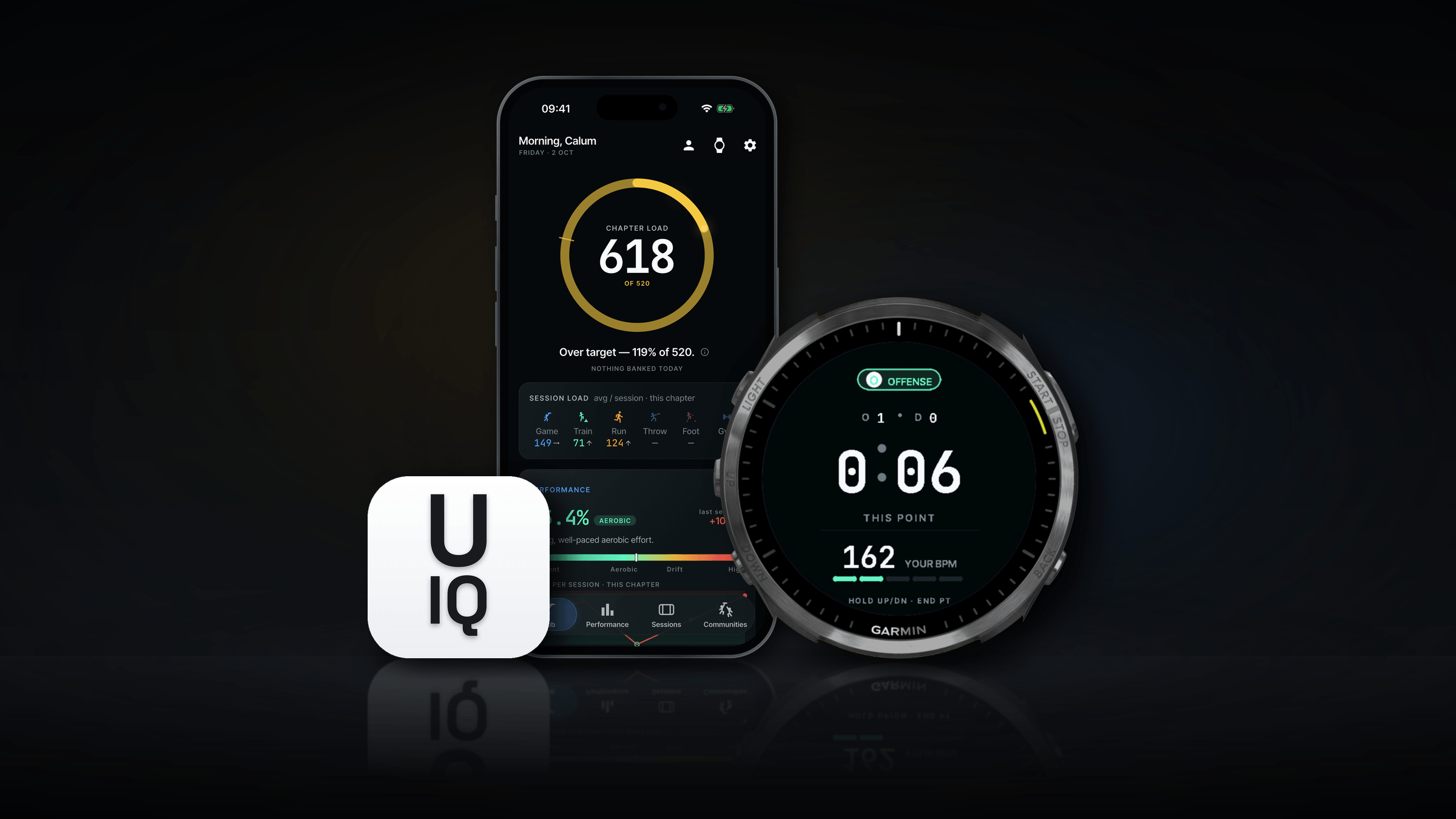
Ultimate IQ is a performance app for Ultimate Frisbee players. Its Garmin watch app records games (offence and defence points), training, runs, intervals, footwork, throwing and gym sessions. The phone app, built in Flutter for iOS and Android, turns those sessions into numbers a player can trust. An Apple Watch companion followed later.
Sports watches already record time, distance and heart rate. What they don’t know is the game itself: which points were played on offence or defence, how long each rest was, and which sprints and cuts happened inside a point. That’s the gap the app set out to fill.
I play Ultimate at an elite level, for club and country: I represented Ireland in 2025, and finished 16th at the World Club Championships, the best result an Irish team has achieved. So I was the user: I recorded my own games and training with it, found what broke or didn’t ring true, and changed the product in response. Trust mattered most: a single lost session would be enough to send a player back to a basic tracker.
How I built it
Building it this way was part of the point. Projects like this keep me at the forefront of AI-assisted development and new tech, and teach me new ways to bring my ideas to life.
Each piece of work ran through the same loop:
- Plan or auditA written spec, or an audit of what was already there
- My directionA decision on each finding and open question, then my sign-off
- BuildClaude Code wrote the code and its automated tests
- Real useI tested it on my own watch and phone, in games and training
- HandoverA written handover, so the next session picked up where this one stopped
How it came together
10 steps · 5 reworks · 1 milestone
- Step
- Rework: went back and changed something
- Milestone
1FoundationsMay 2026
A Flutter port of my iOS app
The original SwiftUI app moved to Flutter, so it could run on iOS and Android.
Reworked later in08
An audit-led refresh and a design system
Design tokens, a type scale and a card component, plus a Today tab, a recap after each import and new onboarding.
A watch proof of concept
A 10-minute game recorded on the watch as a Garmin activity, with a small JSON “sidecar” of point and pitch data for the phone.
The ecosystem plan
27 tickets, and a new way to move data from watch to phone: a compact binary payload over a direct Bluetooth link, with no Garmin approval gate, SDK or quotas. Garmin’s Training Readiness and Fitness Age were given up, as only Garmin’s cloud provides them.
Reworked later in05
2Build, test, rebuildJune 2026
Data sent through Connect IQ messaging instead
Back to 04: The ecosystem plan
Transfer moved to Garmin’s Connect IQ messaging, which works alongside that pairing. The payload format carried over unchanged.
Why: On real hardware, the direct Bluetooth link never formed: the watch can’t open a second connection to a phone it’s already paired with through Garmin Connect.
Reworked later in09
Spec-led features
Check-ins, a readiness score and an injury timeline built in a single day, then a Teams build spec with HTML artboards, and a new performance dashboard spec.
Reworked later in11
Honesty and launch readiness
Measured-only numbers with visible sources, no fake zeros, a false accuracy claim deleted, less medical wording, then security, legal pages and automated checks.
The dashboard rebuilt around two-week chapters
Back to 01: A Flutter port of my iOS app
One standard dashboard with no filters, built on rolling two-week “chapters”. Facts appear instantly; scores must be earned.
Why: The old dashboard, with its 0–100 rating ring and filters, felt very noisy and busy.
Journal-first sessions on the watch
Back to 05: Data sent through Connect IQ messaging instead
Every session is written to a journal first and queued, and only shows as synced once the phone confirms it has it.
Why: In the field, a session was lost and the watch got stuck in a crash loop. If that happens even once, players lose trust.
An accessibility audit of the watch
26 findings, with measured contrast ratios. I gave a direction for each, and the watch was redesigned the same day.
Game Readiness rebuilt through testing
Four contributors became three, then two, then one.
Why: Testing showed body-feel couldn’t be relied on, reaction time fitted better as its own card, and only compounded load really mattered.
Reworked later in15
3Grow and simplifyJuly 2026
Communities, a 3D pitch, key moments and an Apple Watch app
Team communities, throws typed on the watch, a tactics-board view of each game, the lead-up to top-speed moments, run details, and an Apple Watch companion.
A whole-app simplification
An audit led to 11 pull requests: one design system instead of two, fewer boxes on screen, and a forgiving streak in which 6 days out of 7 is a perfect week.
Accounts, after a scare
Accounts were added: the app still works without one, but you need one to post.
Why: A reinstall looked as if it had wiped my data.
Game Readiness and Cut Snap retired
Back to 11: Game Readiness rebuilt through testing
Replaced by a chapter load ring measured against a target the player sets. Cut Snap, which claimed millisecond skill from a 25 Hz sensor, went too. Each session view was then rebuilt.
Why: It felt dishonest for the amount of data the app actually gathers: it looked like a five-factor score but was really one.
4NextAugust 2026
Groundwork for machine learning
Players’ corrections are now stored as training data, and the watch is planned to become a pure recorder.
Define
The limits it had to work within
- No Garmin cloud. Garmin’s own API wasn’t open to us, so sessions had to travel straight from the watch to the phone.
- A watch’s budget. On the Forerunner 965, an app gets 768 KB of memory, three timers and small writes to storage.
- Busy hands. Everything on the watch had to work mid-game, with sweaty hands and no time to look down.
- Honest data. One-second GPS and a wrist sensor can’t measure everything, so every number had to say where it came from.
- Any player. Rules and models had to suit every player, not just the one testing them.
Principles
These came out of the specs and the decisions along the way.
- Measured, not guessedMeasured-only numbers with visible sources. Estimates are labelled, and there are never fake zeros.
- Facts now, scores earnedFacts appear instantly. A score only appears once there’s enough data to earn it.
- Transparency over clevernessEvery number can show where it came from and what feeds it.
- Not tied to one vendorThe app shouldn’t rely on Garmin-only features like Body Battery.
- ForgivingMissing one day doesn’t break your streak: 6 days out of 7 is a perfect week.
- FairAll-time leaderboards use each player’s best chapter, so early users have no advantage.
Design
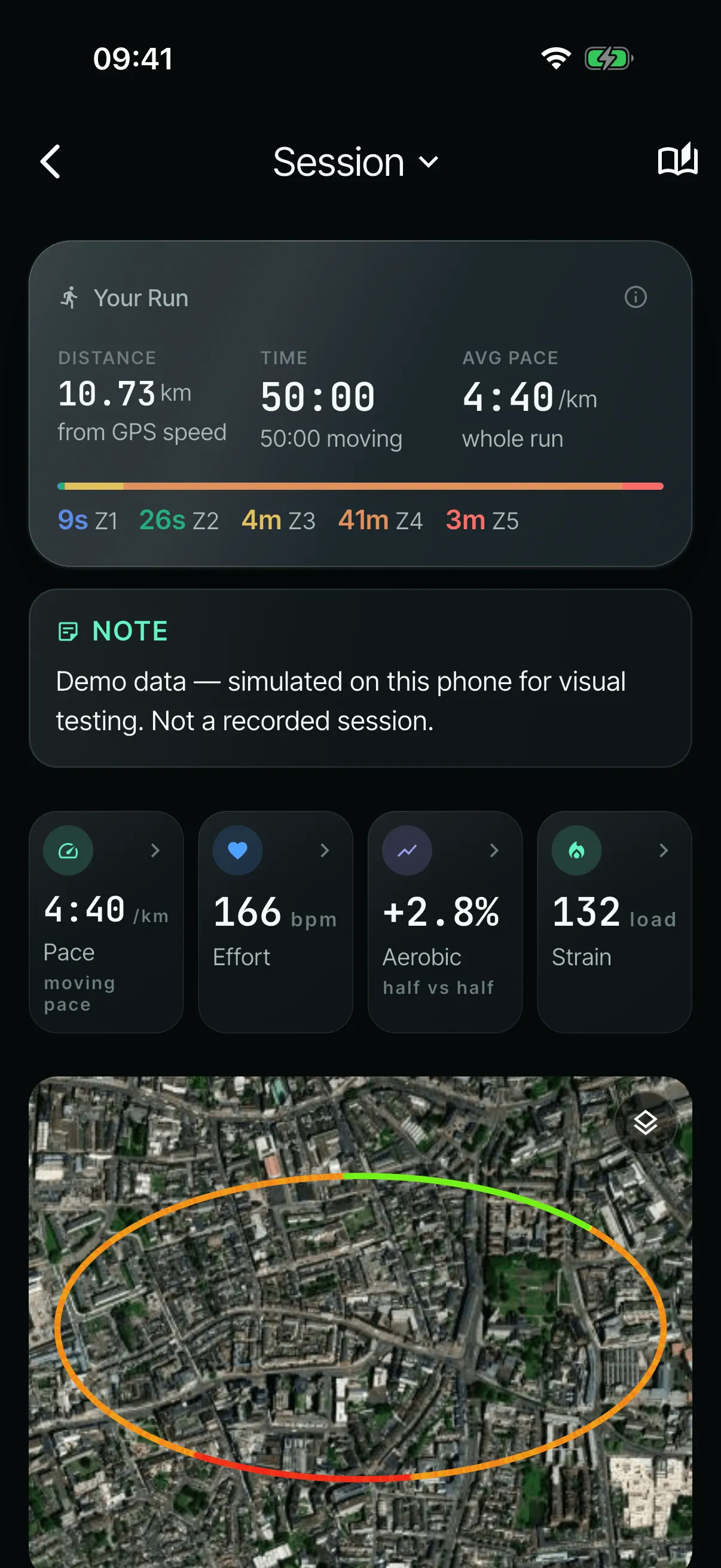
Every app screen on this page comes from the apps running in simulators, with the app’s demo data or simulated sensor data, not my own sessions. The watch screens come from Garmin’s simulator, where “Marcus” is the watch app’s built-in example name. The “before” screens are older versions, rebuilt from the code as it was on 11 and 17 June.
How the system works
On the wrist
- Garmin watch appRecords games, training, runs, intervals, footwork, throwing and gym, plus a daily check-in
- Apple Watch companionAdded in July; awaiting a test on a real device
On the phone
- Phone app (Flutter)Sessions stored on the phone: the dashboard, chapters, check-ins and the injury timeline
In the cloud
- FirebaseAnonymous sign-in, plus teams and communities only
How it flows
- A session is recorded on the watch and written to a journal first, so nothing is lost if the watch crashes.
- It’s sent to the phone in 2 KB pieces through Garmin’s Connect IQ messaging, which works alongside the watch’s pairing with Garmin Connect.
- The phone confirms it has the session. Only then does the watch mark it as synced.
- Sessions stay on the phone. Only teams and communities use the cloud.
On the watch
The watch app is built for the moment a point starts: out of breath, sweaty, with no time to look down. It runs on seven round Garmin watches, from the Forerunner 165 to the Venu 3, and the Forerunner 965 was my test watch.
What it tracks
Every mode records wrist heart rate every second, plus a one-second track of position, speed and GPS quality. Each session can also be saved as a normal Garmin activity, as a backup, alongside one compact file for the phone.
| Mode | What the watch records |
|---|---|
| Match | GPS from the first second, motion 25 times a second for the whole game, altitude, and a summary of every point |
| Training | Four segments: warm-up (heart rate and time), throwing (motion only), drills (GPS and motion as one continuous point) and game (as a match) |
| Run and intervals | Pace, distance and altitude, then heart-rate recovery after the stop. Intervals move on by themselves, with buzzes for go, stop and the countdown |
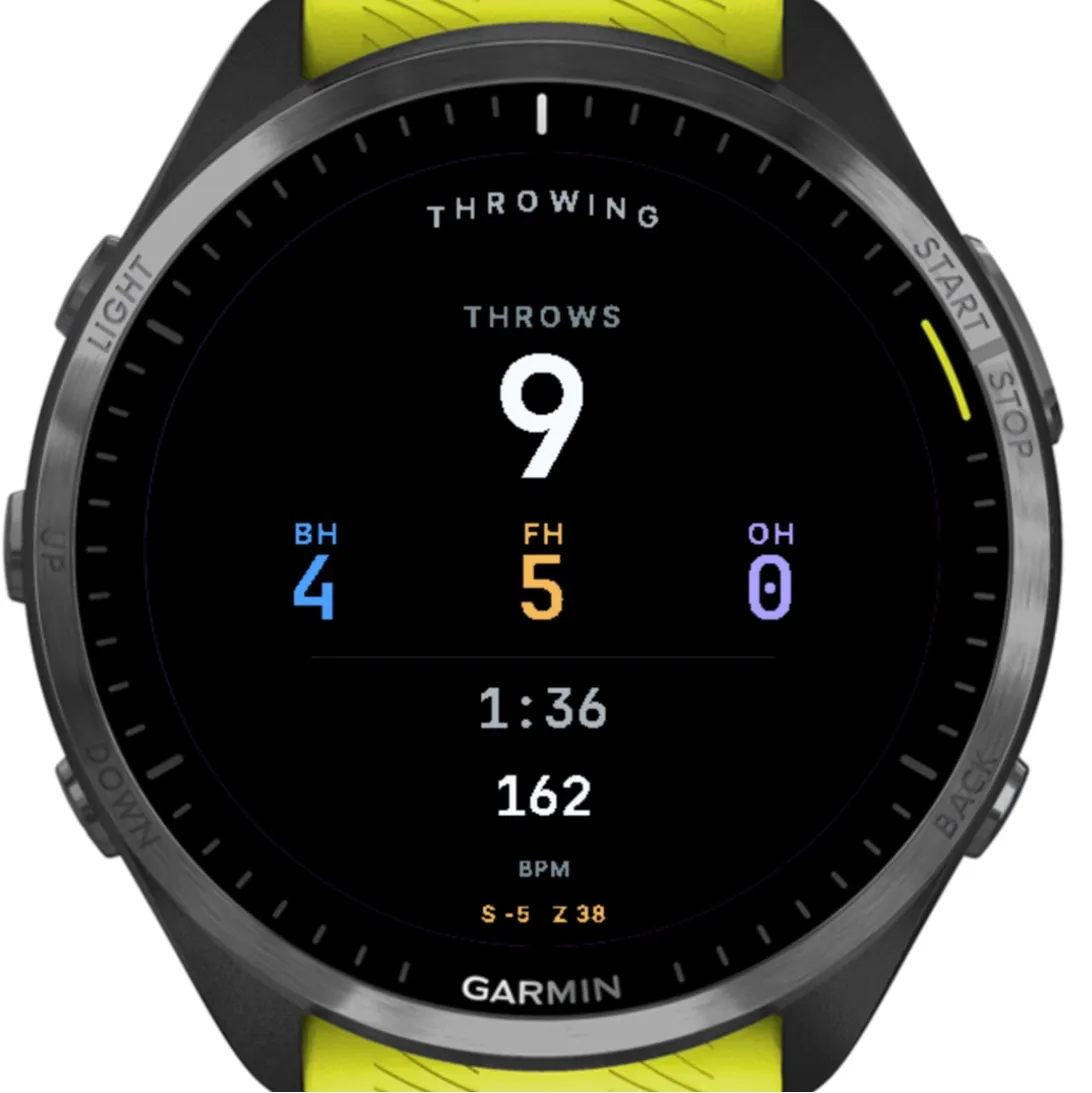
| Throwing | Motion 50 times a second, with each throw typed automatically as a backhand, forehand or overhead |
| Footwork and gym | Laps on one button for footwork; heart rate and time for gym |
| Daily check-in | How the body feels from 1 to 10, any niggle with its place and severity, and readings such as resting heart rate where the watch provides them |
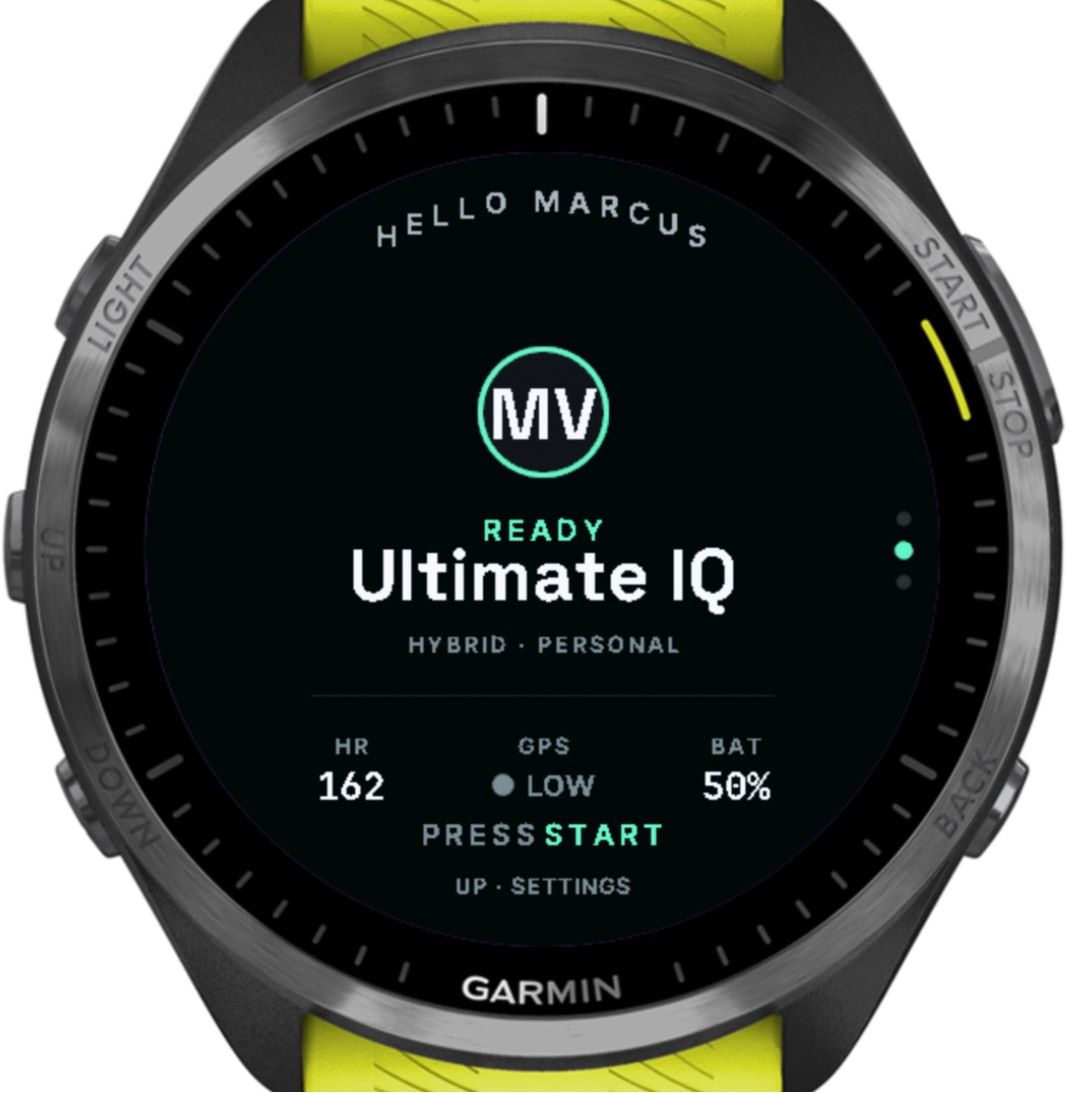
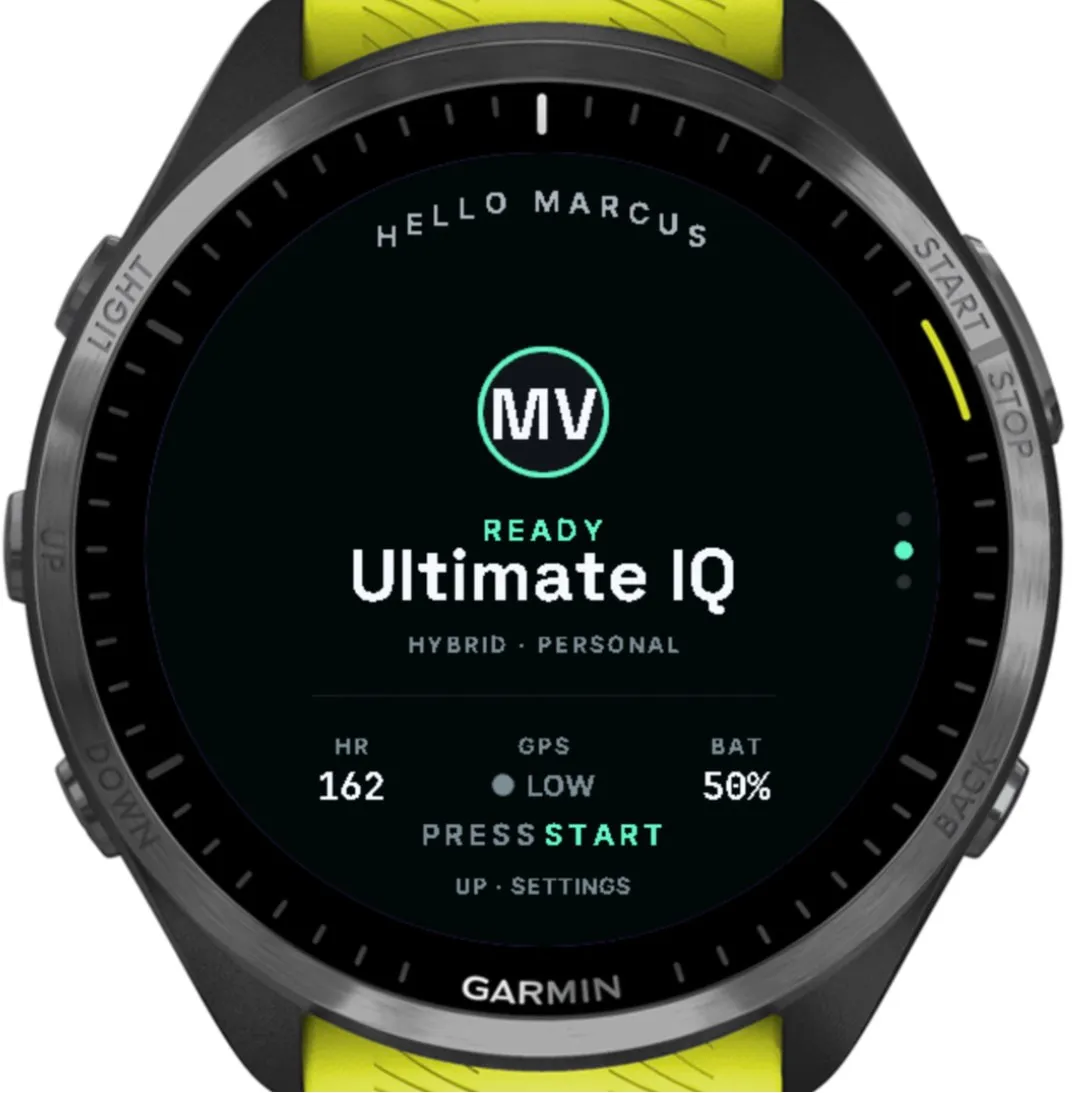
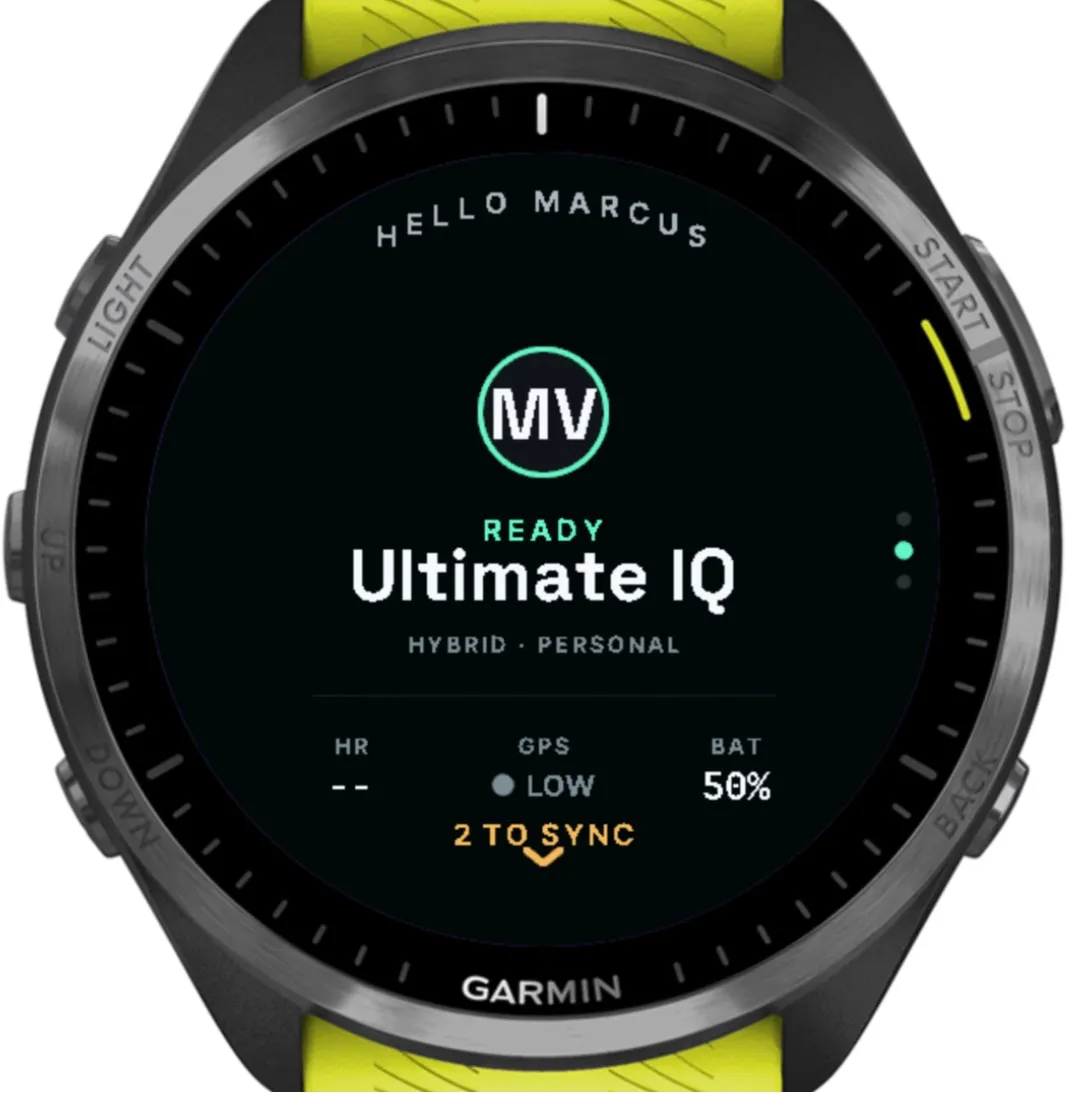
Home: heart rate, GPS and battery at a glance. 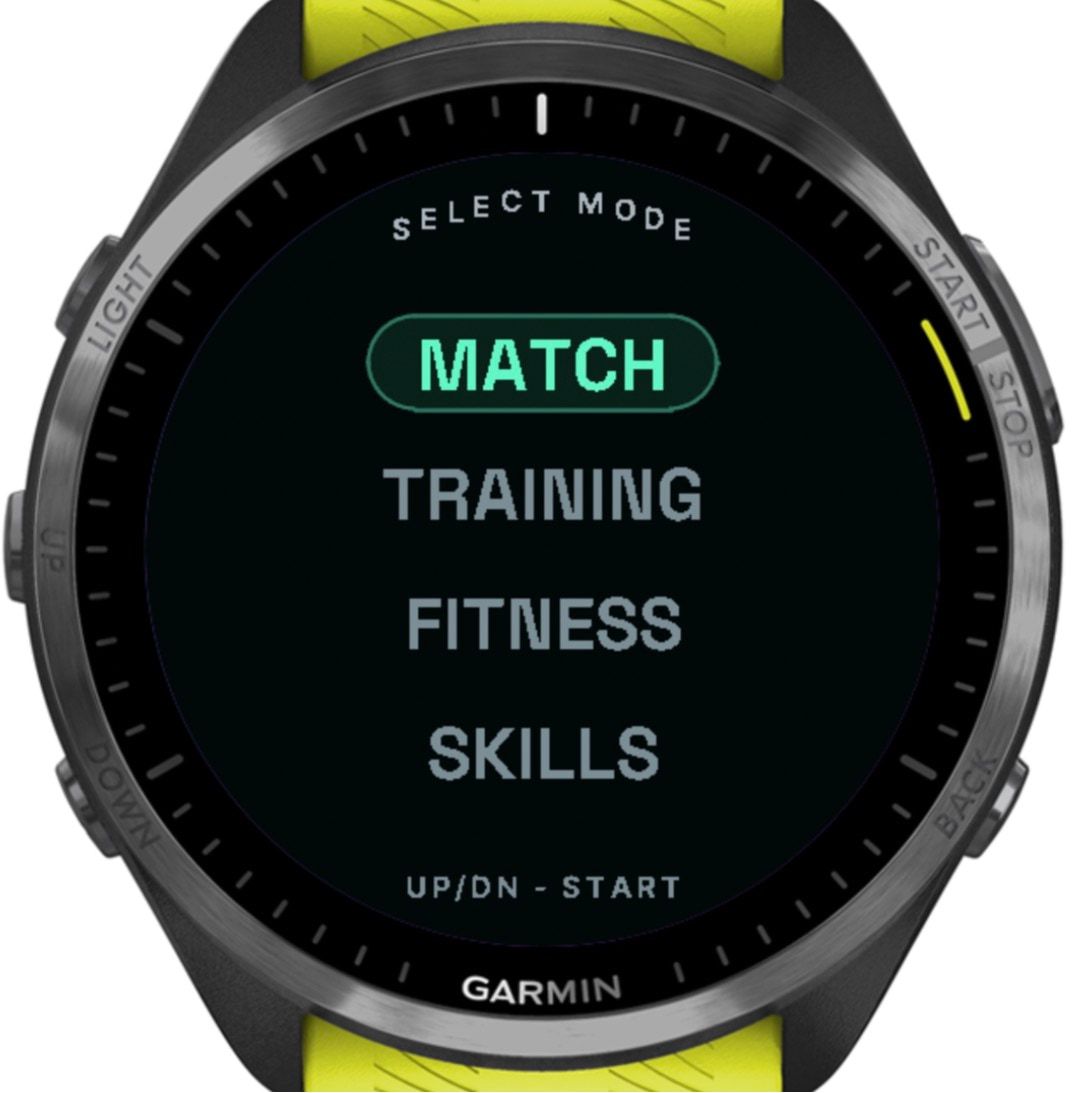
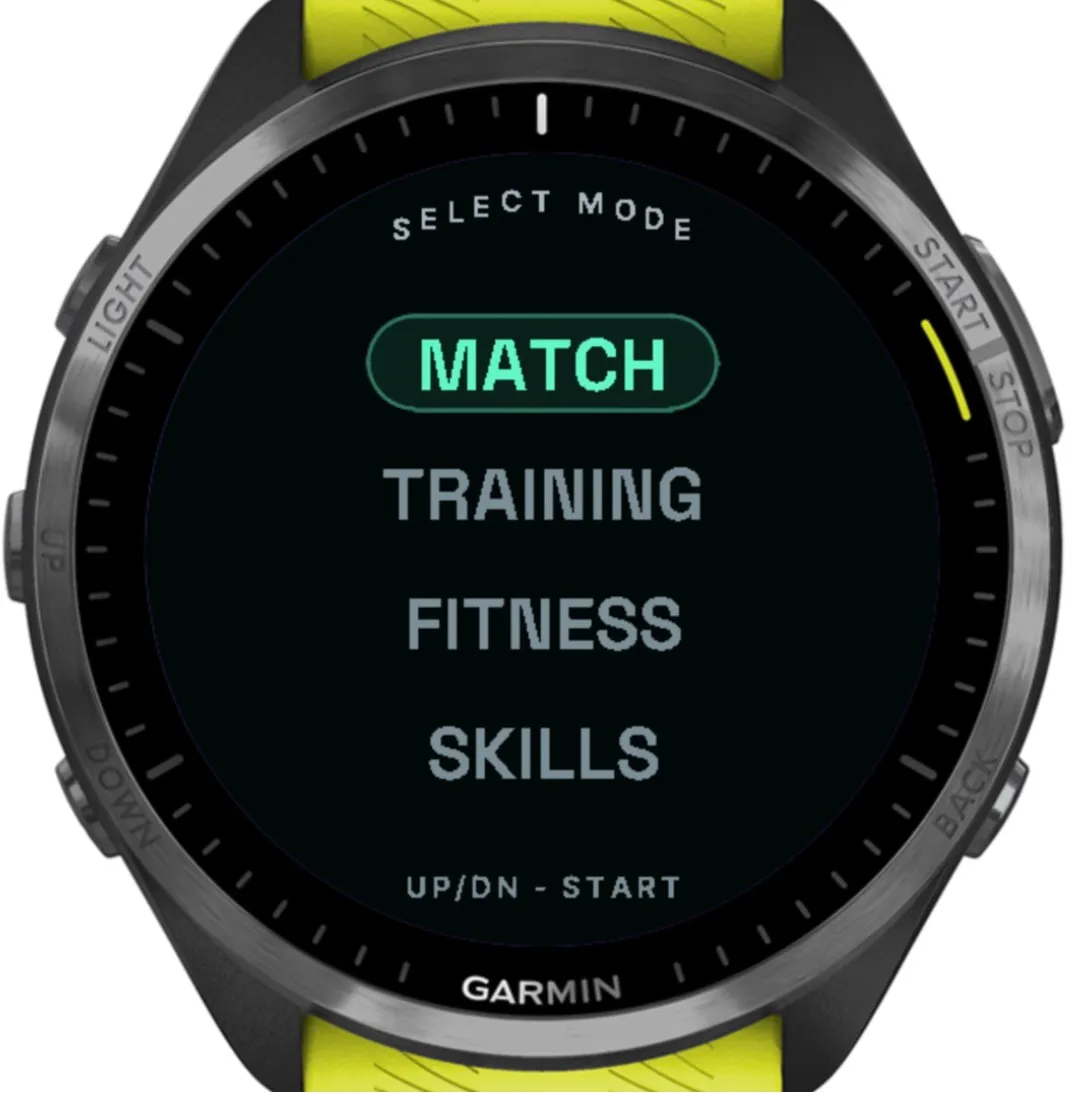
Four modes, chosen with UP, DOWN and START. 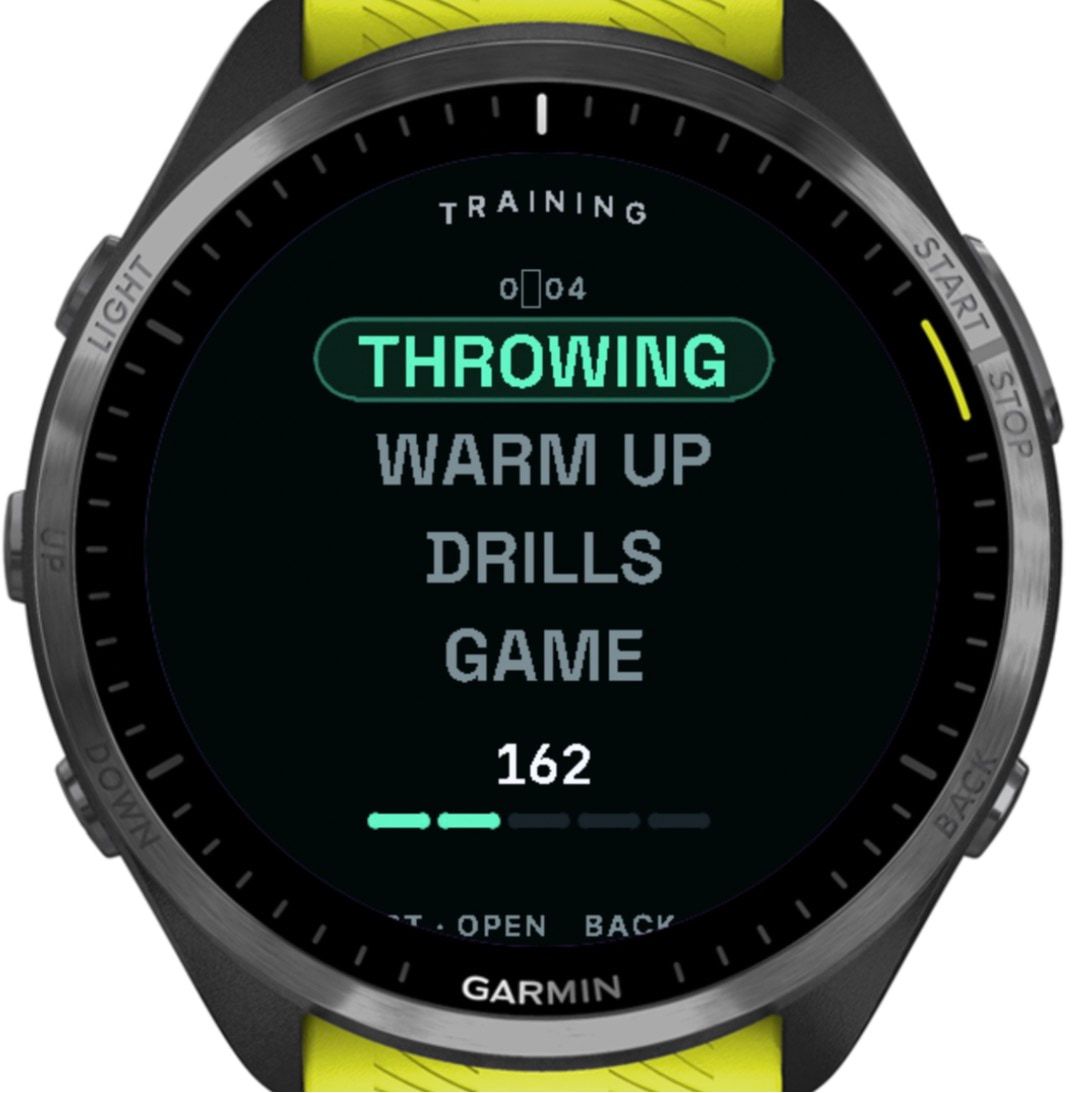
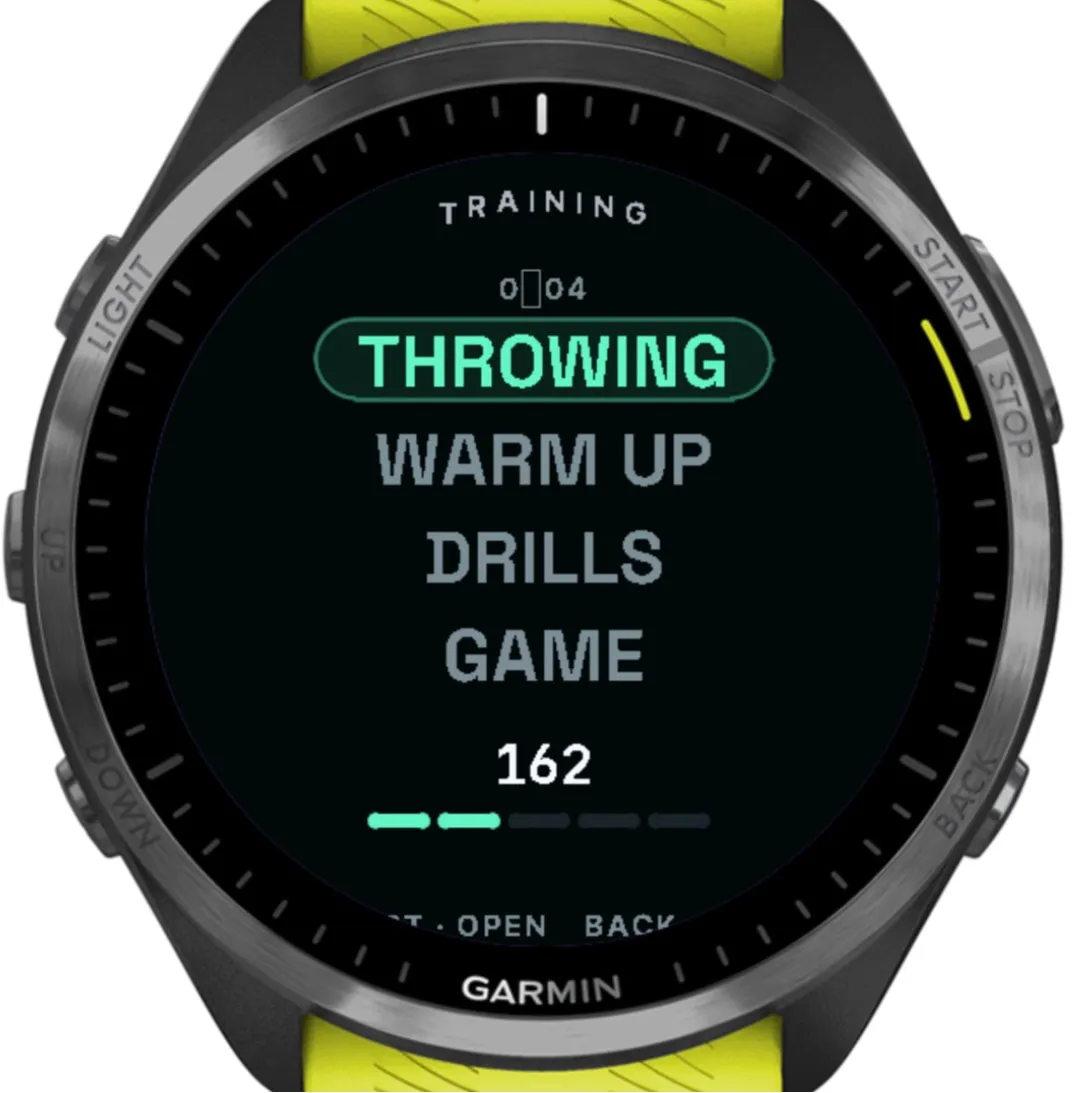
Training is split into segments, each with its own sensors. 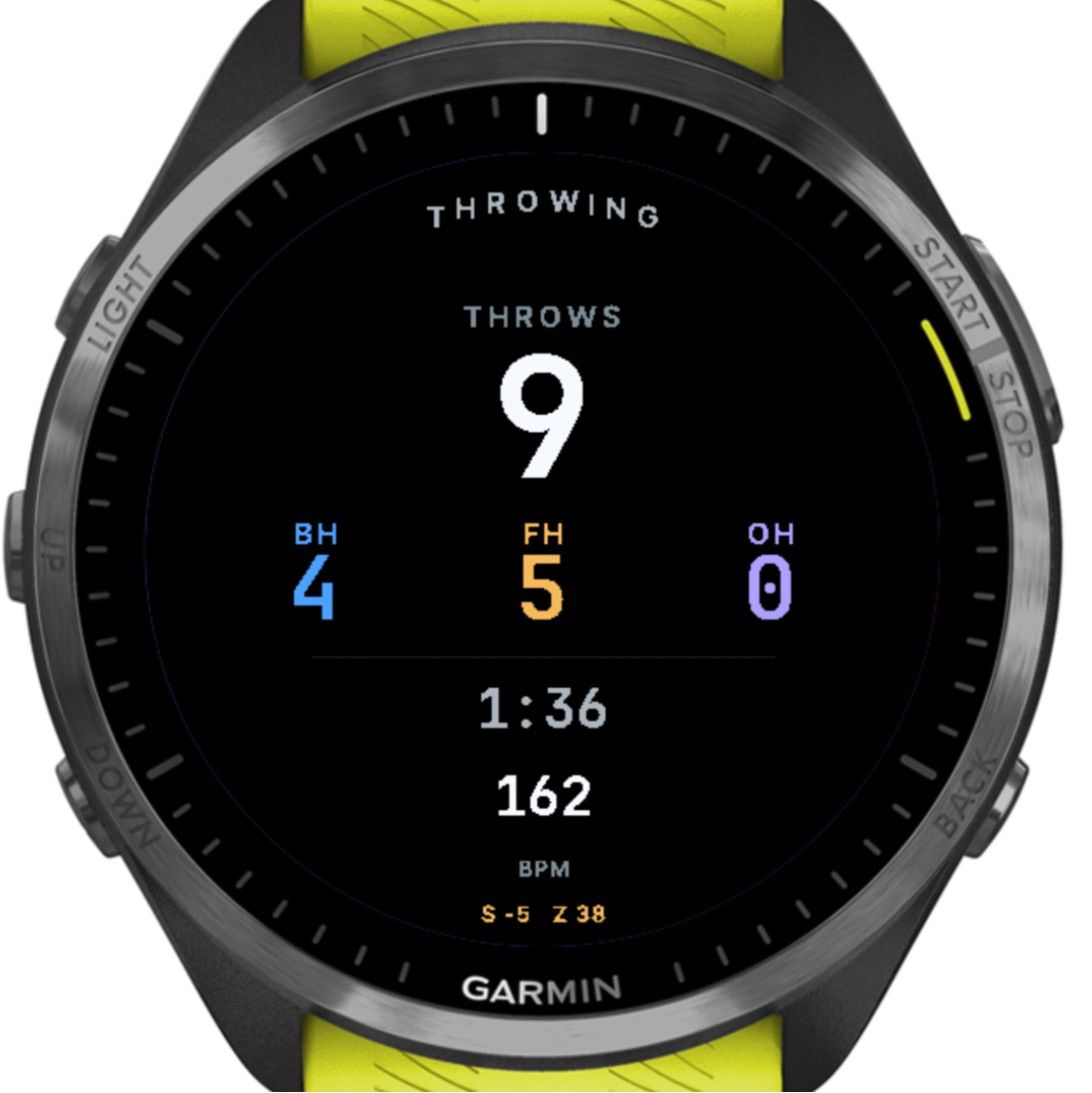
Throws are typed and colour-coded automatically. Here the simulator’s made-up motion set them off, and the amber line is a test readout.
One click for O or D
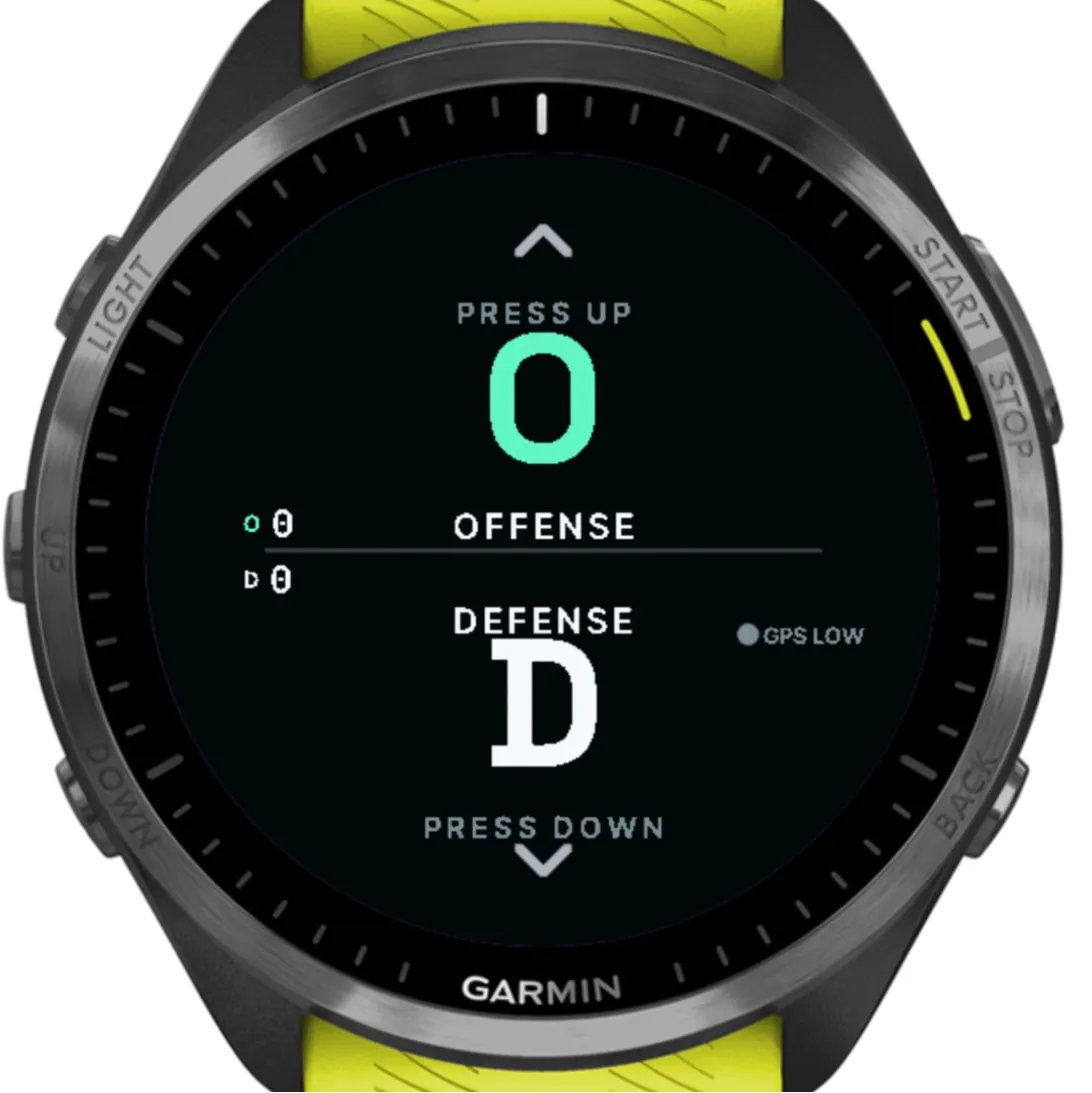
Ultimate splits every point into offence (O) and defence (D), and a general fitness tracker can’t tell them apart. On the watch, the line is one click: UP for an offence point, DOWN for defence, matching where each button sits. Holding either for about a second ends the point.
For every point, the watch stores:
- whether it was O or D, and when it started and ended
- peak speed, the hardest acceleration and braking, and the number of direction changes
- the fastest 40 m
- heart rate at the end of the point, and the lowest it fell in the rest that followed
The watch records the line you played, not who won the point. That one click is what makes the phone’s Ultimate views possible:
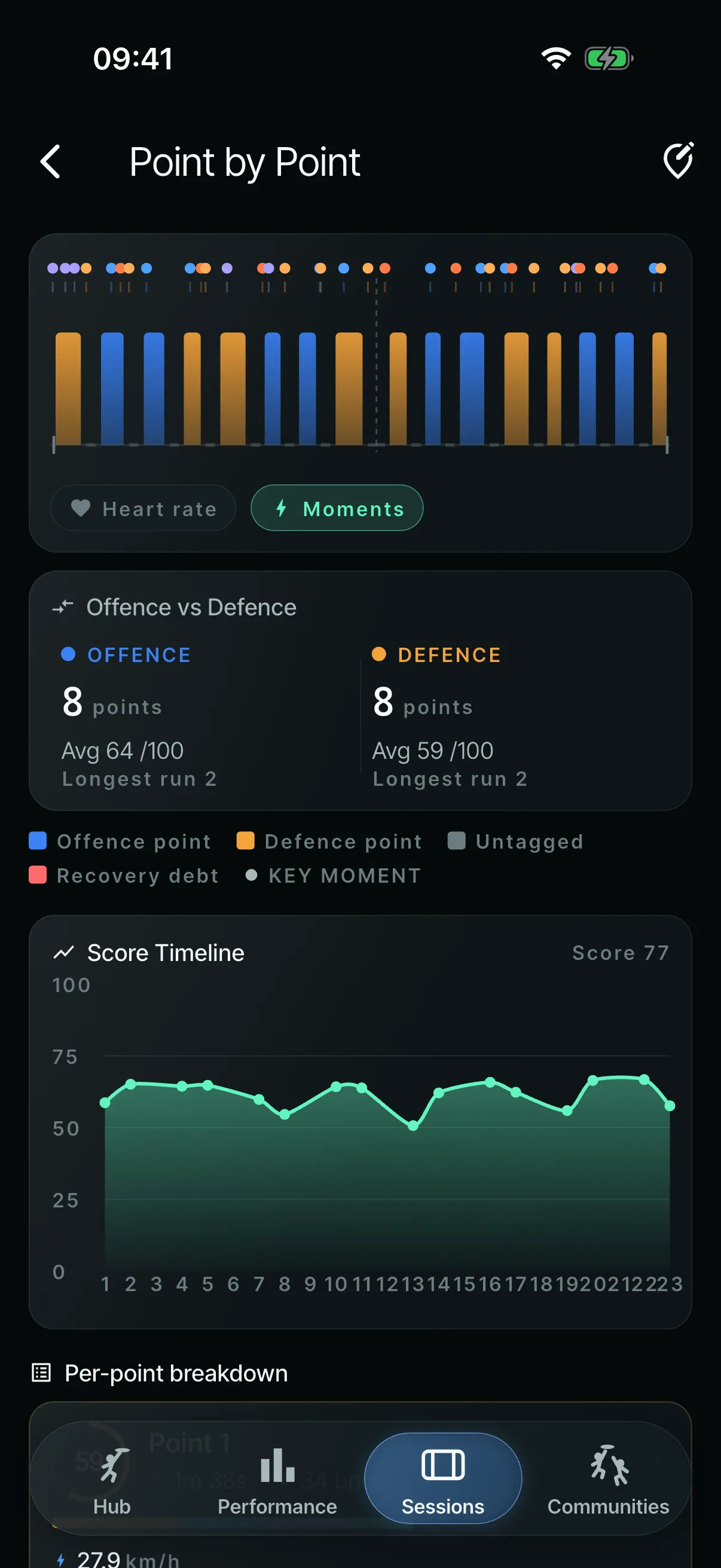
- a game timeline of O and D points and the rests between them, flagging “recovery debt” when a short rest follows a long point
- offence and defence compared side by side
- a game grade that rewards playing both lines
- coverage maps split by O and D, and which way the team was attacking
- O and D points per game on the player profile
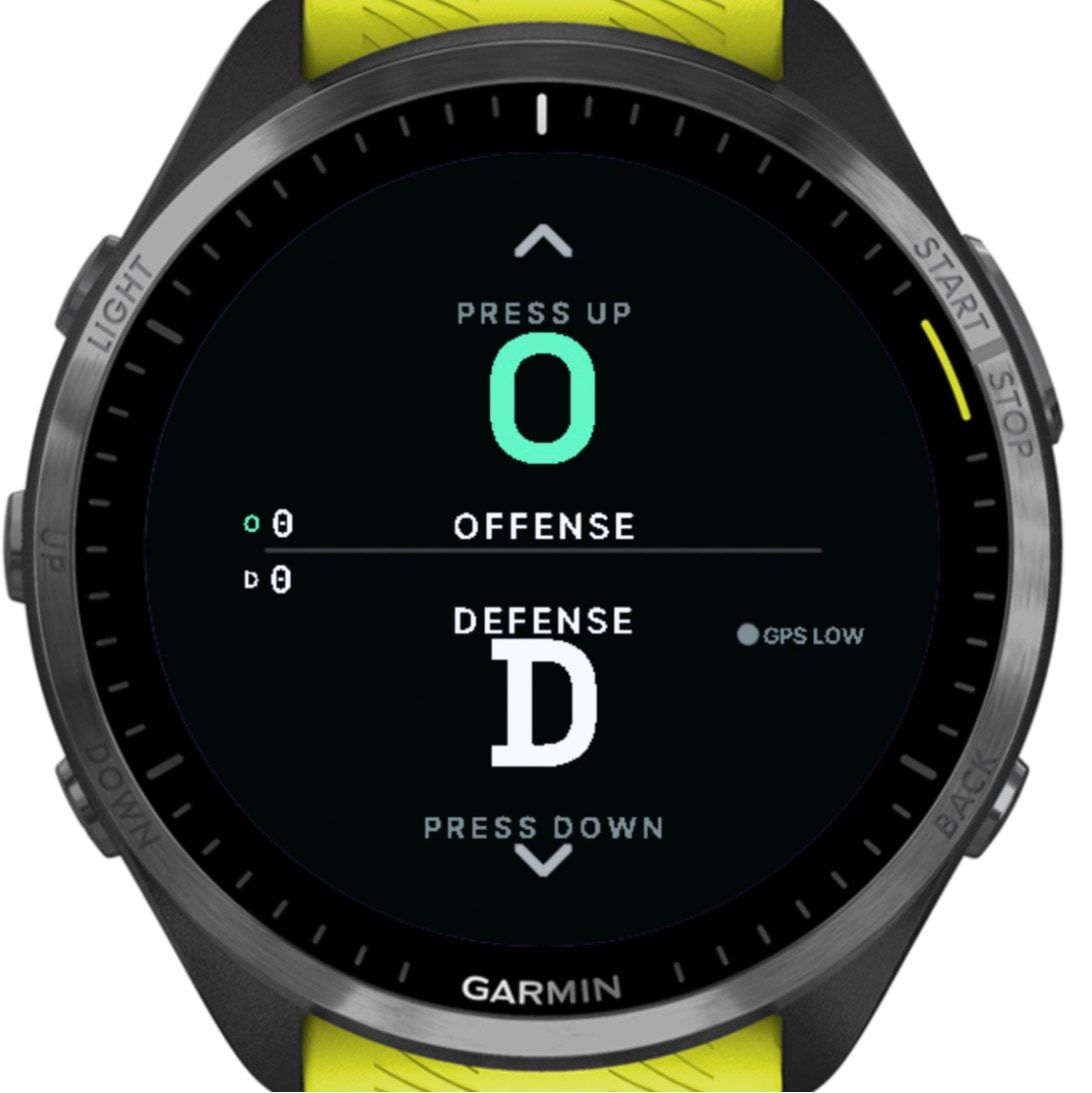
One click: UP for offence, DOWN for defence. 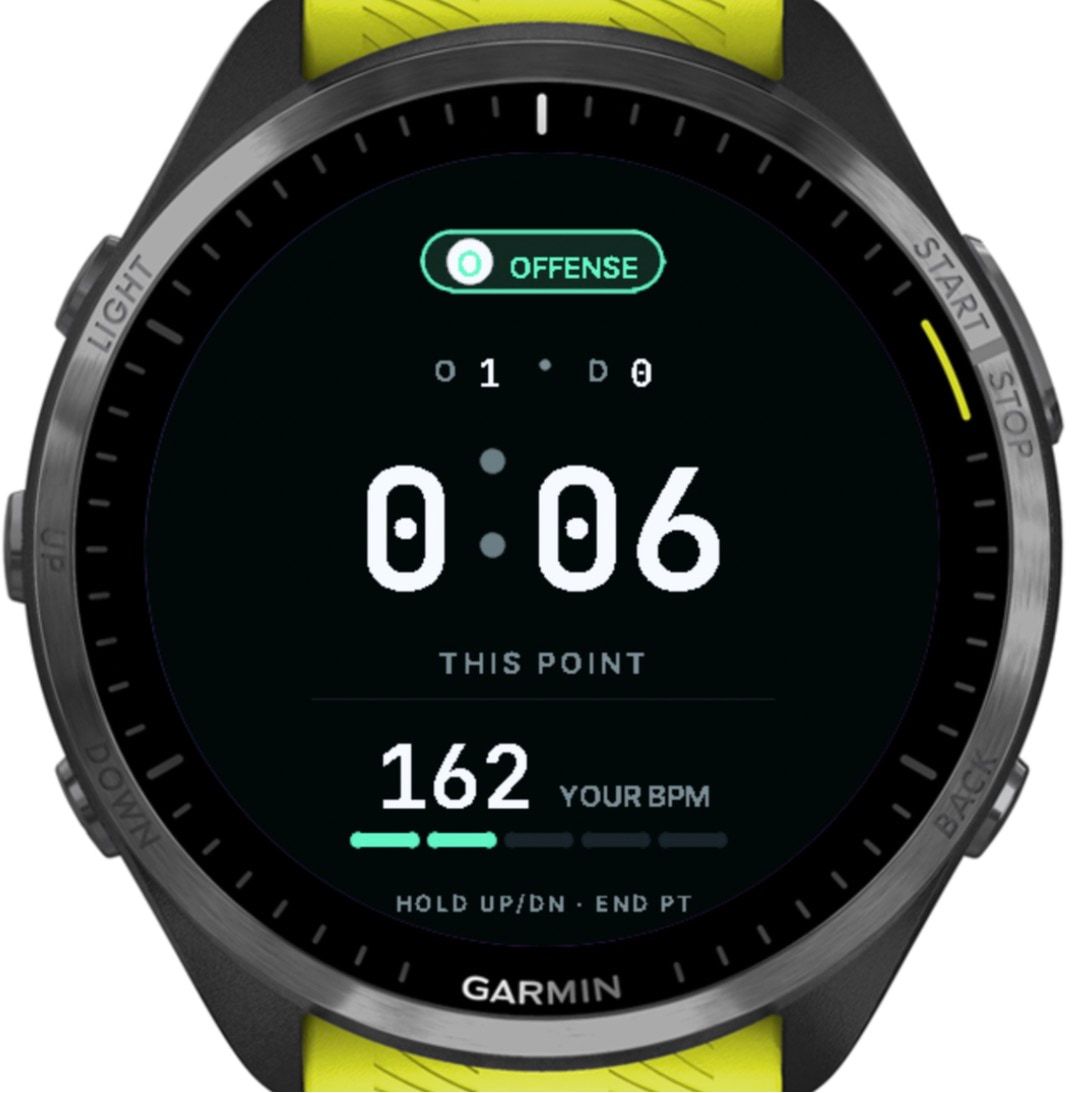
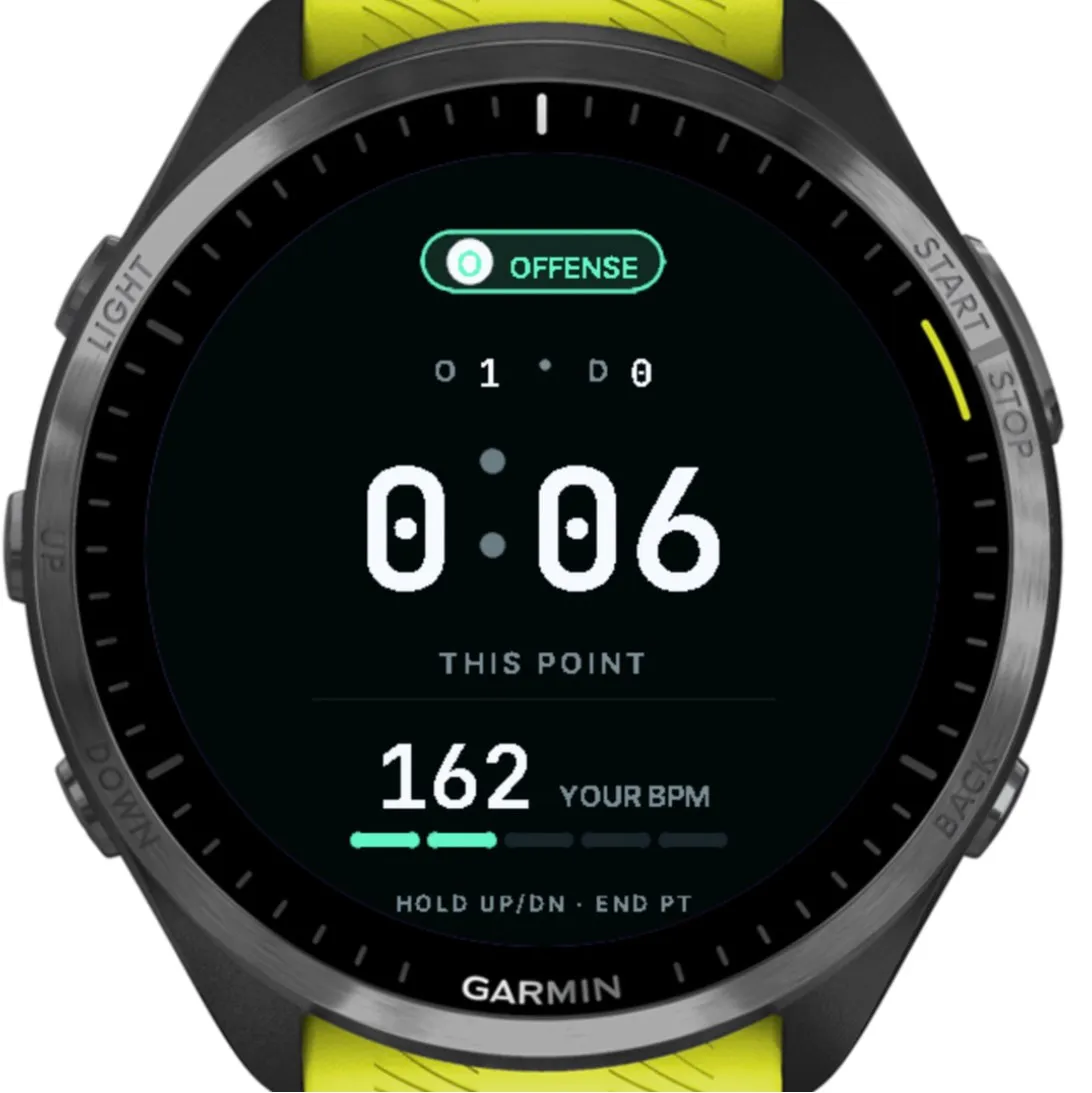
During a point: the line, the clock and heart rate. 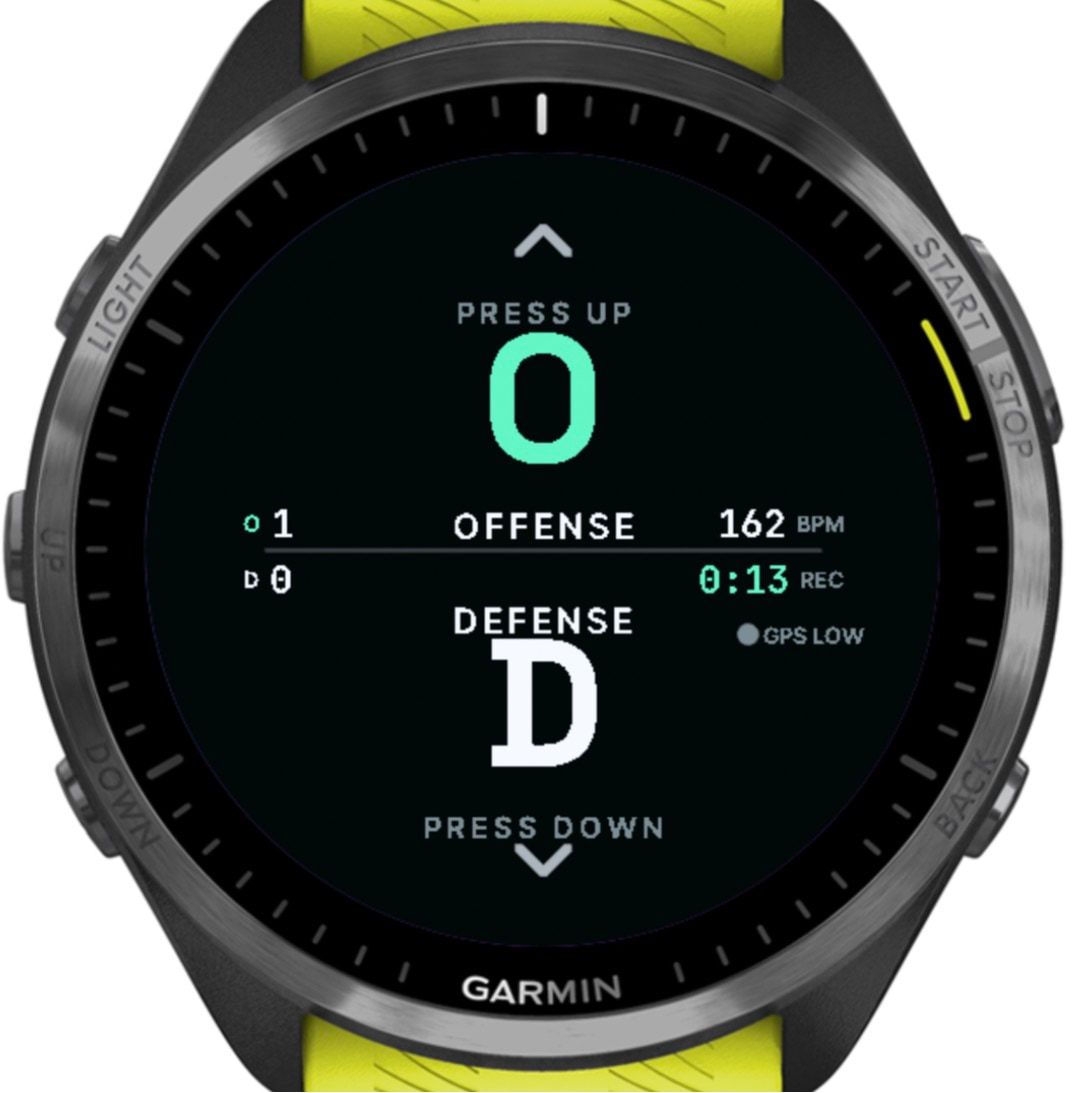
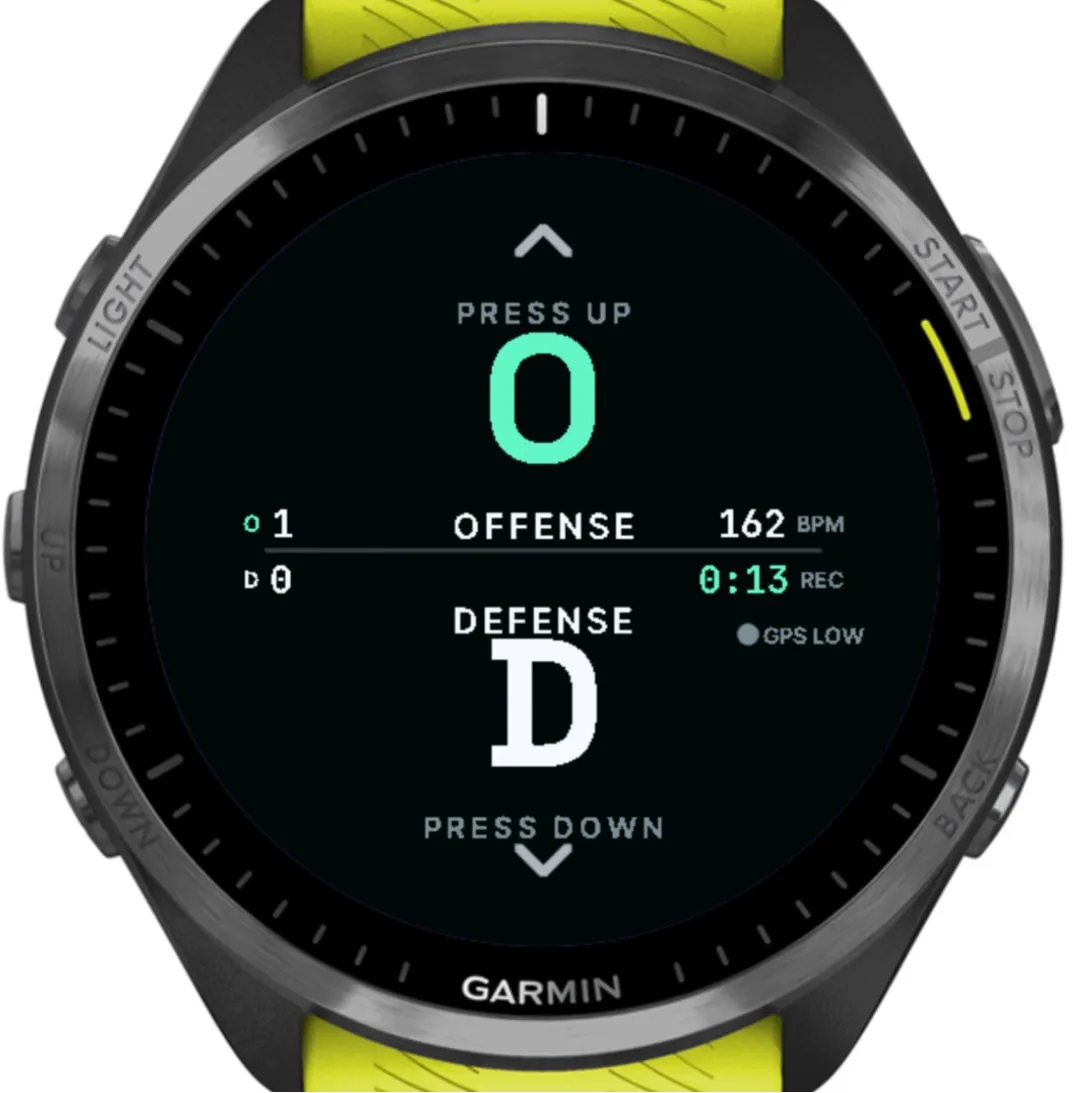
Between points, a rest timer runs until the next click. 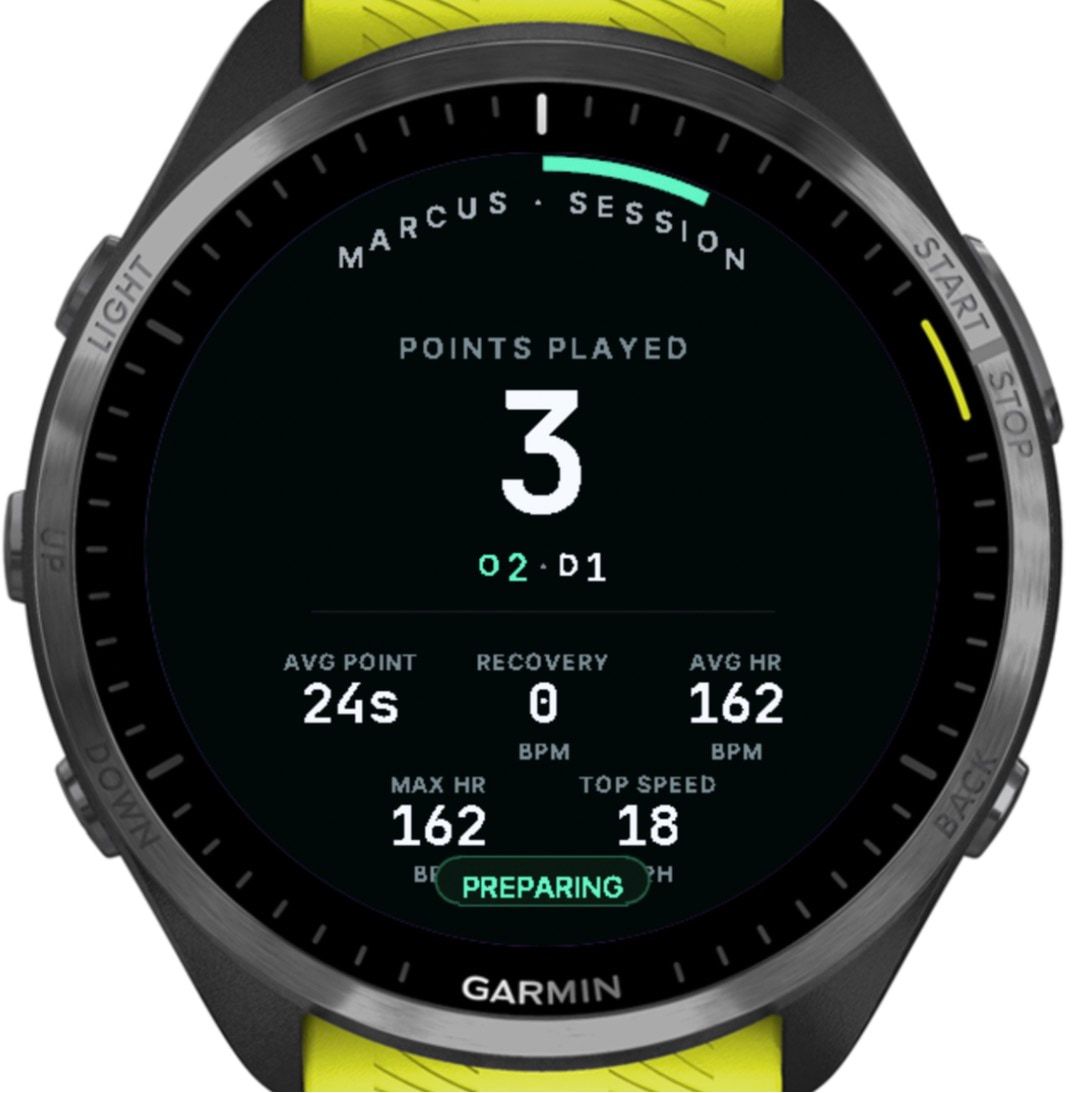
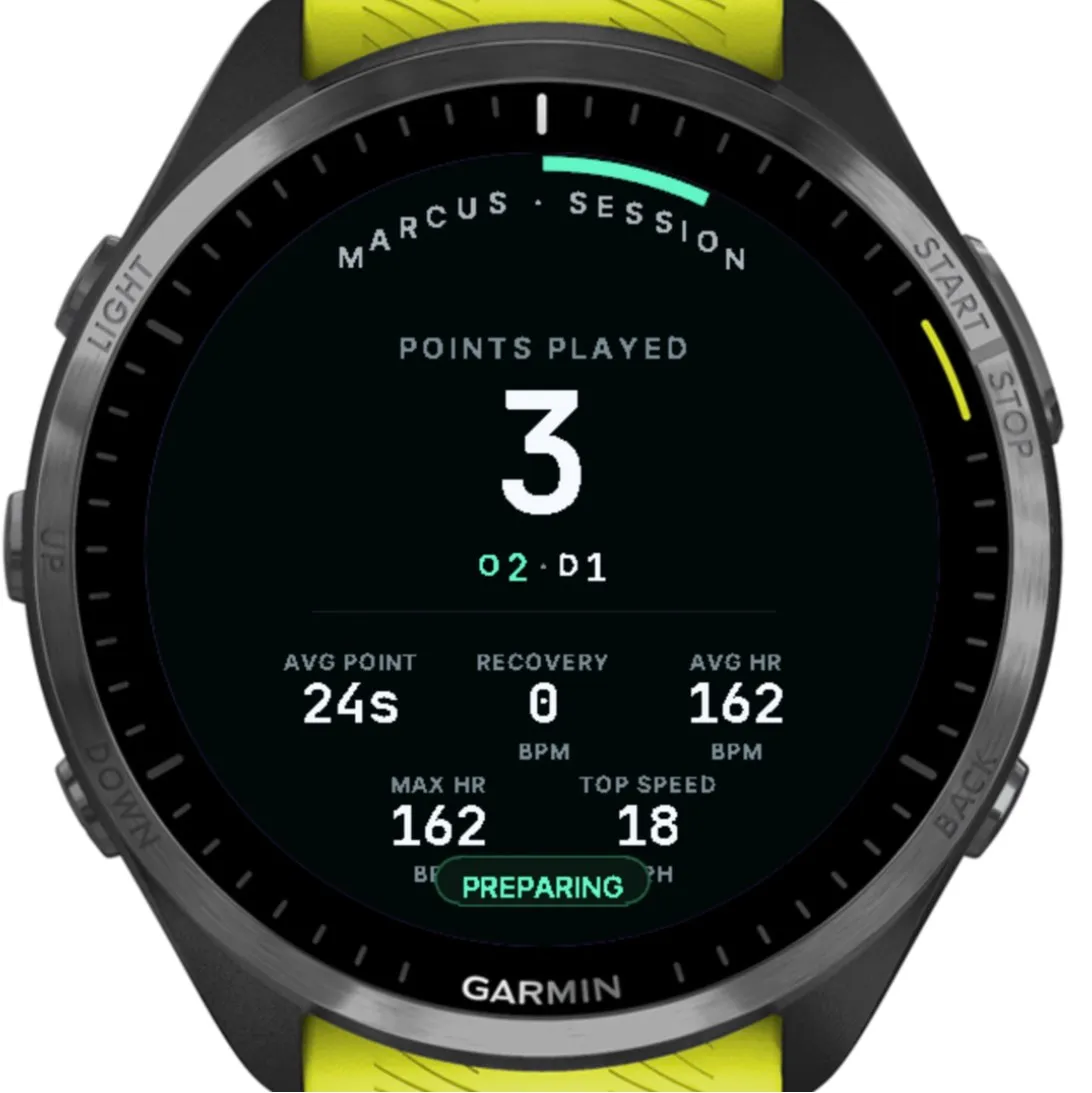
The summary. The simulator’s heart rate stays flat, so recovery reads 0.
Designed for mid-game hands
I asked for an audit to make sure the interface was accessible to everyone. It found 26 issues, with measured contrast ratios against the WCAG accessibility standard, and I gave a direction on each one the same morning. The rebuild followed one rule: nothing that matters should happen by accident.
| Design choice | What it prevents |
|---|---|
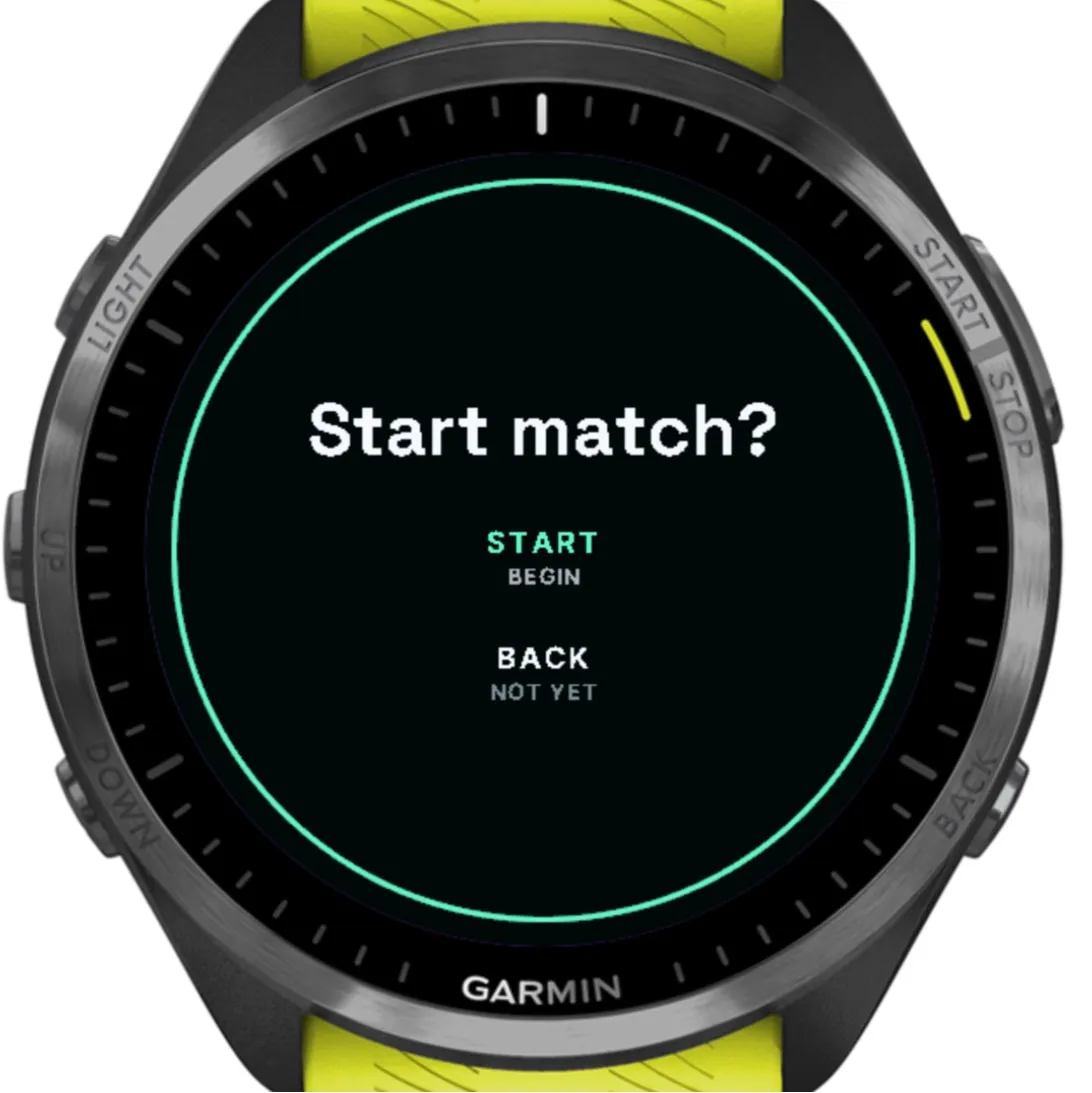
| “Start match?” before a recording begins | A stray press starting a recording |
| One click starts a point: UP for O, DOWN for D. It used to be a 2-second hold | Fumbling at the pull |
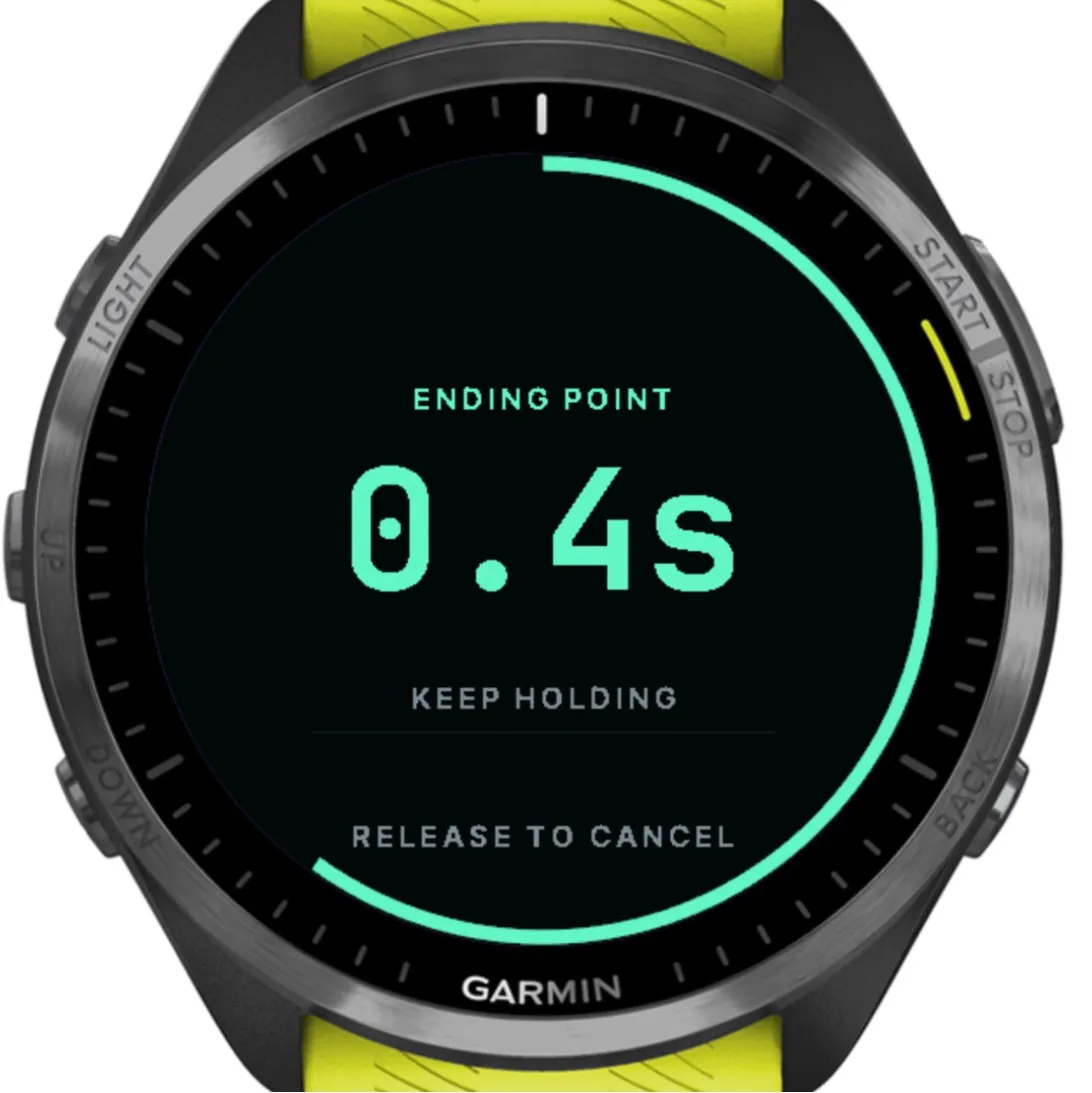
| A one-second hold ends a point | A stray press cutting a point short |
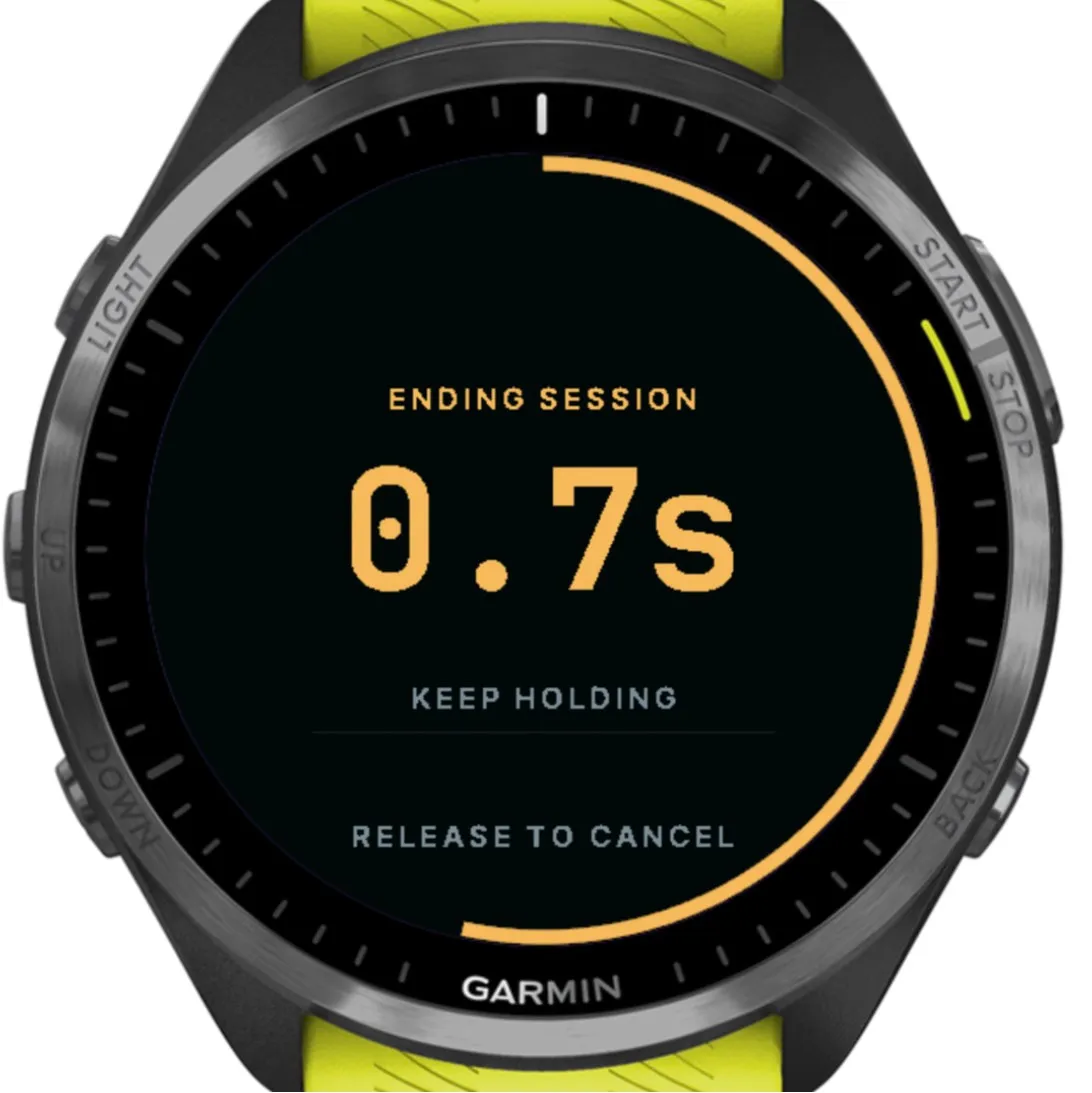
| One 1.5-second hold on START ends any session or segment. It was 3 seconds in games and 2 elsewhere | Two habits to learn. The ring only appears after 0.2 seconds, so a click never looks like a hold |
| A countdown ring with “Release to cancel” | Ending something without meaning to |
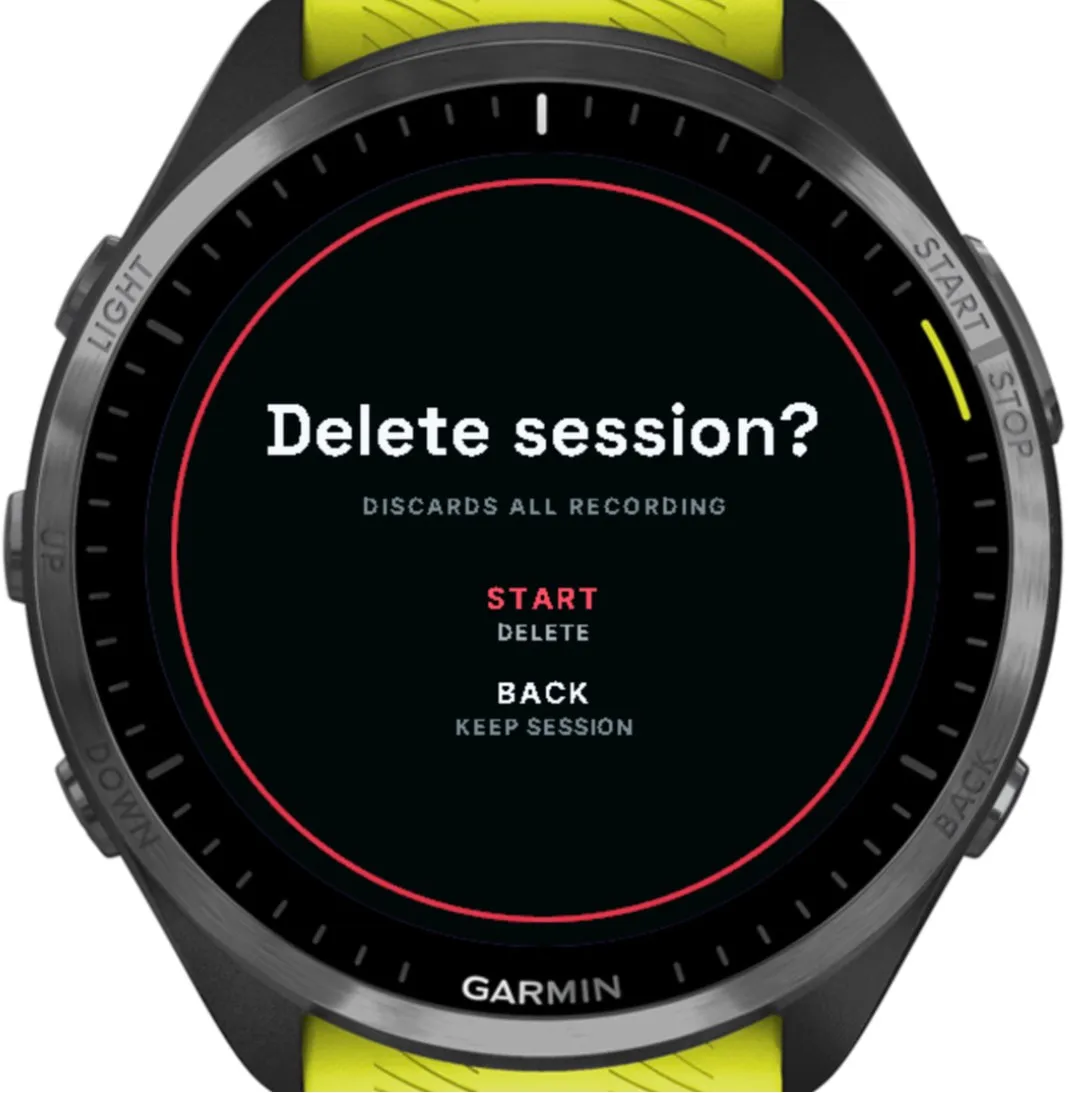
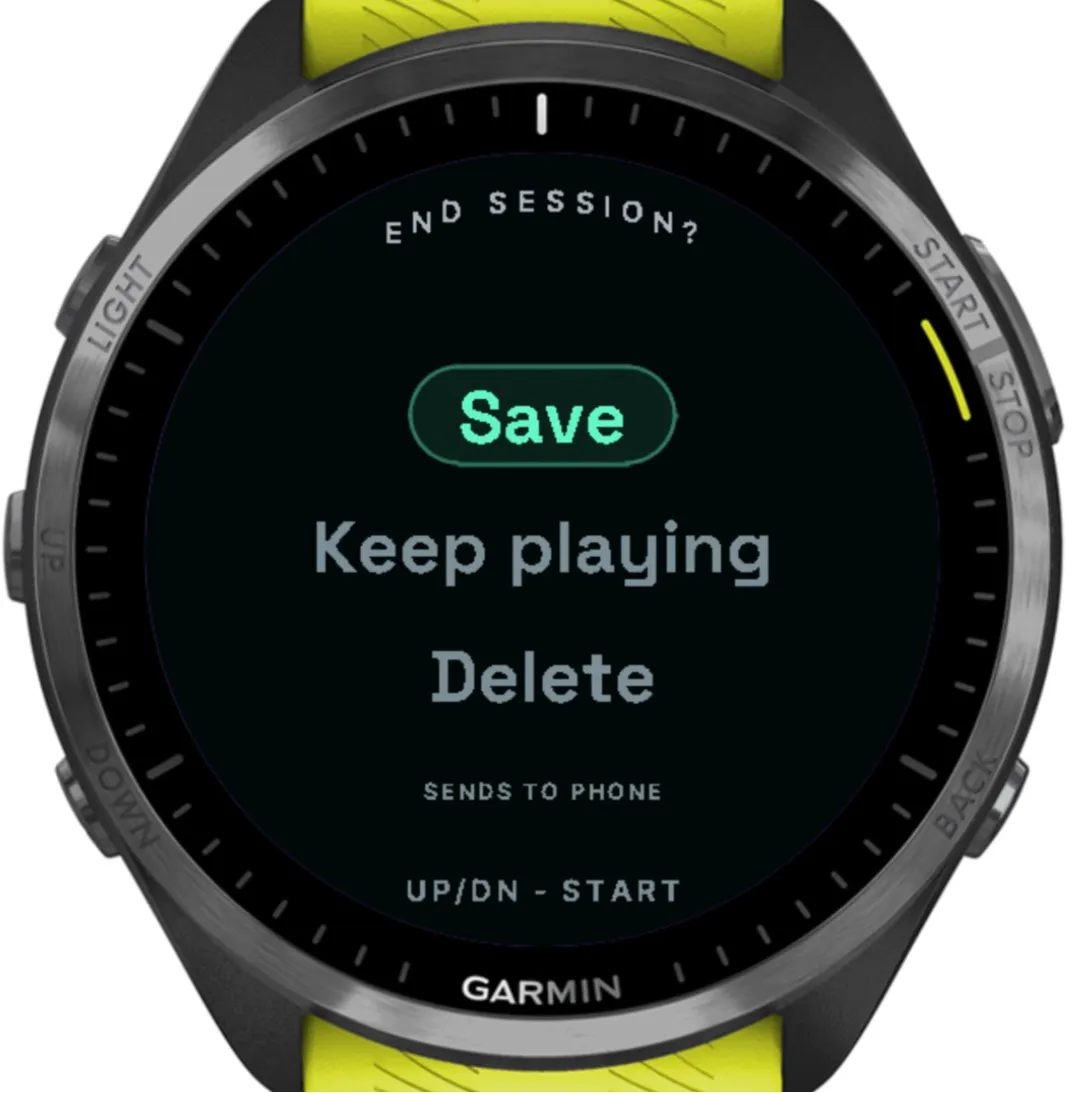
| Save, Keep playing or Delete, with Delete in red and a second confirmation | Losing a session to one press |
| BACK twice to leave the app, and BACK ignored mid-interval | Quitting or ending a workout by accident |
| Taps ignored on the point, throwing and delete screens, and touch can be switched off from the phone | Sweat and rain changing what’s recorded |
| Bigger text (caps from 14 to 17 px), stronger contrast (hints from 4.4:1 to 5.5:1), and GPS shown as a word, not just a colour | Misreading the screen outdoors |
| A buzz for every point start and end, every save and every interval change | Having to look at the watch mid-play |
In June I had touch turned off completely. It came back in July as an extra on touchscreen watches, but never on the screens that matter mid-point. Where it could, the watch stopped asking at all: throws are typed automatically, drills run as one continuous point, intervals move on by themselves, and the pitch is worked out on the phone from GPS instead of being mapped on the watch.
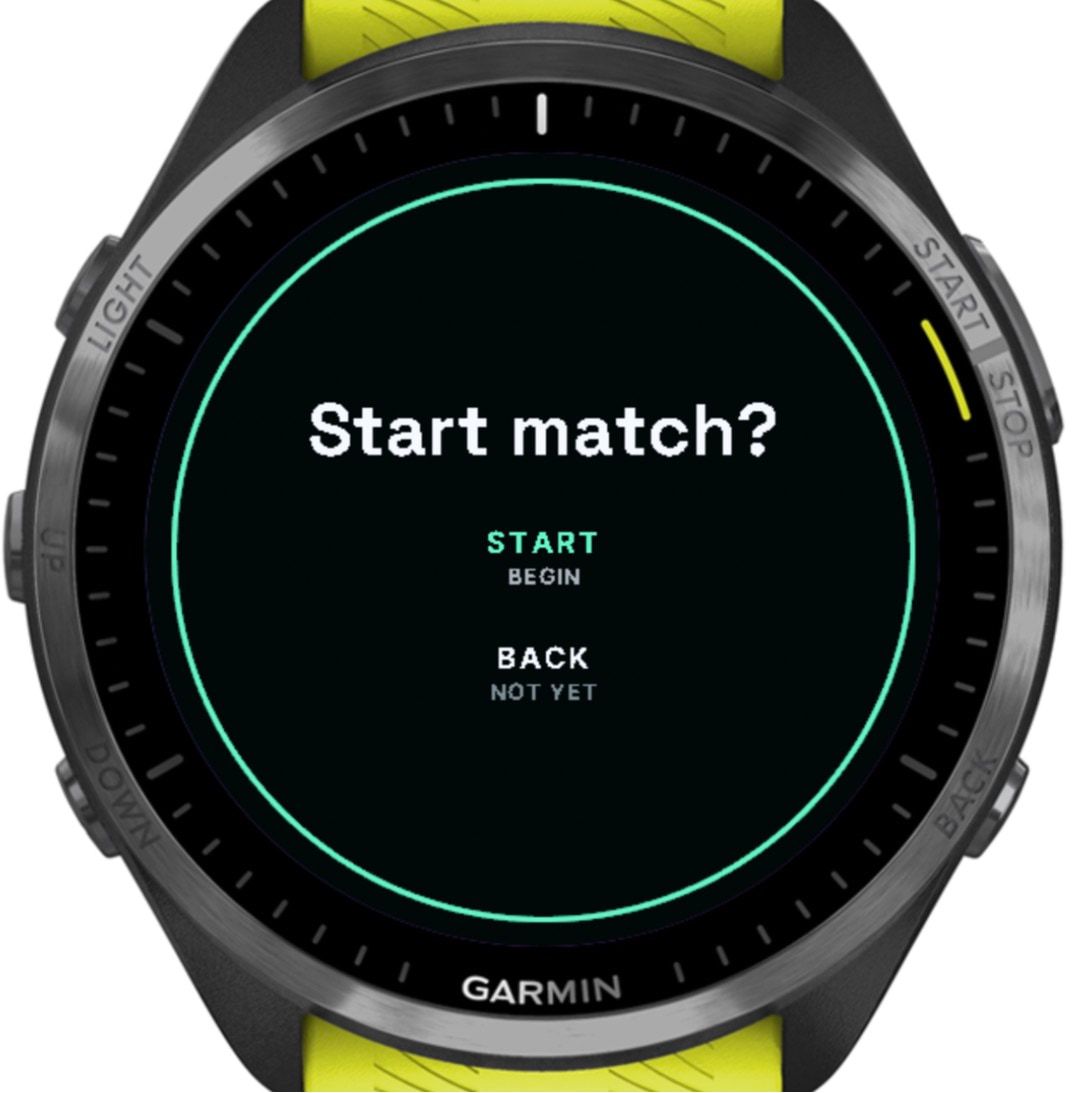
A recording only starts after a confirmation. 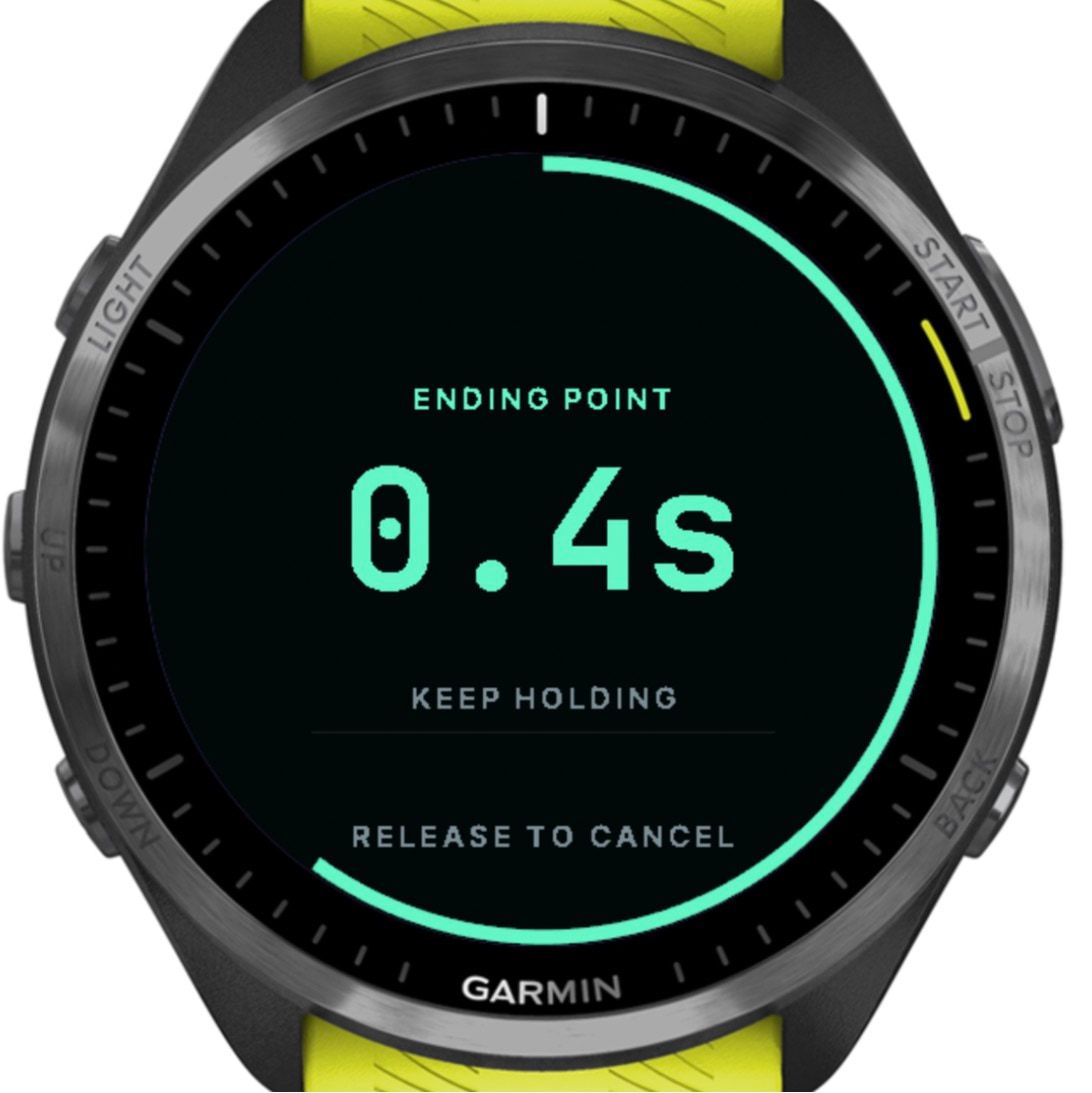
Ending a point takes a one-second hold, with a ring to show it. 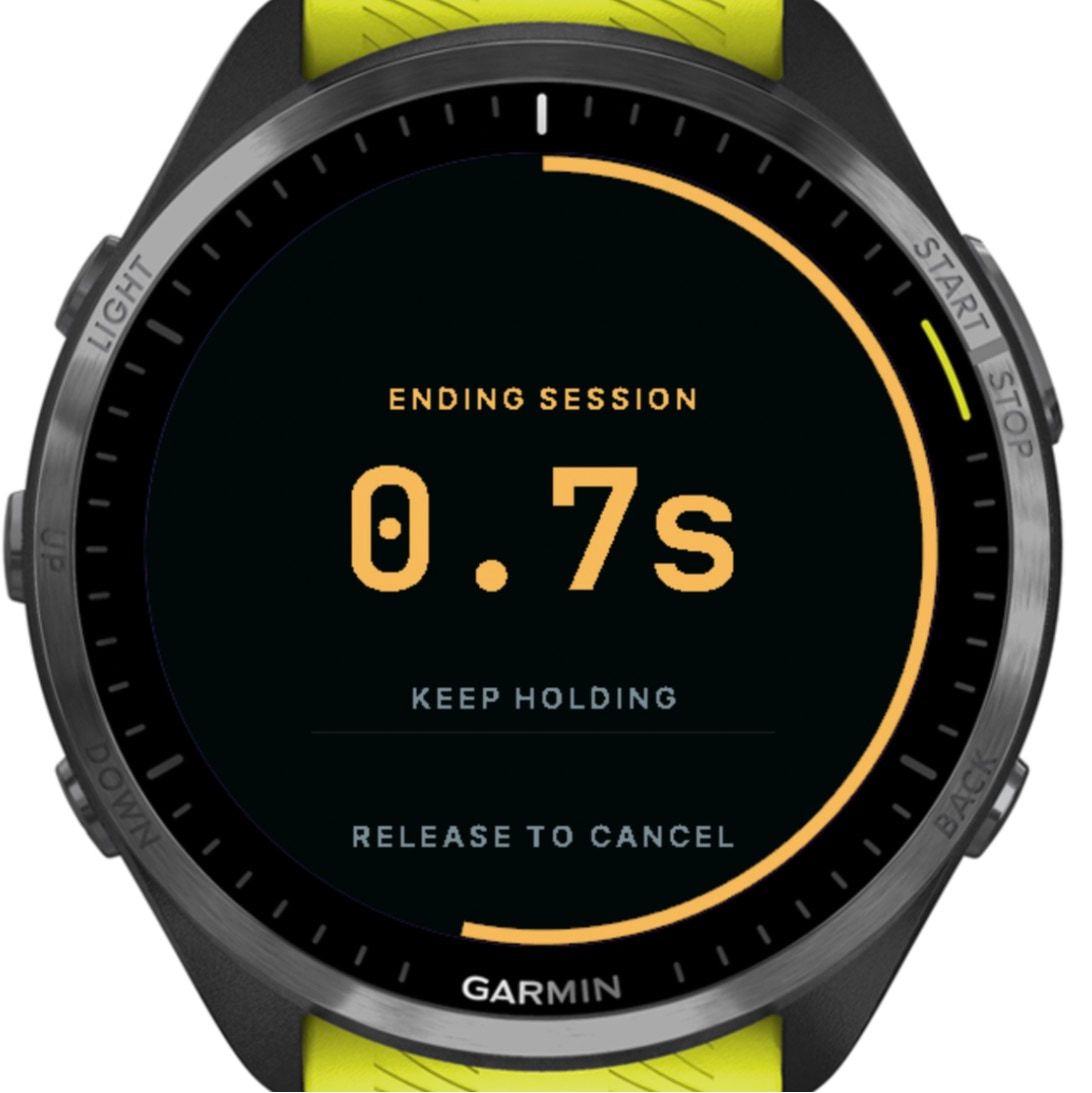
Ending a session takes 1.5 seconds on START. 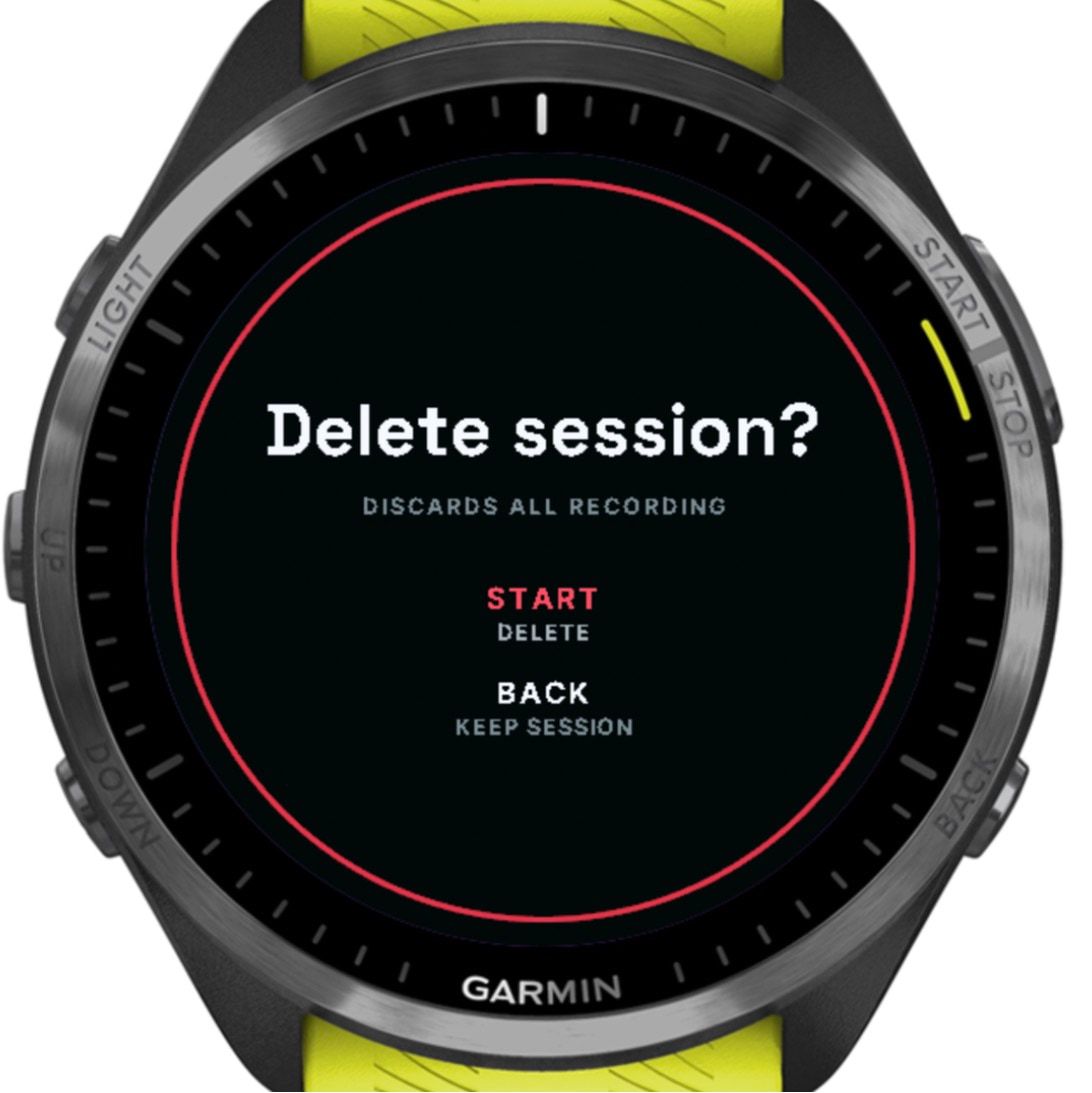
Deleting needs a second, separate confirmation.
Working within a watch’s limits
- 768 KBMemory on the Forerunner 965, with buffers sized up front for about 2.3 hours of one-second data
- 3Timers Connect IQ allows; a fourth crashes the app, so syncing pauses during a session
- 16 KBLargest single write to storage: half the size that crashed the watch in a test
Sensors are switched on per training segment, GPS stays off for throwing, gym and warm-ups, and the screens are dark to save the AMOLED display’s battery.
On the phone
On the phone, sessions become two-week chapters, labelled numbers, check-ins and the game itself, point by point.
A dashboard built on chapters
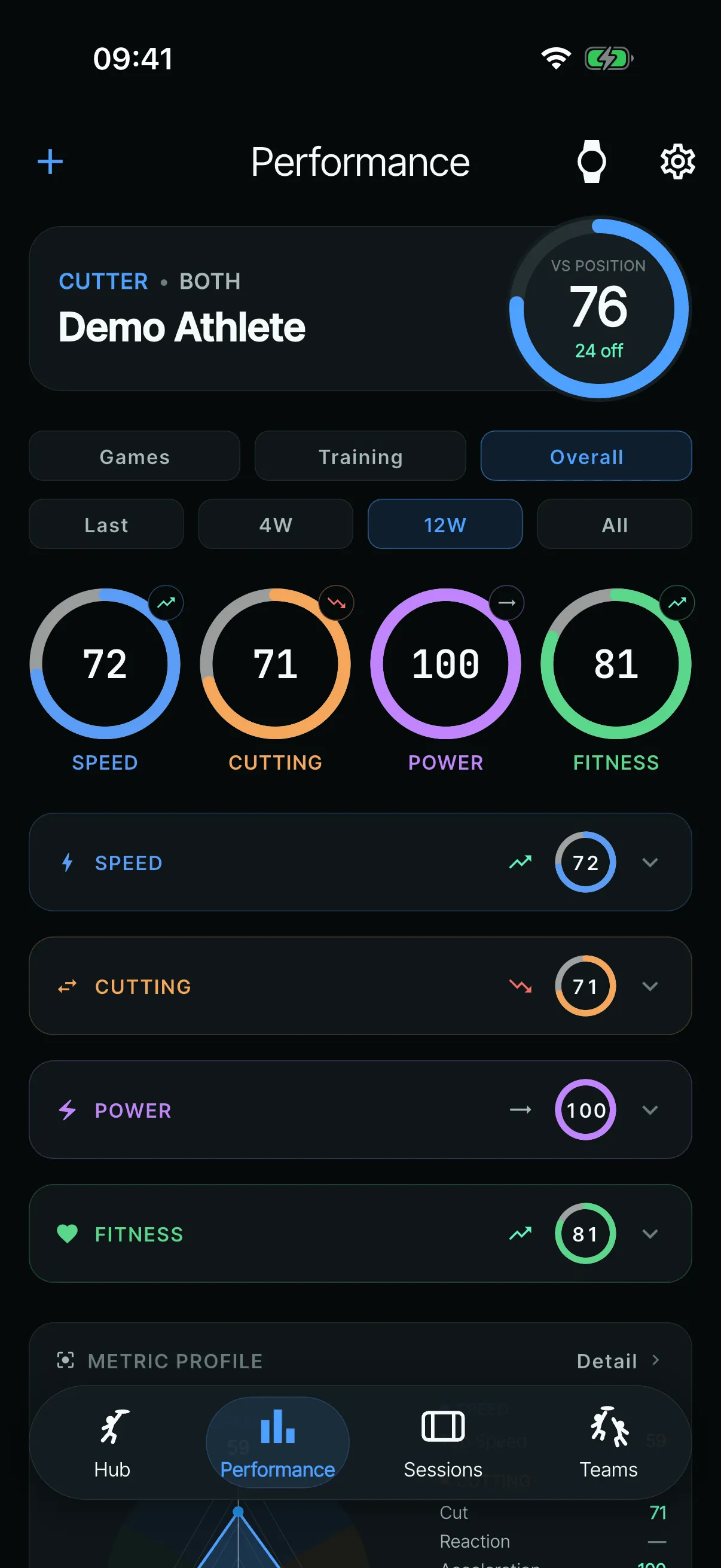
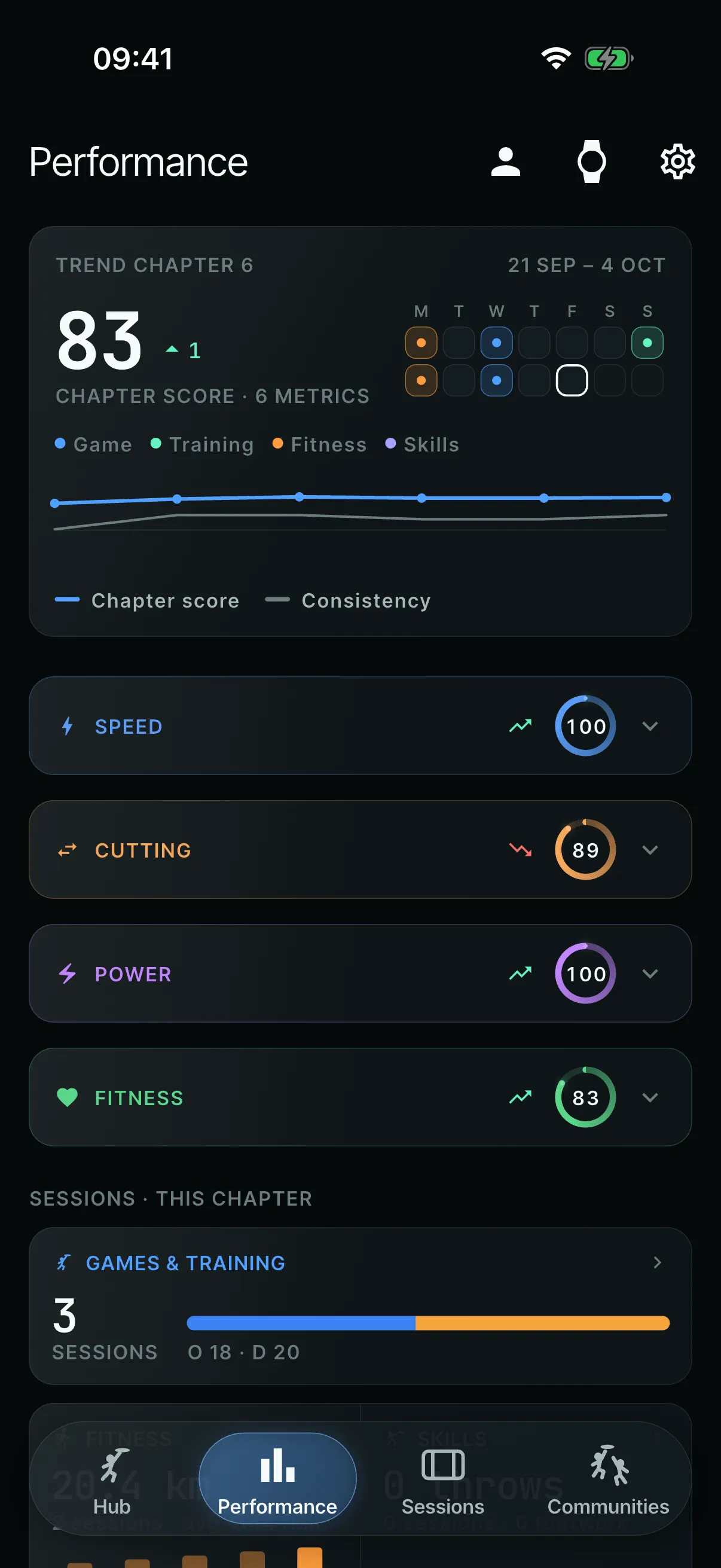
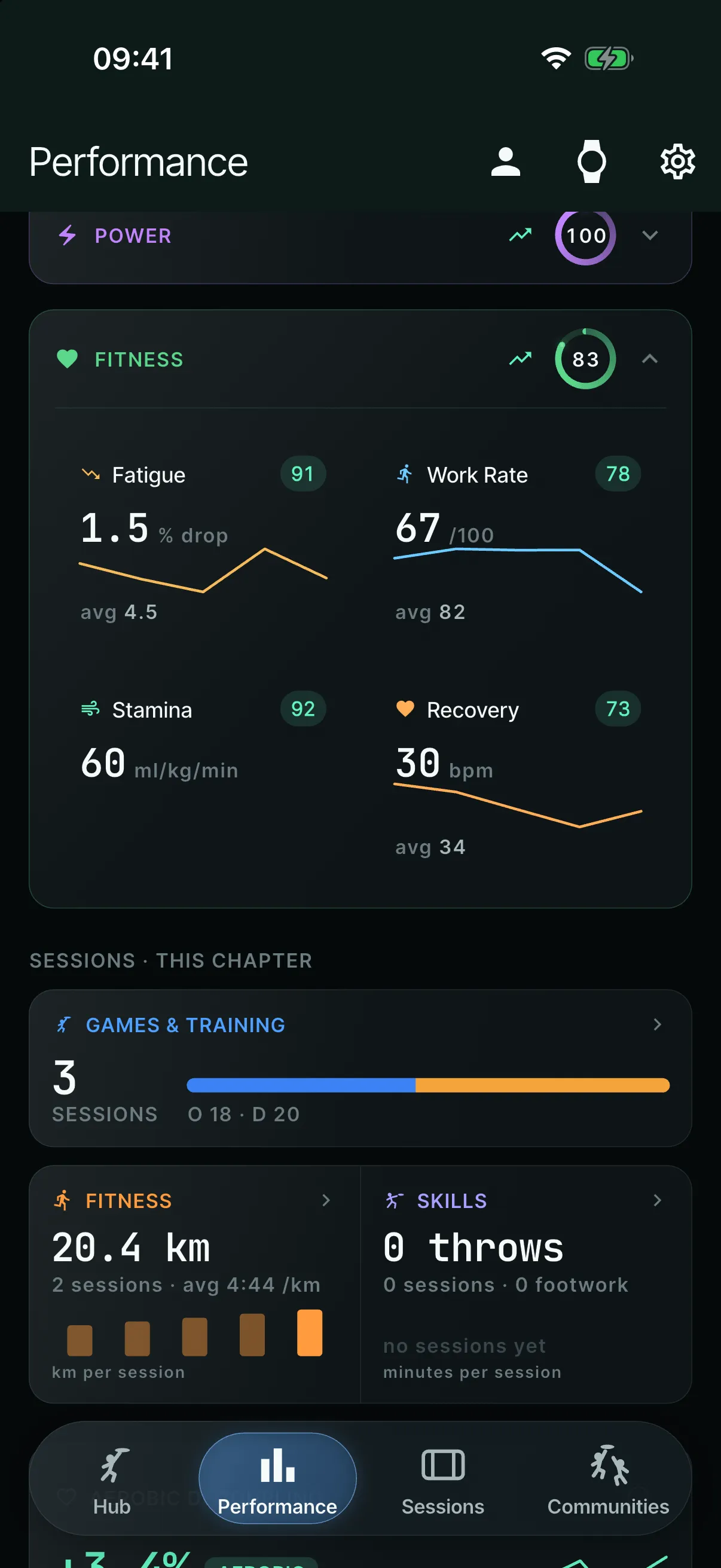
The first dashboard had a 0–100 rating ring, with filters for games, training and time periods. I found it very noisy and busy, so it was rebuilt from a written spec as one standard dashboard, with no filters, built on two-week “chapters”.
- Each chapter is compared with a baseline: 70% of the last chapter plus 30% of the one before.
- Every metric can come from a game, and specialist sessions sharpen it.
- Facts appear straight away; scores have to be earned.
- (open larger image)
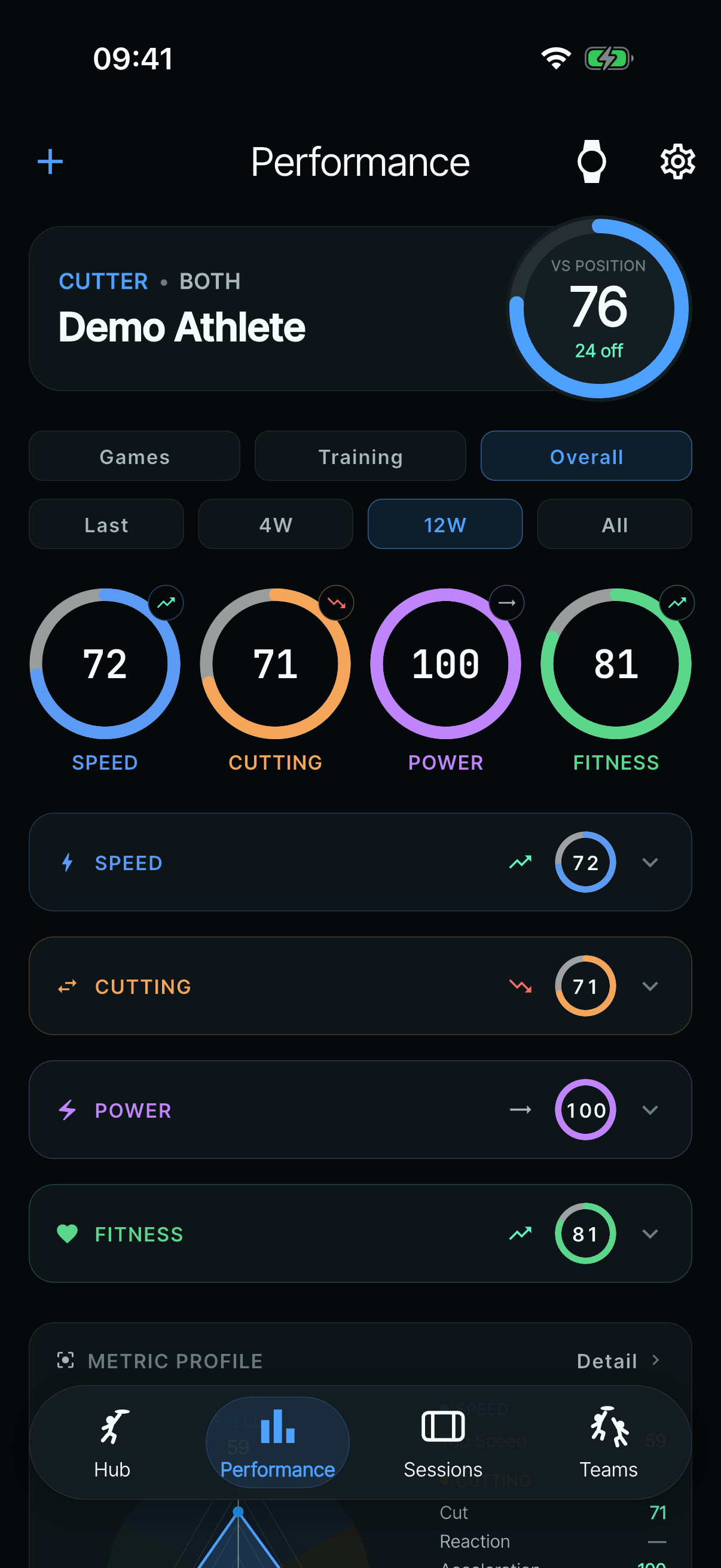
Before (11 June): a rating ring, two rows of filters and four rings. - (open larger image)
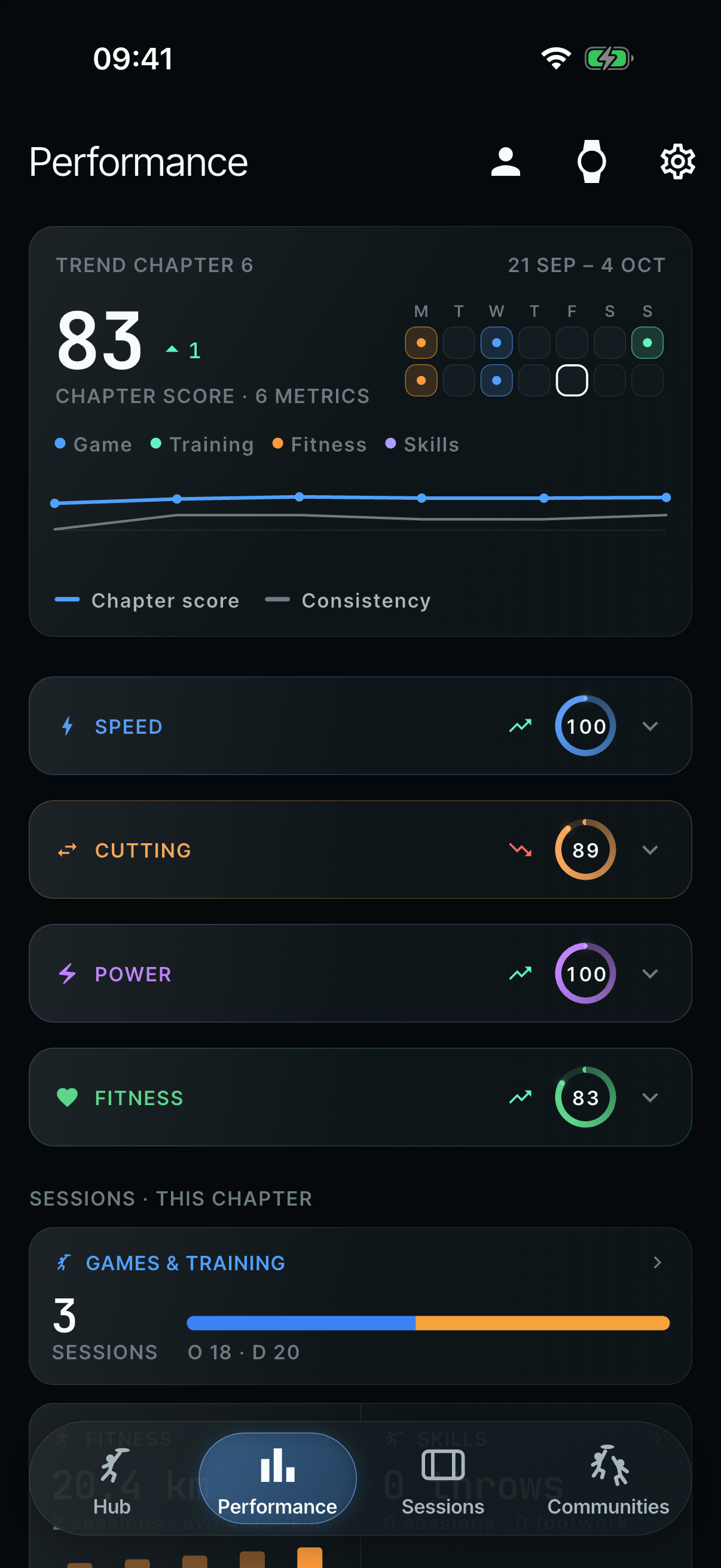
After: one chapter score, then four groups. - (open larger image)
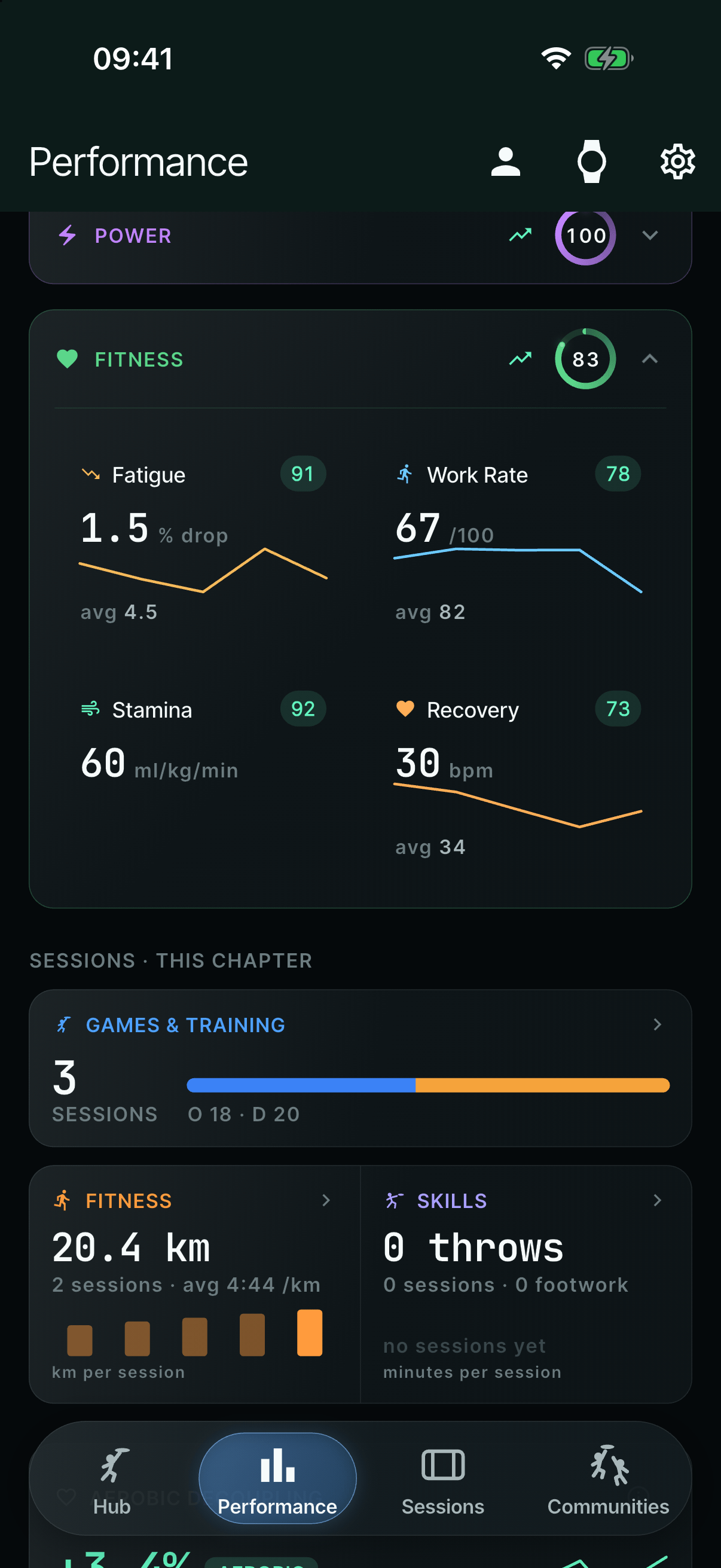
Each group opens into metric tiles with their own trends.
Measured or estimated: always labelled
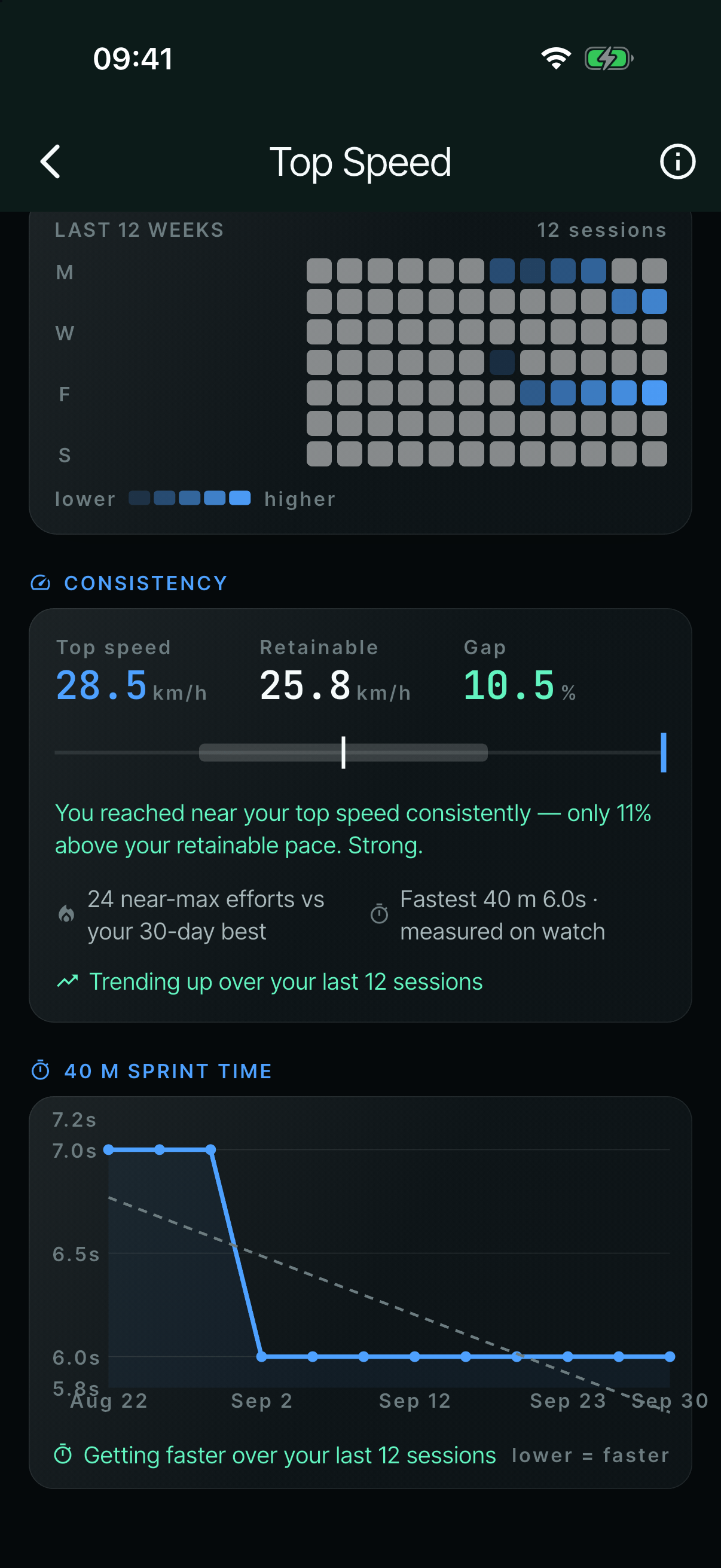
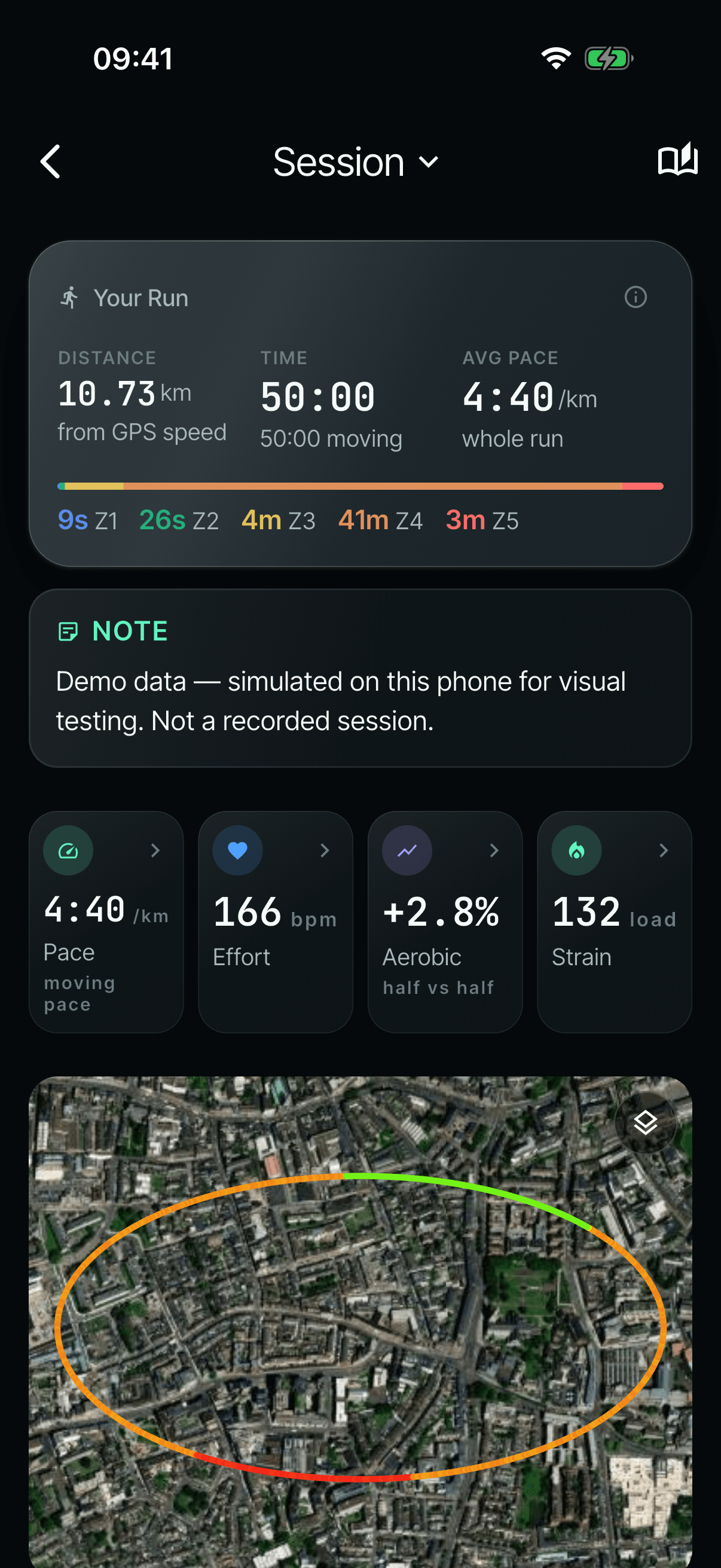
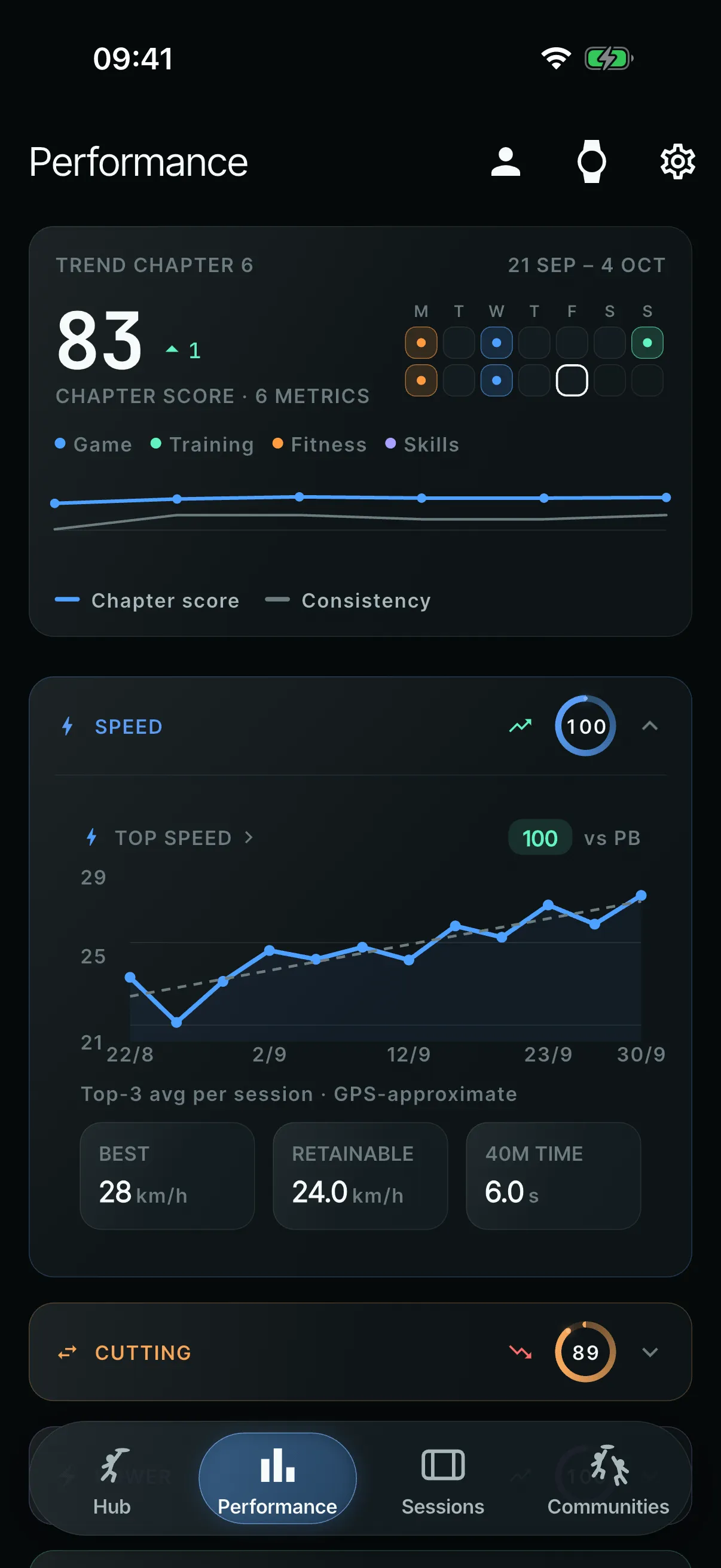
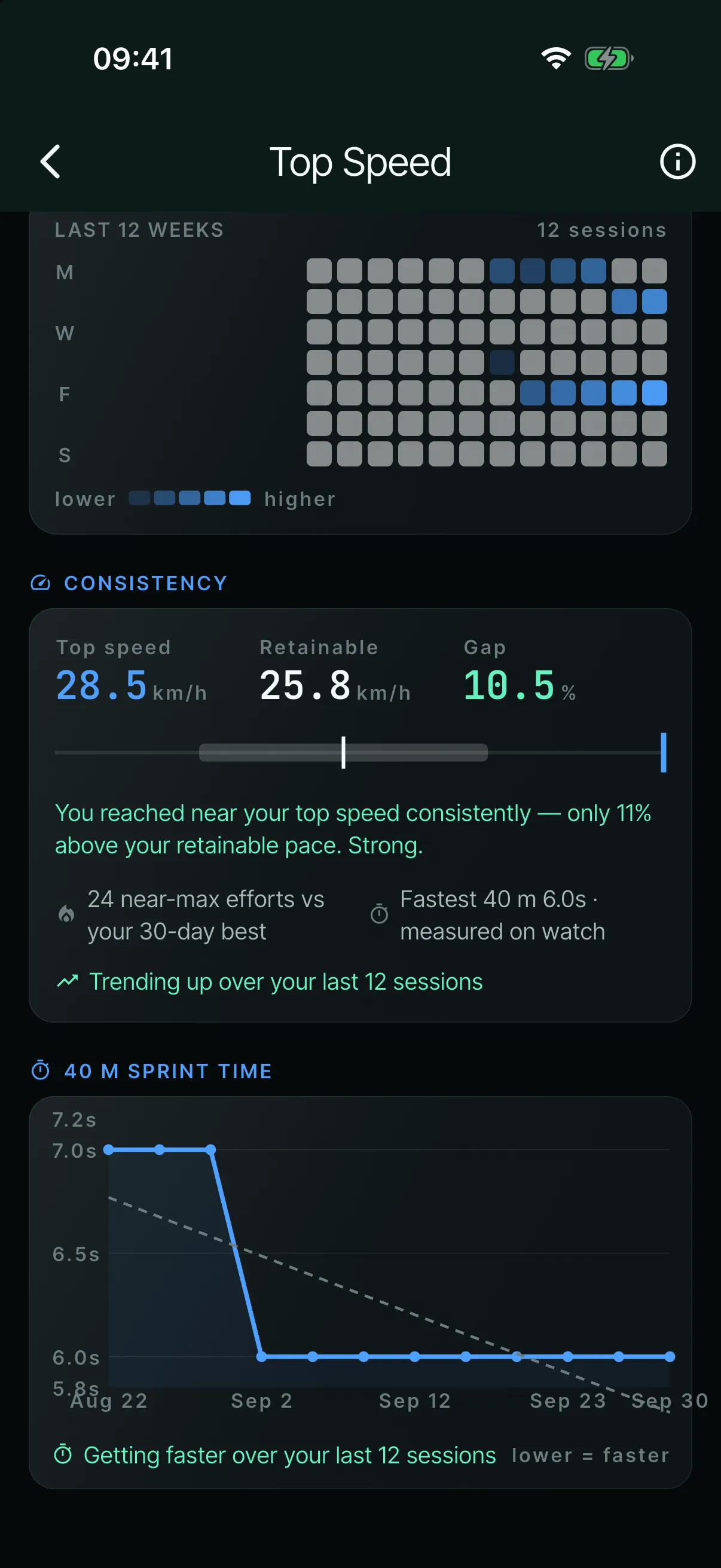
Every number shows where it came from: WATCH, GPS or ESTIMATED. An estimated VO2max gets an “EST.” chip and hollow points on its chart. Throw types show how many came from drill labels and how many were estimated. When there isn’t enough data, a metric tile shows a muted dash, not a tier dot that would suggest otherwise.
I also removed numbers that couldn’t back themselves up: a “95.7% accurate” throw-type claim, a jumps metric, and later wrist snap. Readiness wording was made less medical too: a training guide, not medical advice.
- (open larger image)
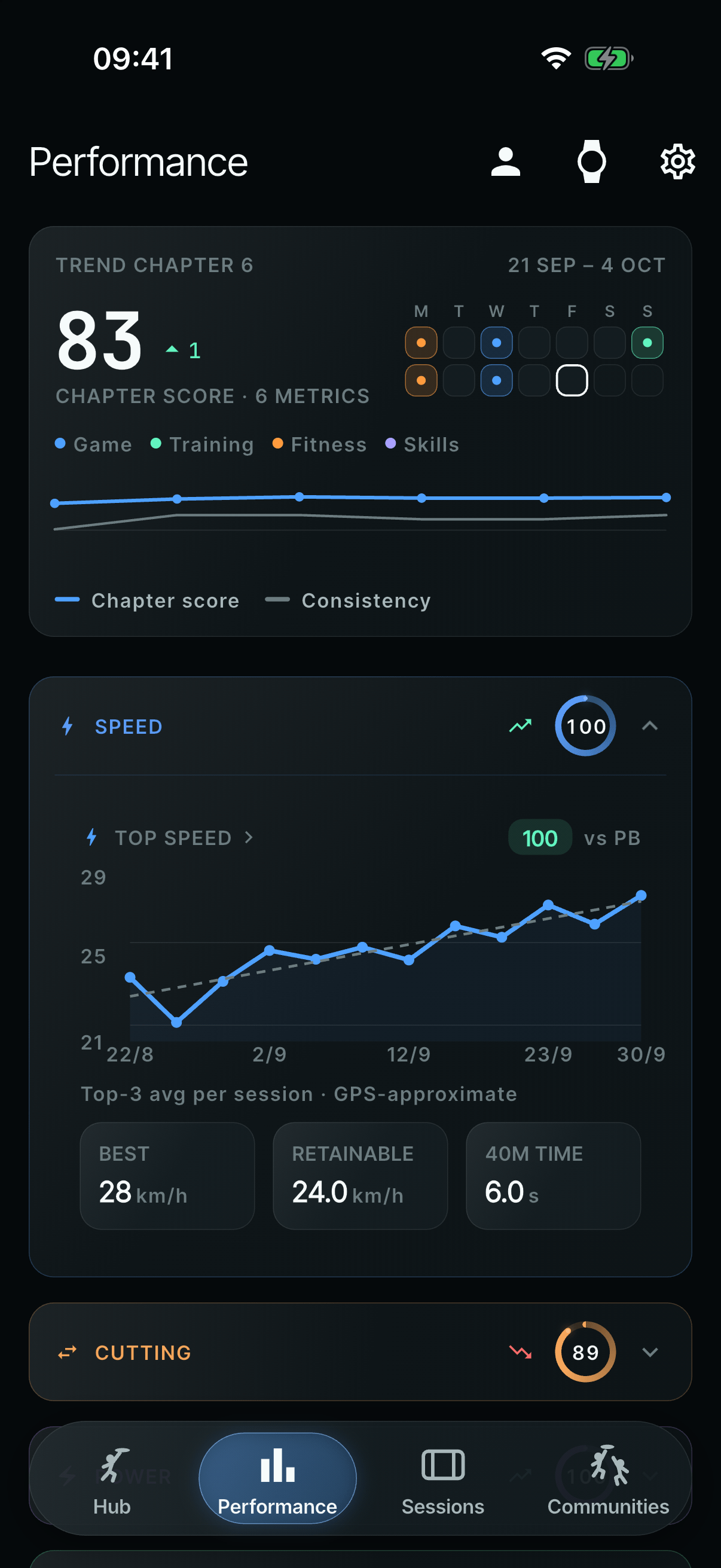
Top speed says it’s GPS-approximate. - (open larger image)
The 40 m time says it was measured on the watch. - (open larger image)
Even demo data says what it is.
Game Readiness: five rebuilds, then retired
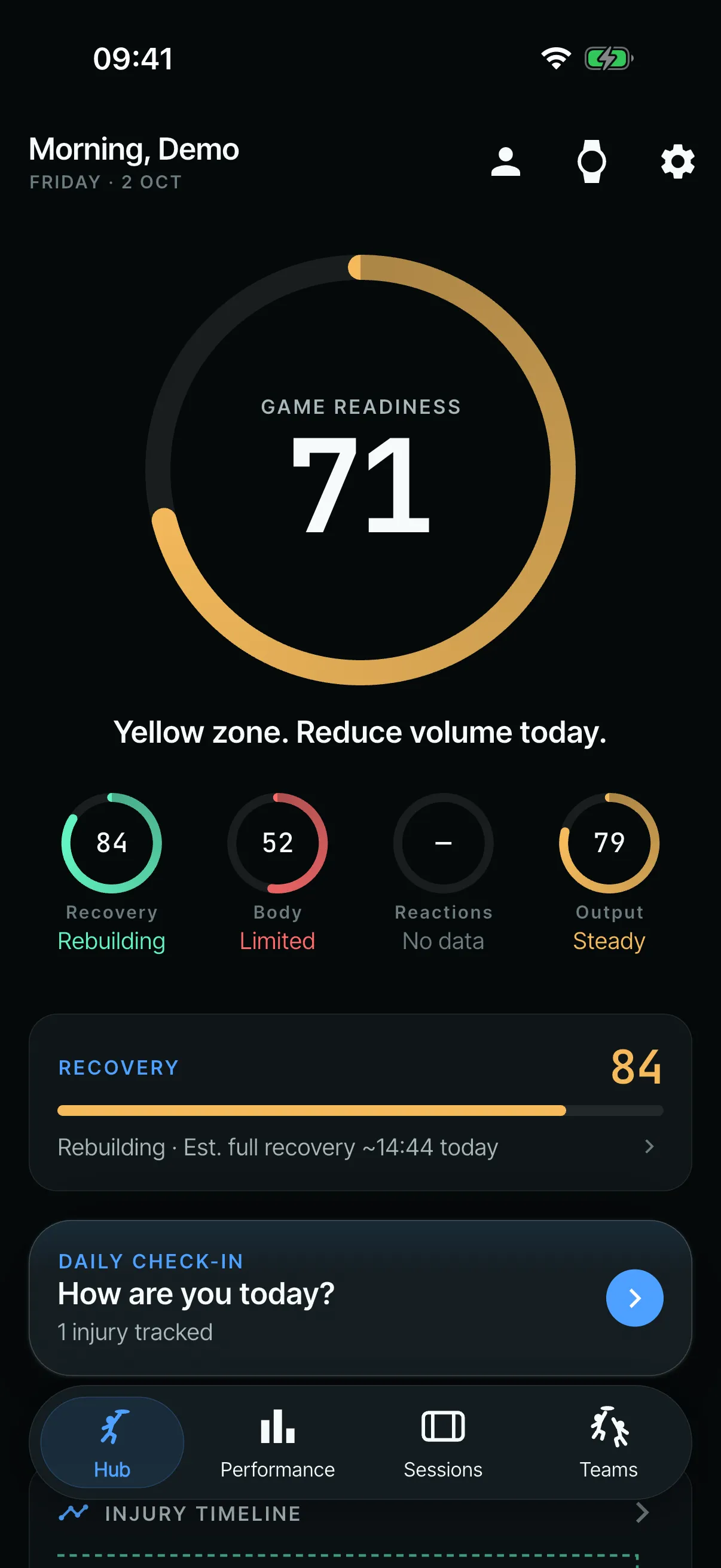
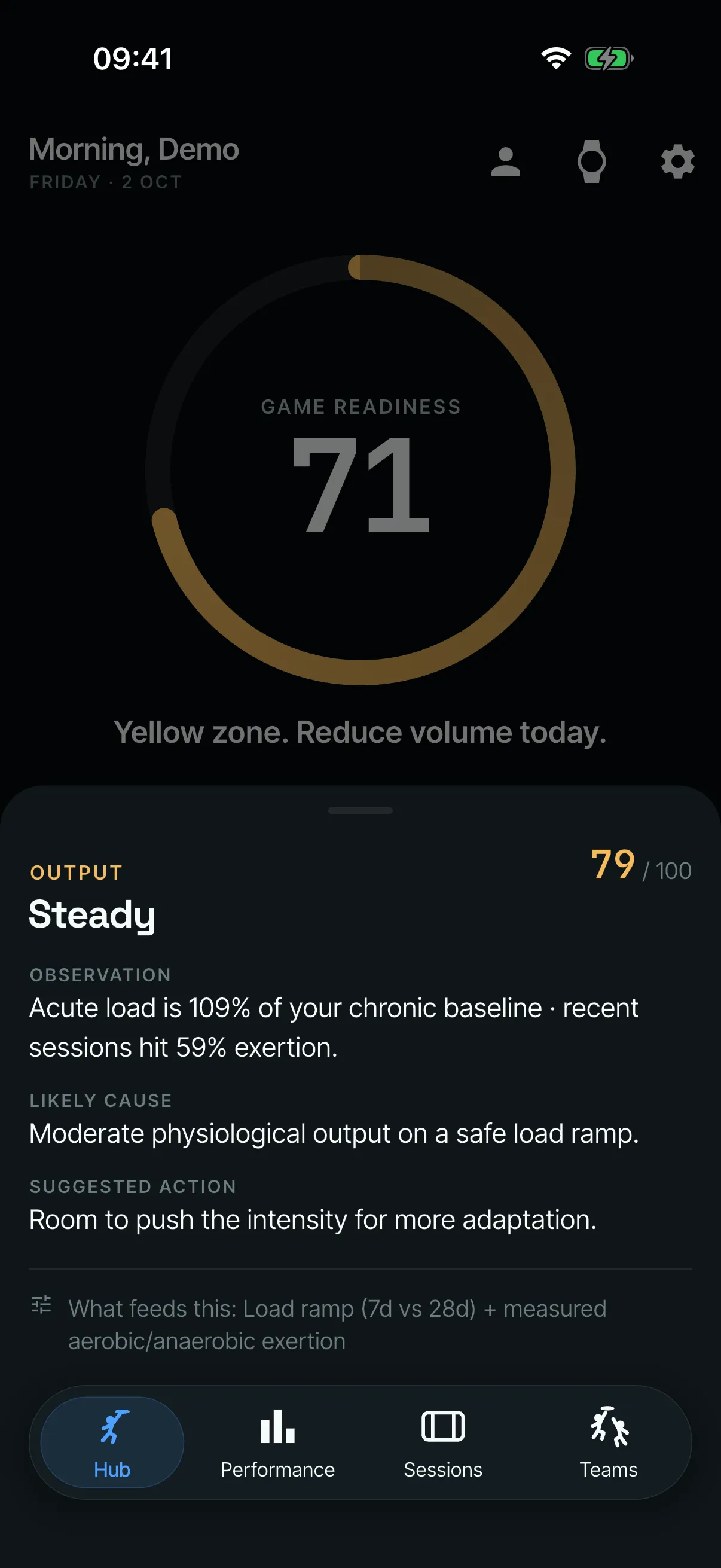
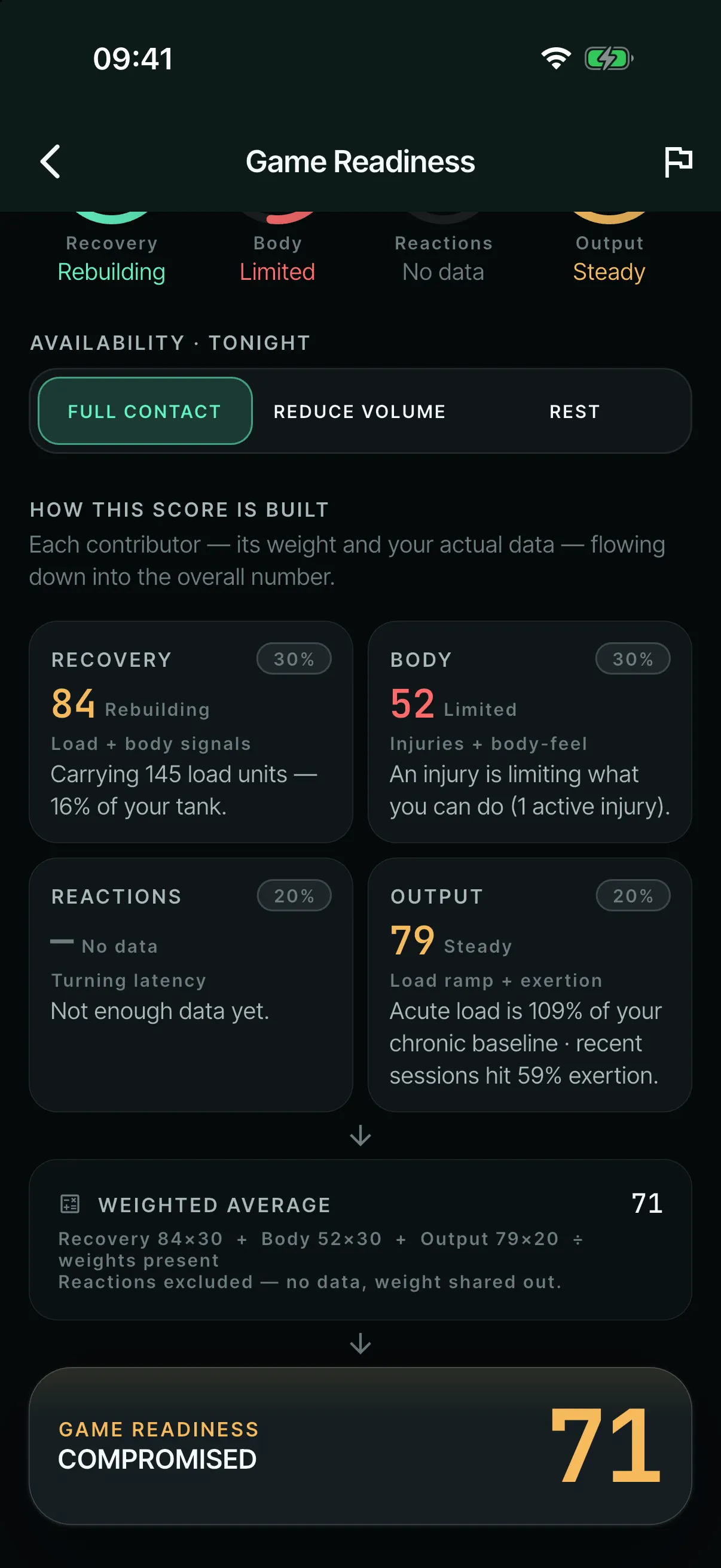
This was the biggest rework loop in the project. Game Readiness started on 4 June as an engine with four contributors (Recovery, Body, Reactions and Output). Each one had its own ring and a “why” sheet: what was observed, the likely cause and a suggested action. Then testing kept taking it apart.
- (open larger image)
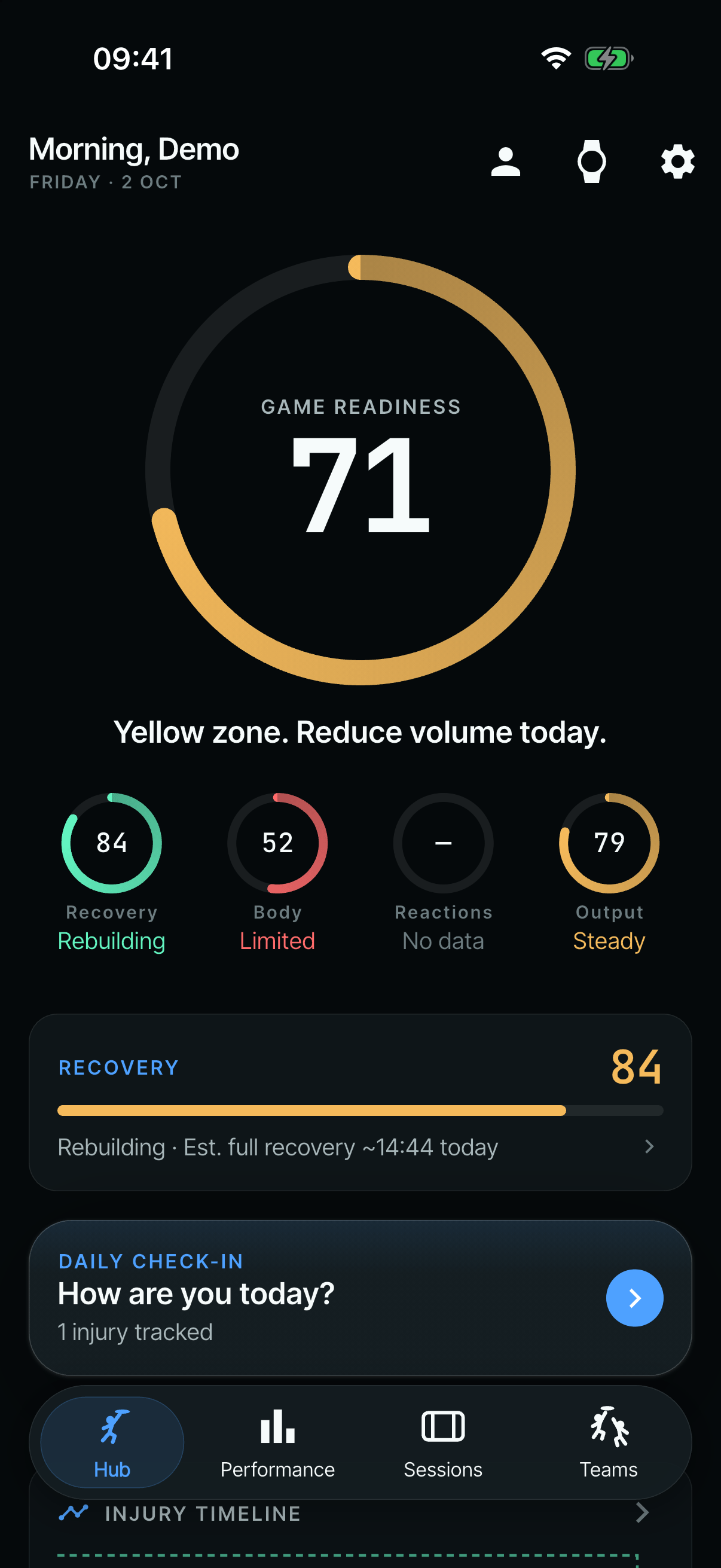
One readiness score over four contributor rings. - (open larger image)
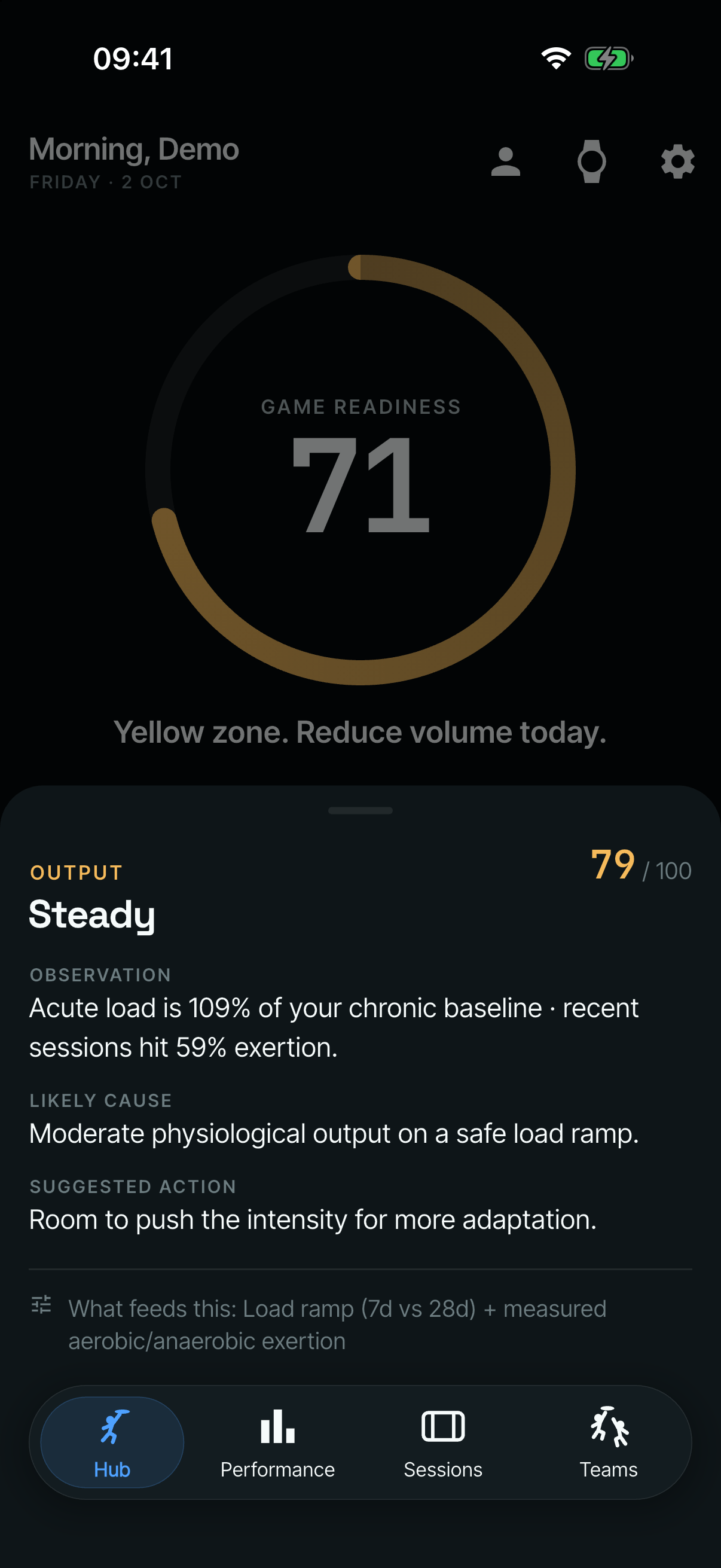
Each ring opened a “why” sheet: what was observed, the likely cause and a suggested action. - (open larger image)
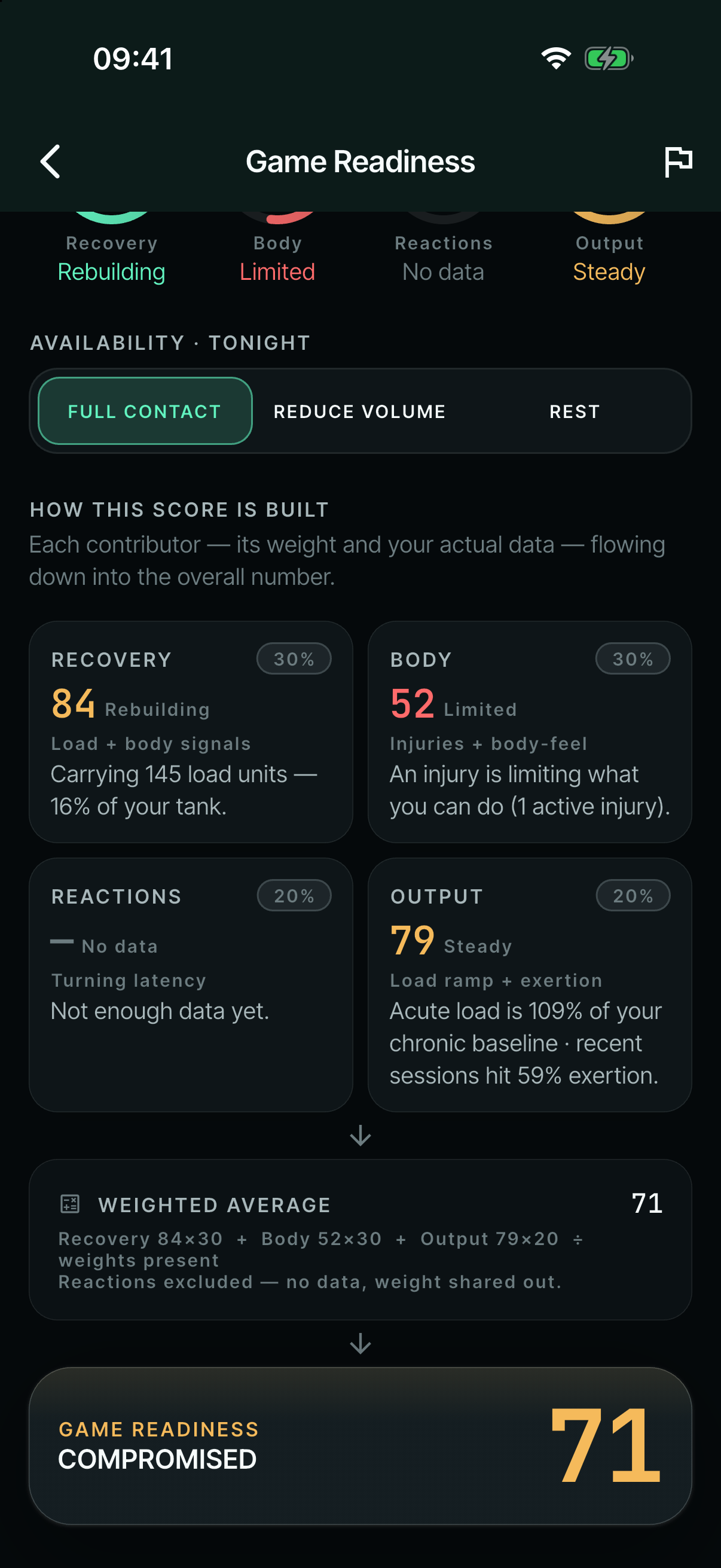
“How this score is built”: each contributor’s weight and data, flowing into one number.
| What I found | Leads to | What changed |
|---|---|---|
| The first ring rolled strain, recovery, form and streak into one number. | An engine with four contributors, each with its own ring, a “why” sheet and a “How this score is built” flowchart (4–17 June). | |
| Players can’t be relied on to fill in how their body feels consistently. | Cut to three rings (23 June). | |
| Reaction time would be better suited as a separate “performance indicator” card. | Cut to two factors, with the rings taken off the home screen (26 June). | |
| Through testing, compounded load should be the only thing that feeds Game Readiness. | Cut to one factor, after several renames (29 June). | |
| It was dishonest for the amount of data the app actually gathers. | Retired, and replaced by a chapter load ring against a target the player sets (28–29 July). |
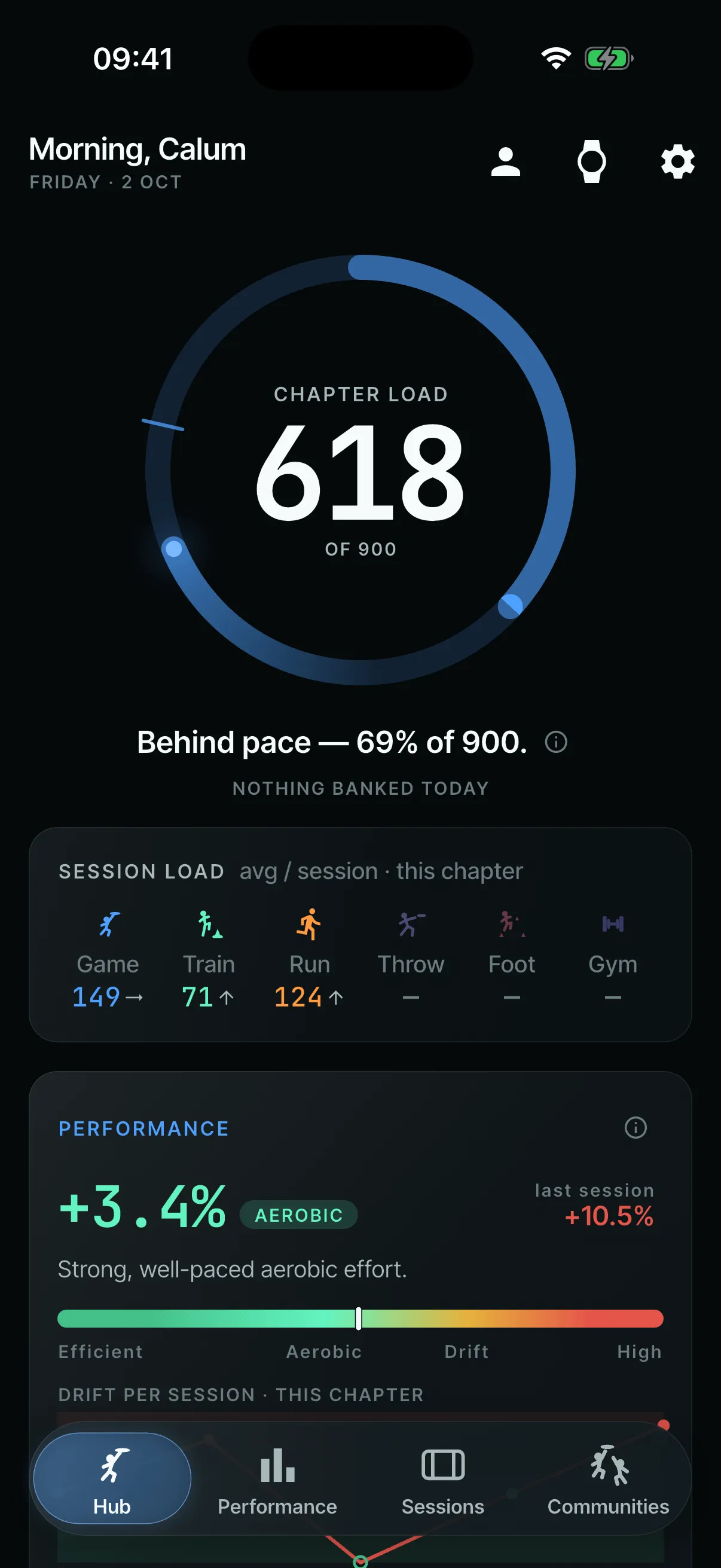
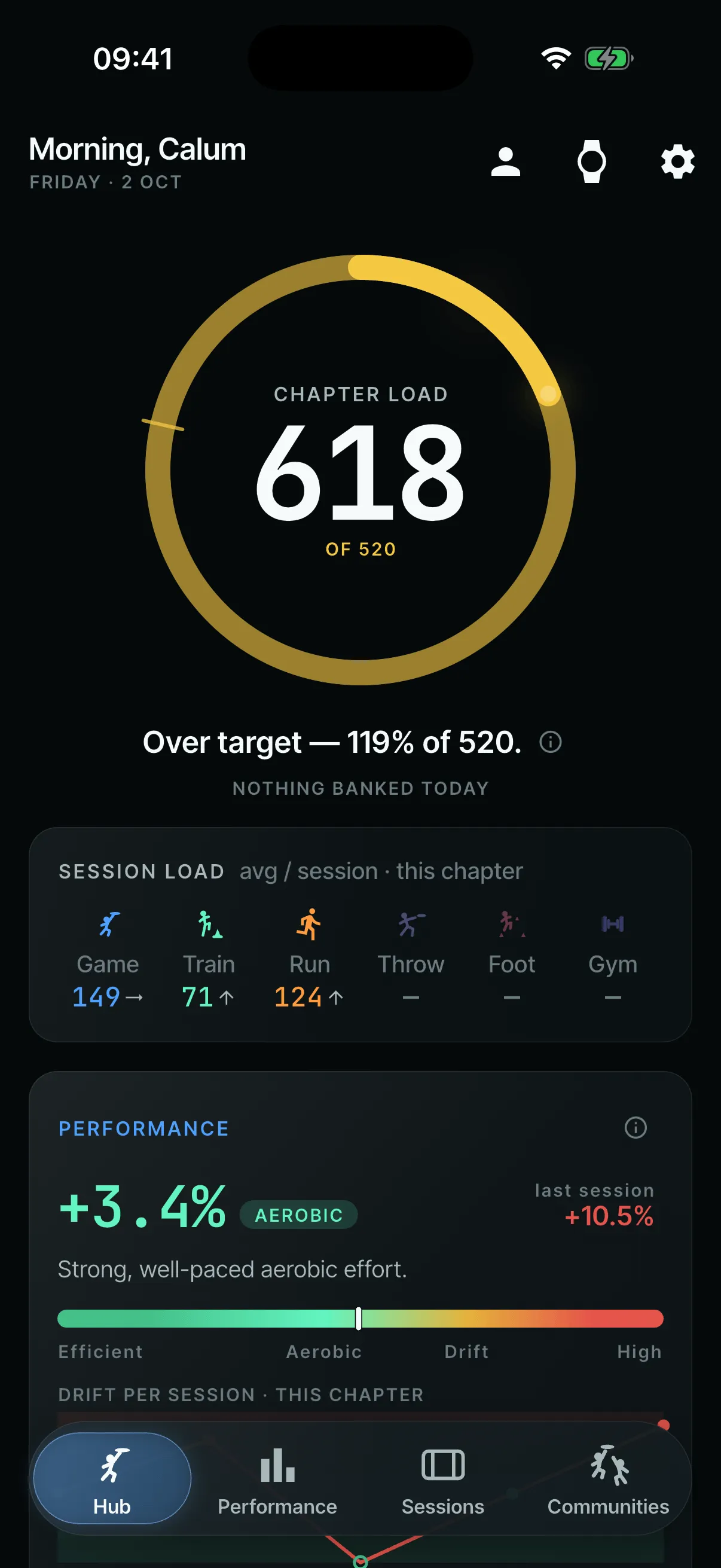
Its replacement is a ring showing the chapter’s total load against a target the player sets, or their own baseline. It turns gold and keeps going around above 100%.
- (open larger image)
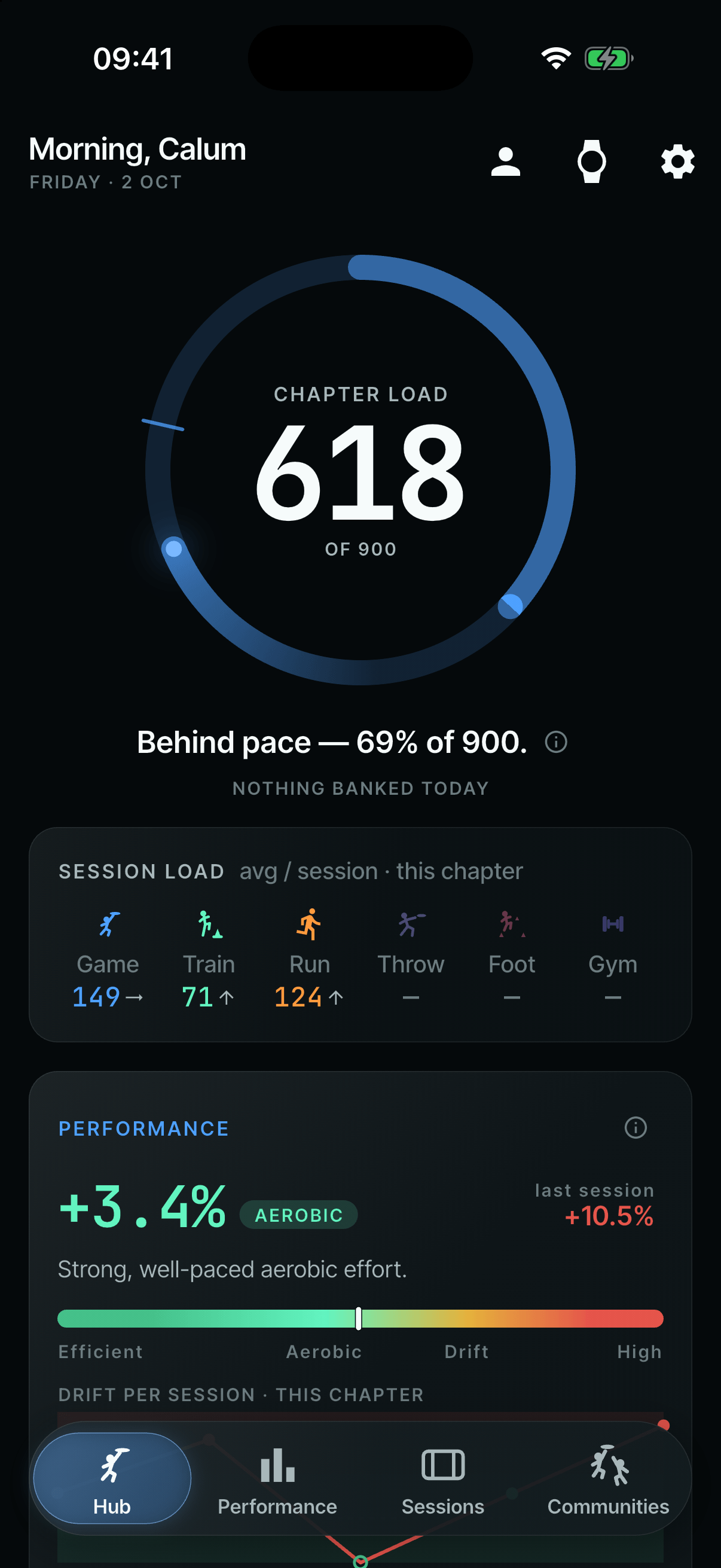
Behind pace: 69% of a 900 target. - (open larger image)
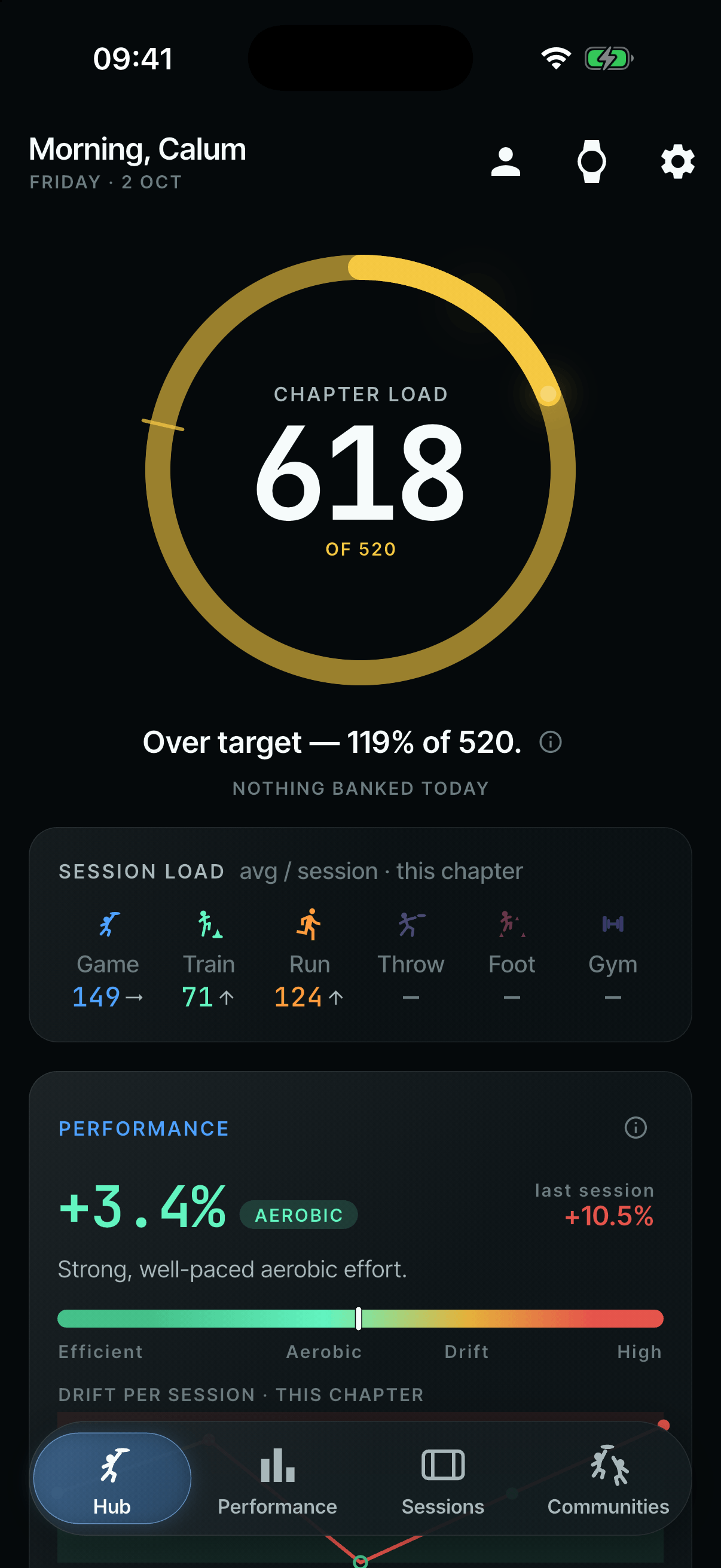
Over the automatic target from the last two chapters: the ring turns gold and keeps going.
Check-ins and the injury timeline
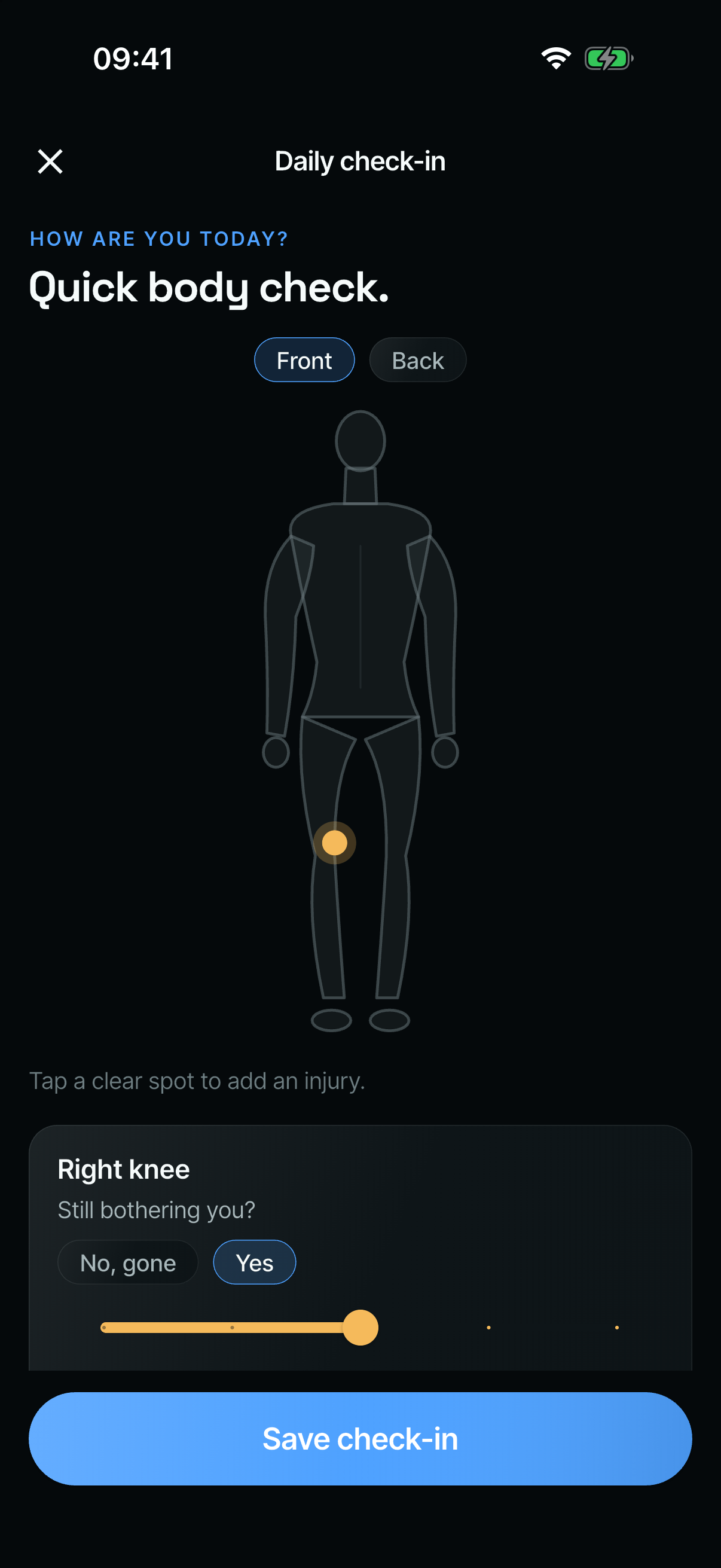
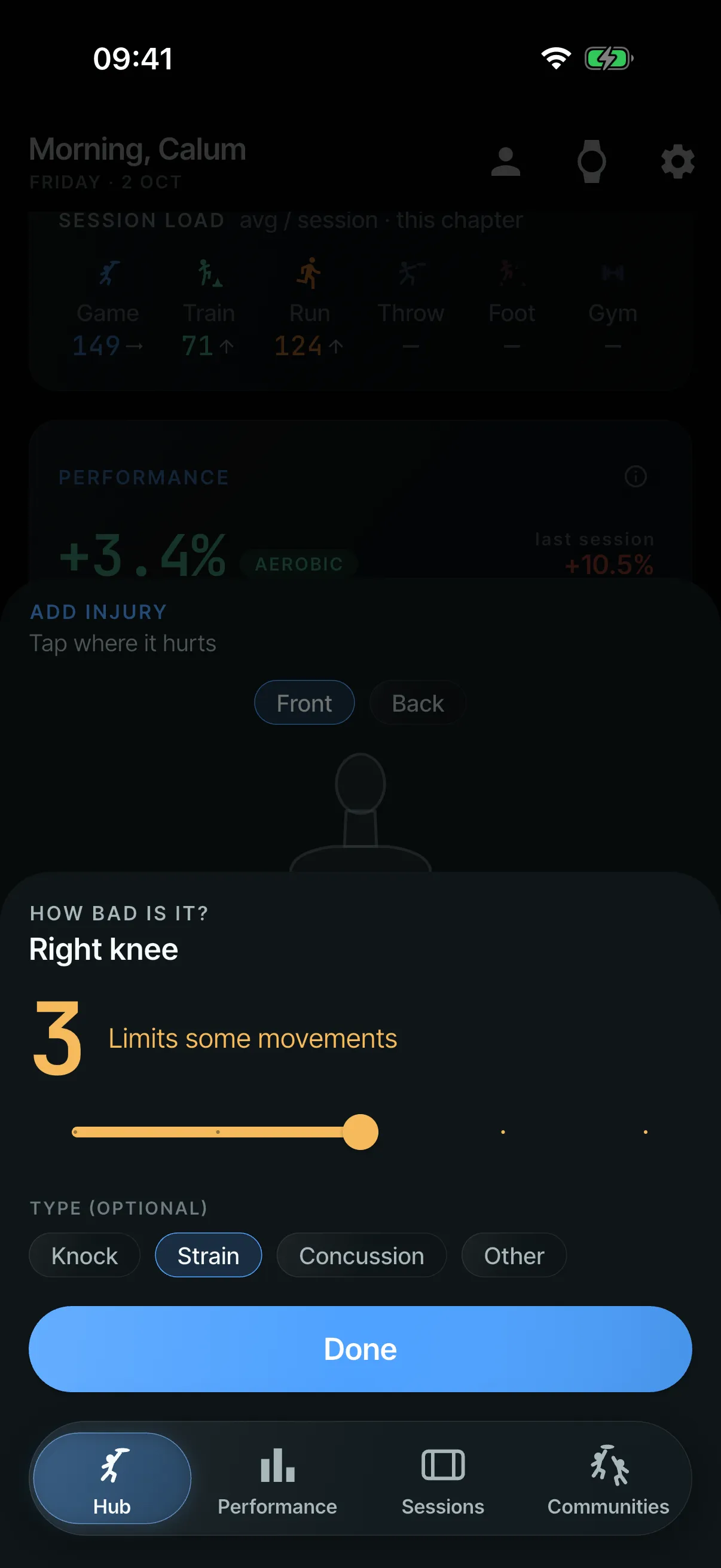
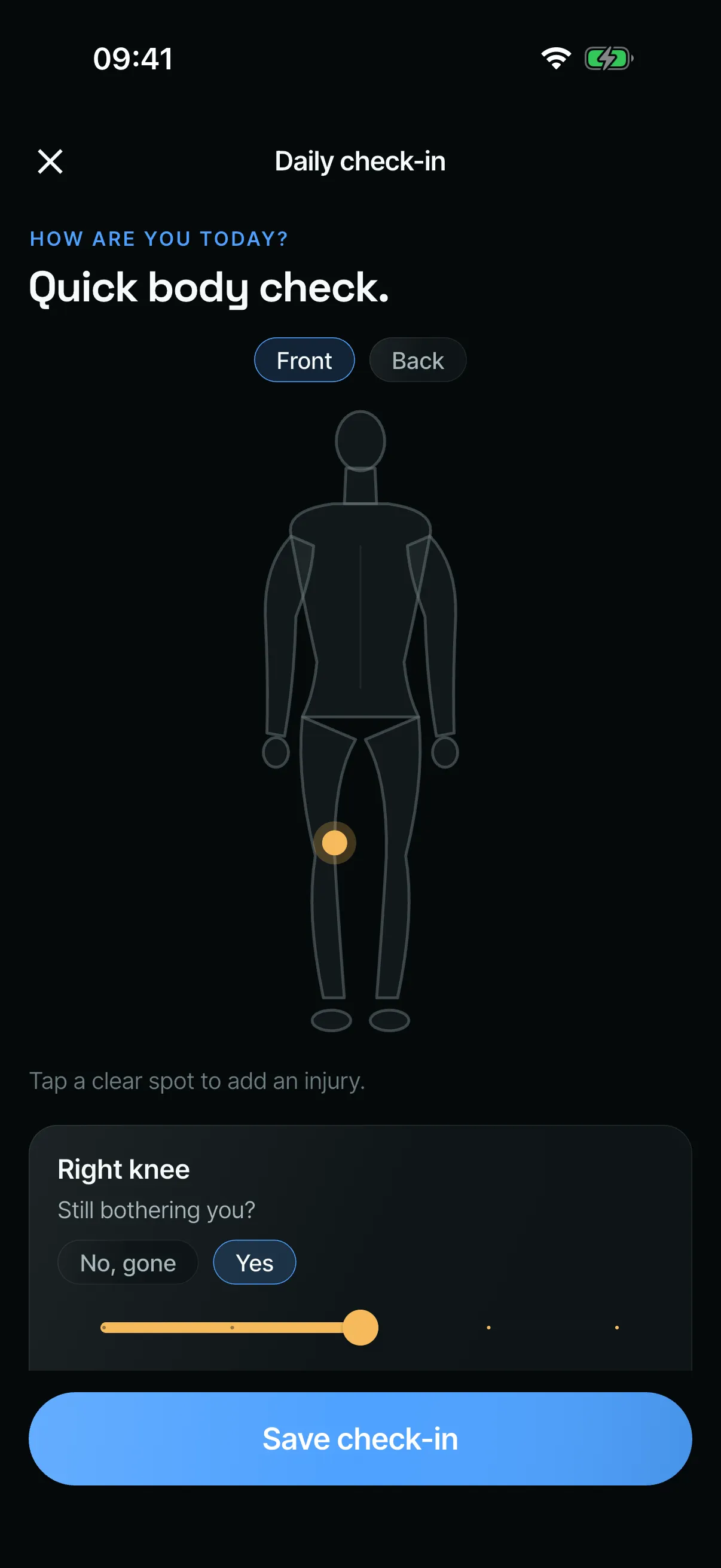
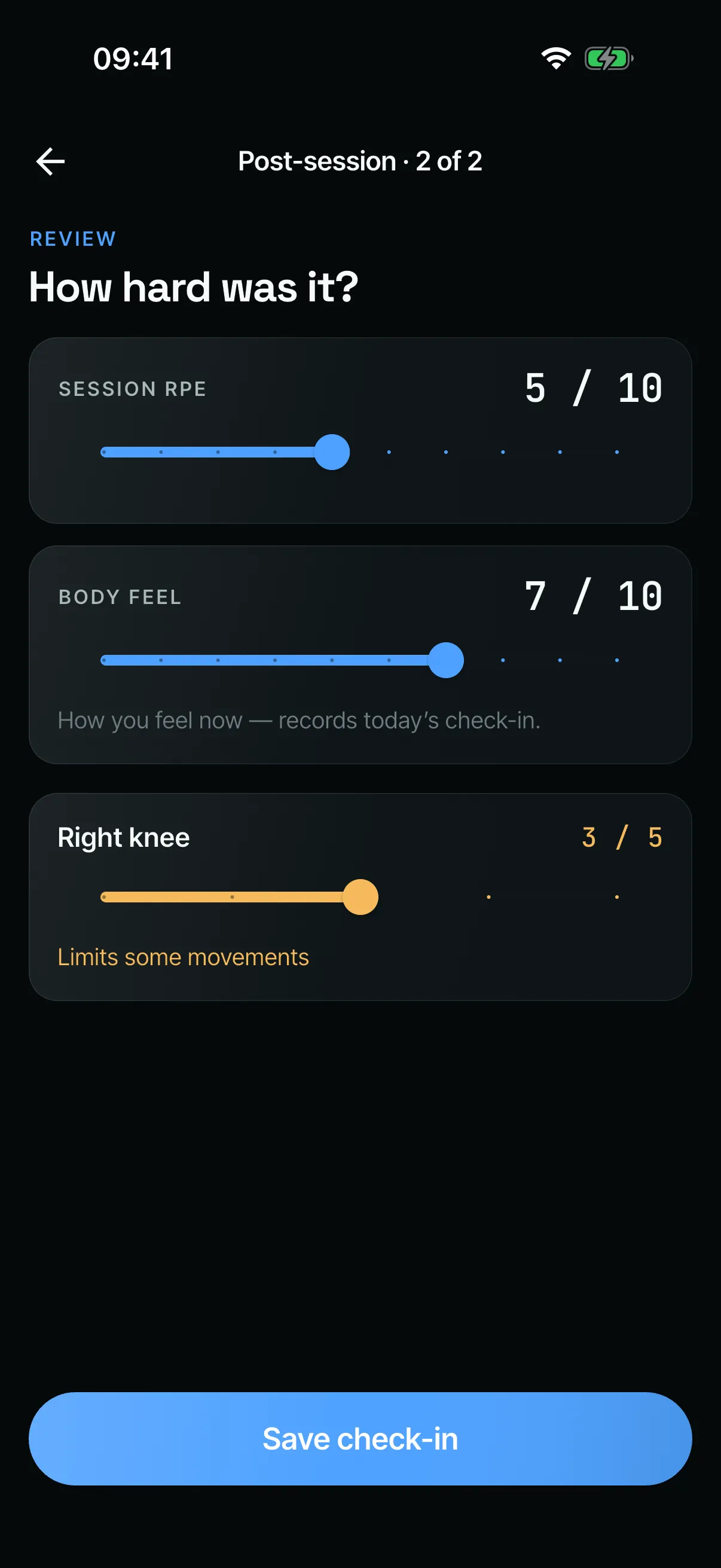
- After a session: a body model to mark injuries on a scale of 1 to 5, and how hard the session felt.
- Each day: the body model again, “Still bothering you?”, and a 1–10 rating of how the body feels. This came to the watch on 17 June.
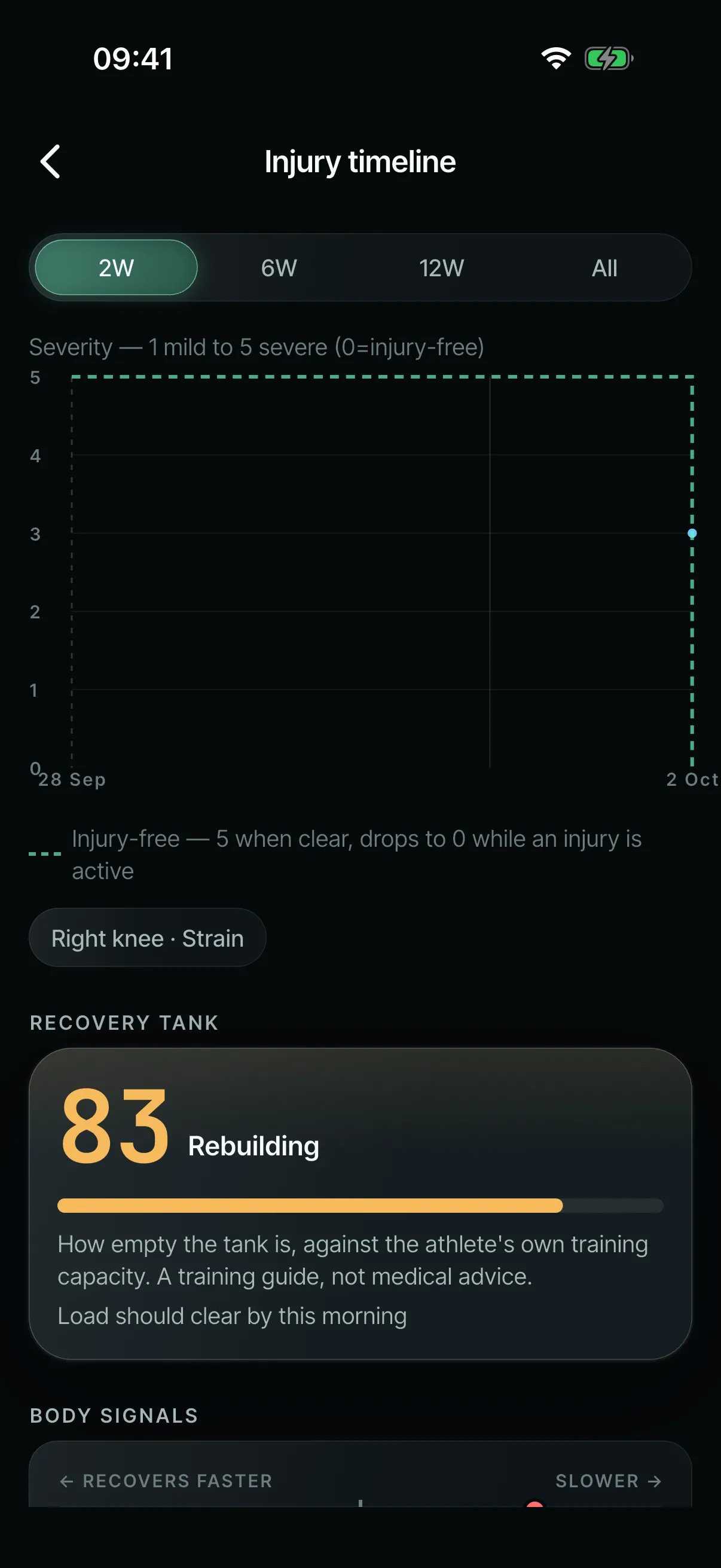
- The injury timeline: shows severity over time, shades periods out injured and spots recurring injuries. It always draws an injury-free baseline, so a good stretch looks good.
- (open larger image)
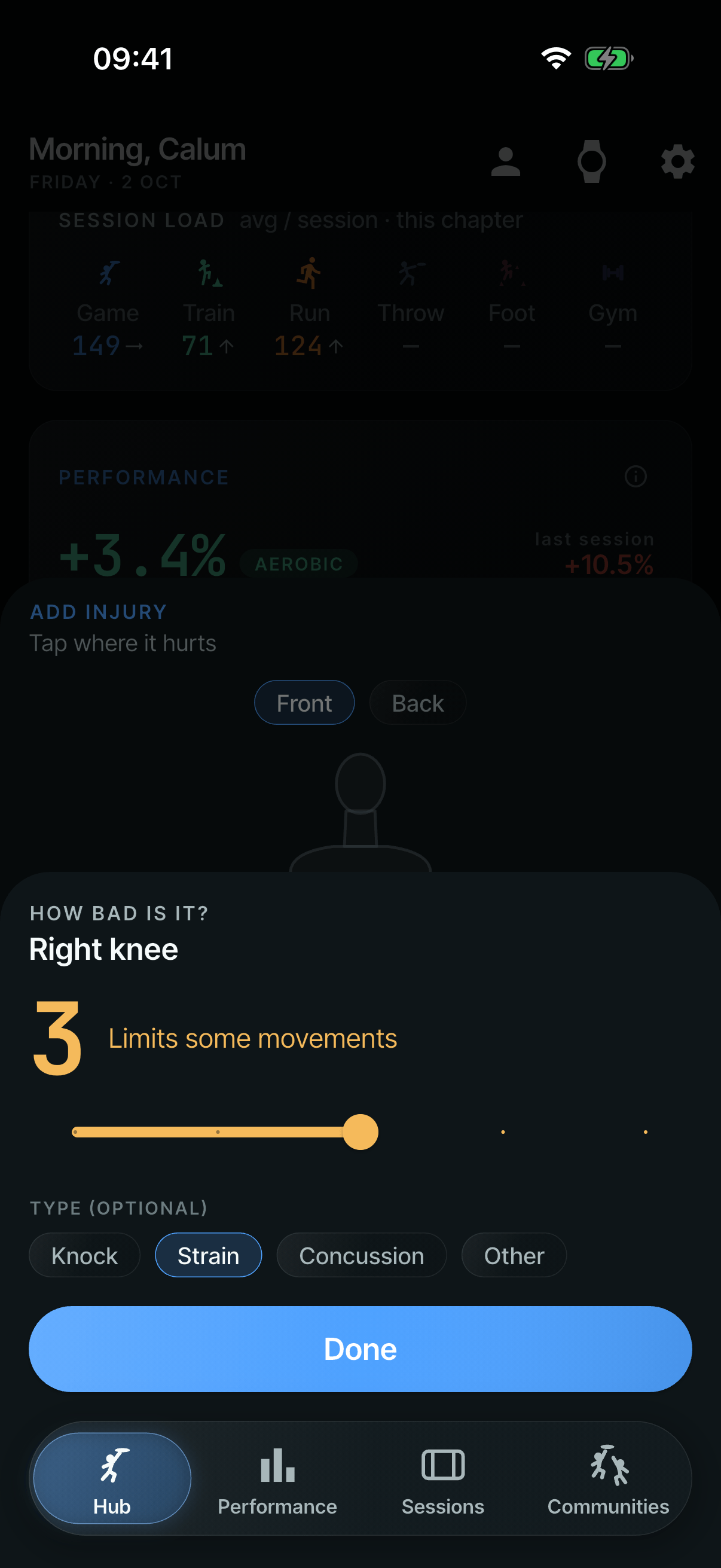
Mark it on the body, then rate it from 1 to 5. - (open larger image)
Each day: is it still bothering you? - (open larger image)
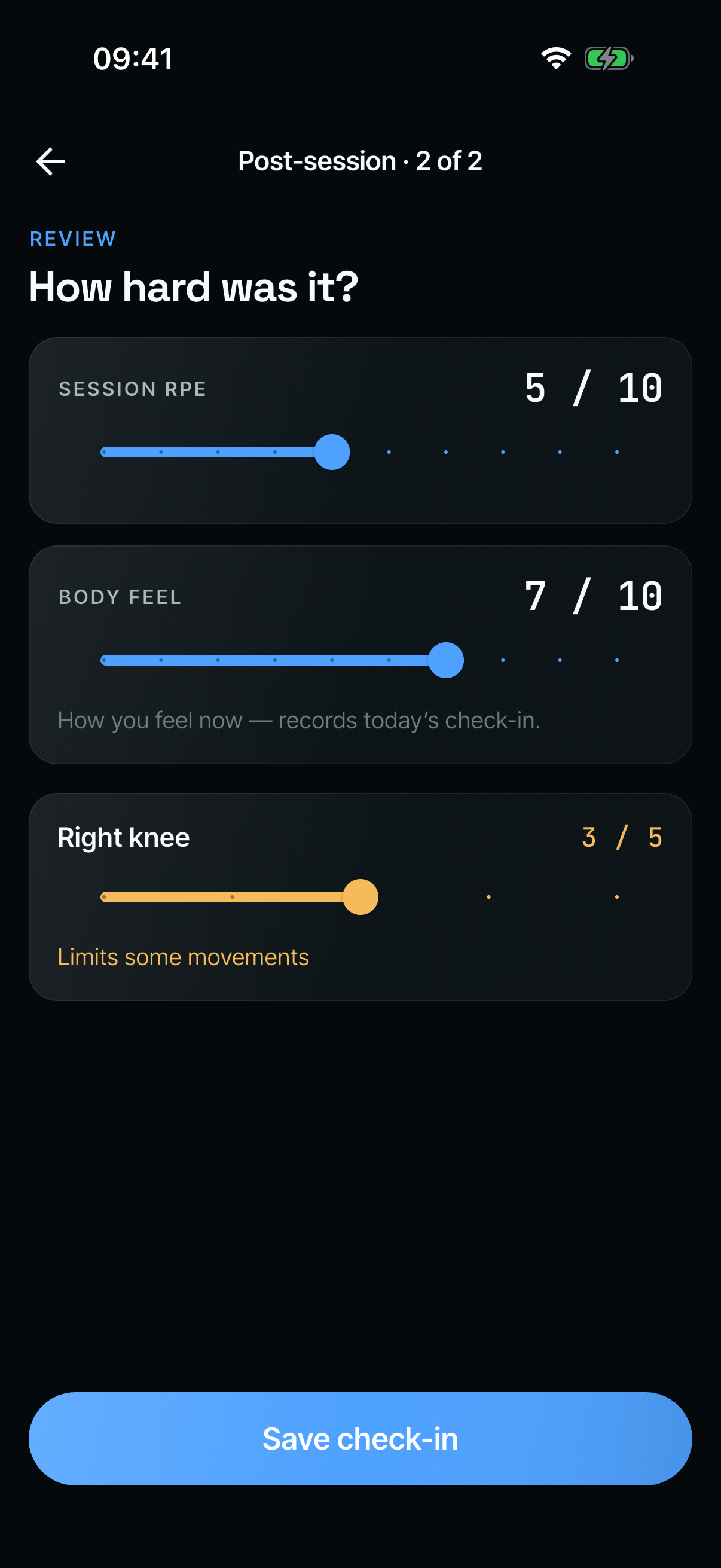
After a session: how hard it was, and how the body feels. - (open larger image)
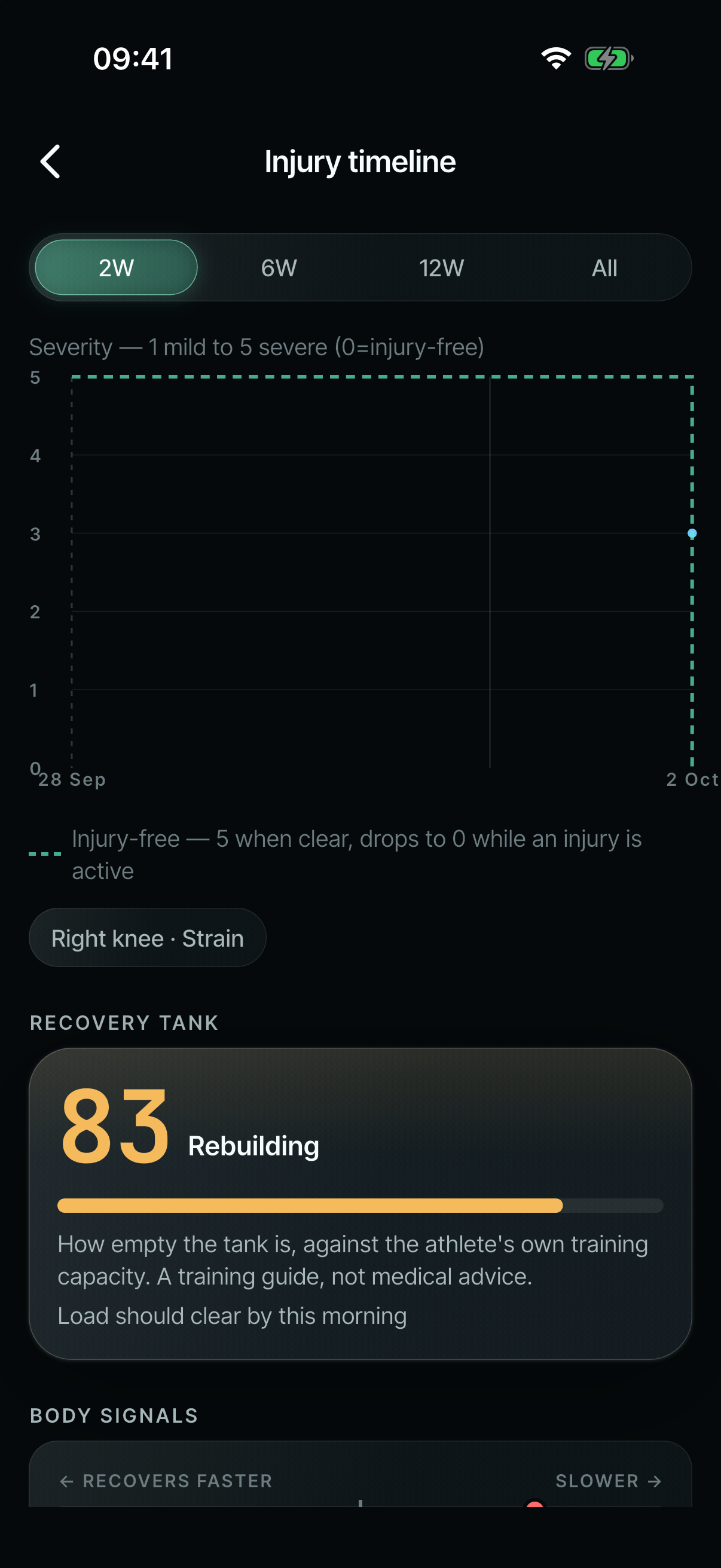
The timeline keeps the injury-free line in view.
Seeing the game: maps, key moments and a 3D pitch
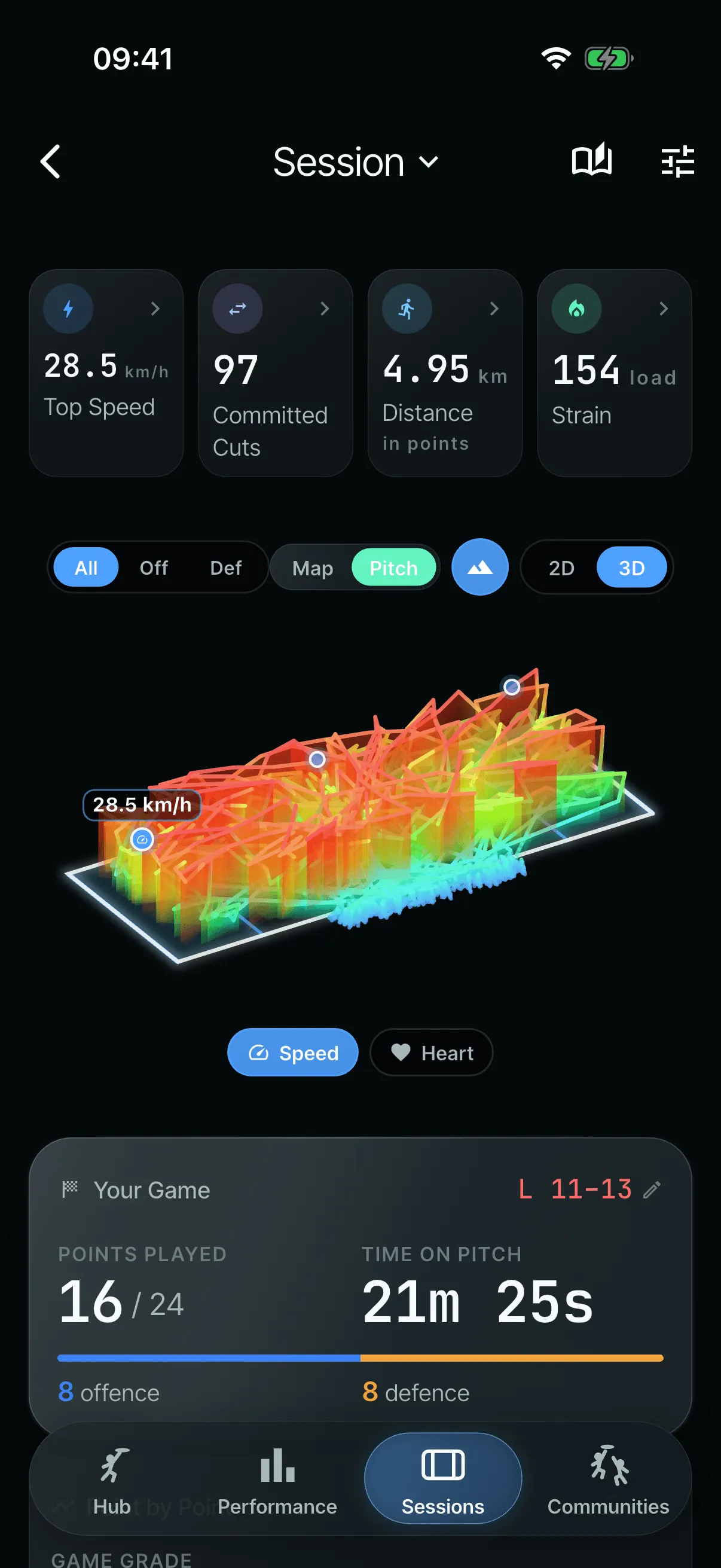
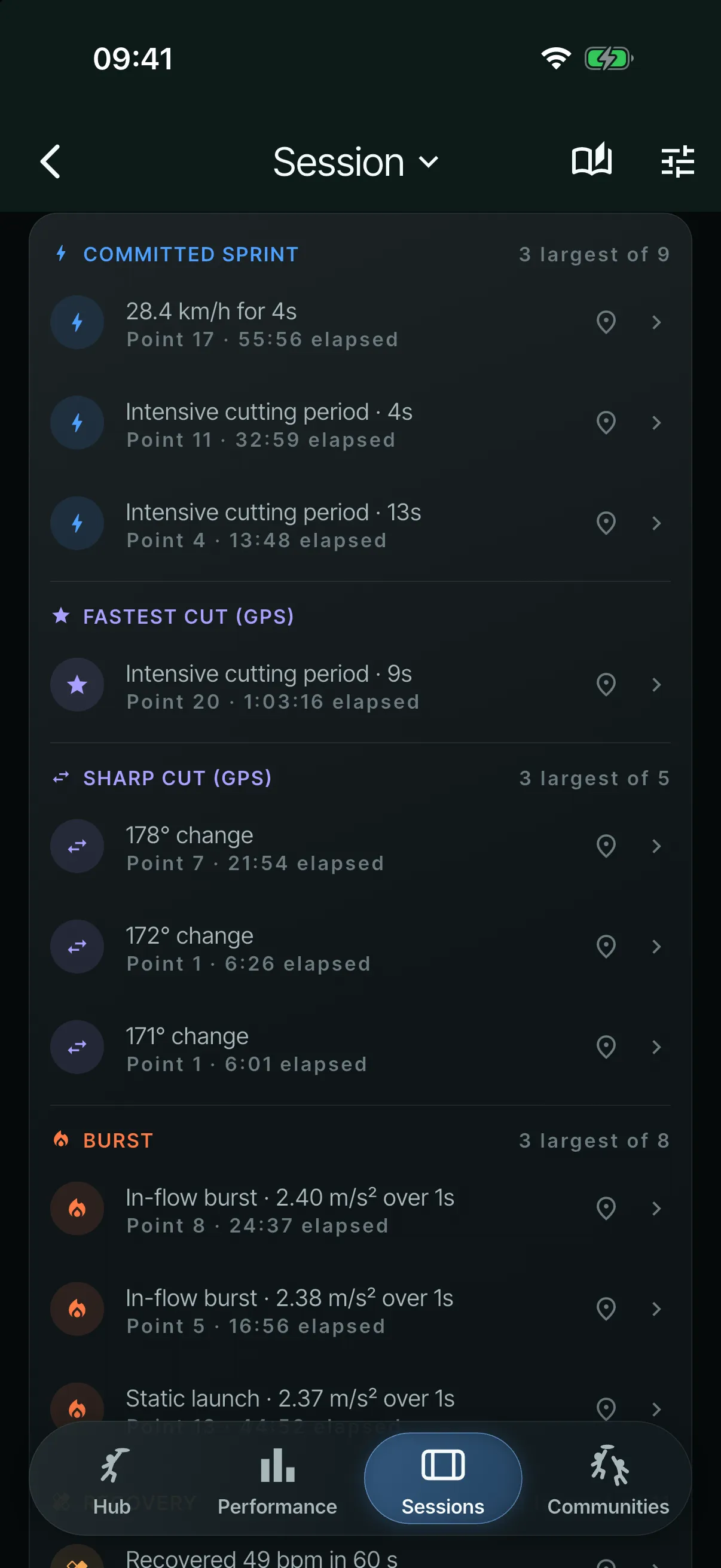
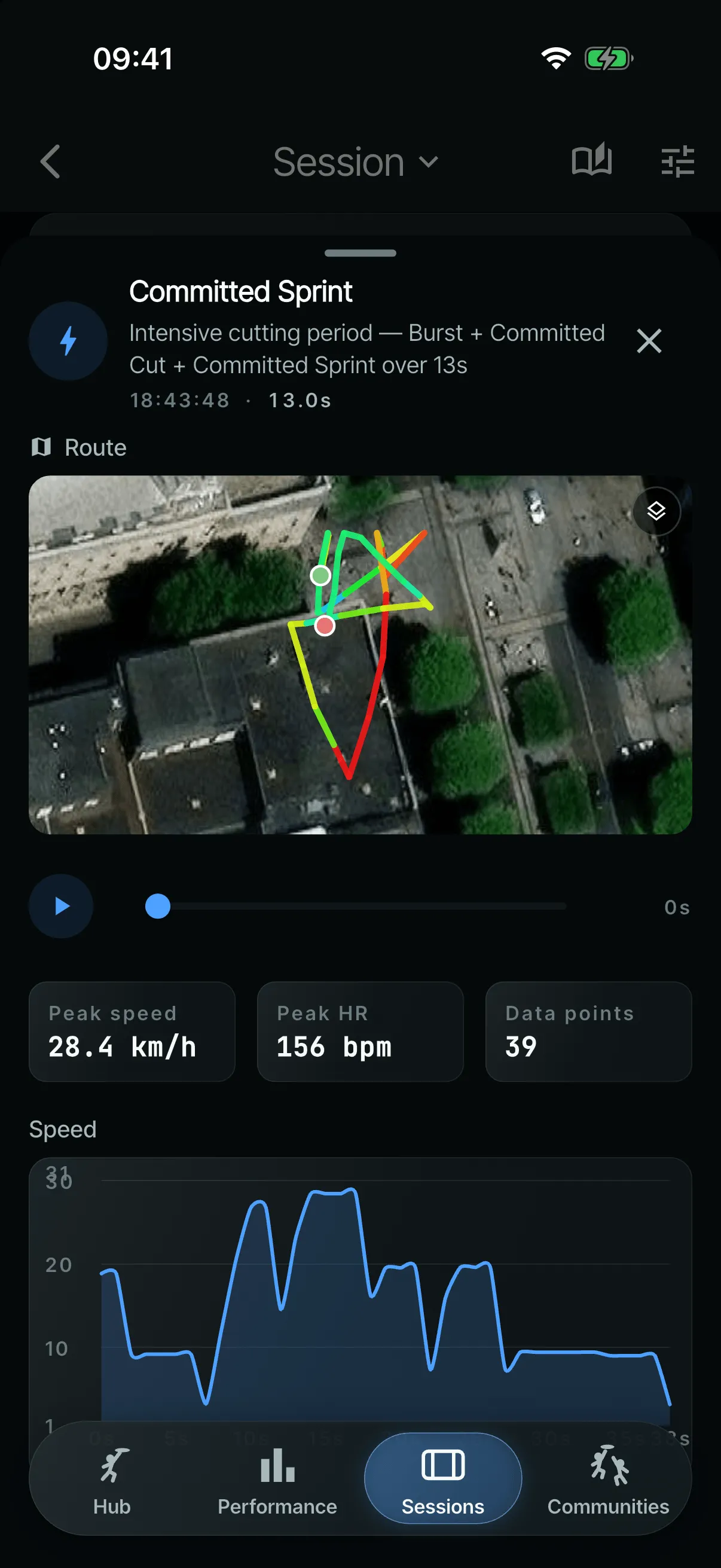
A key moment shows the five seconds leading up to a top speed, with a focused map, a live data readout, scrubbing and playback. In July I added a 3D isometric pitch, like a tactics board, and a game timeline. I wanted it to be simple, clear, engaging and insightful.
- (open larger image)
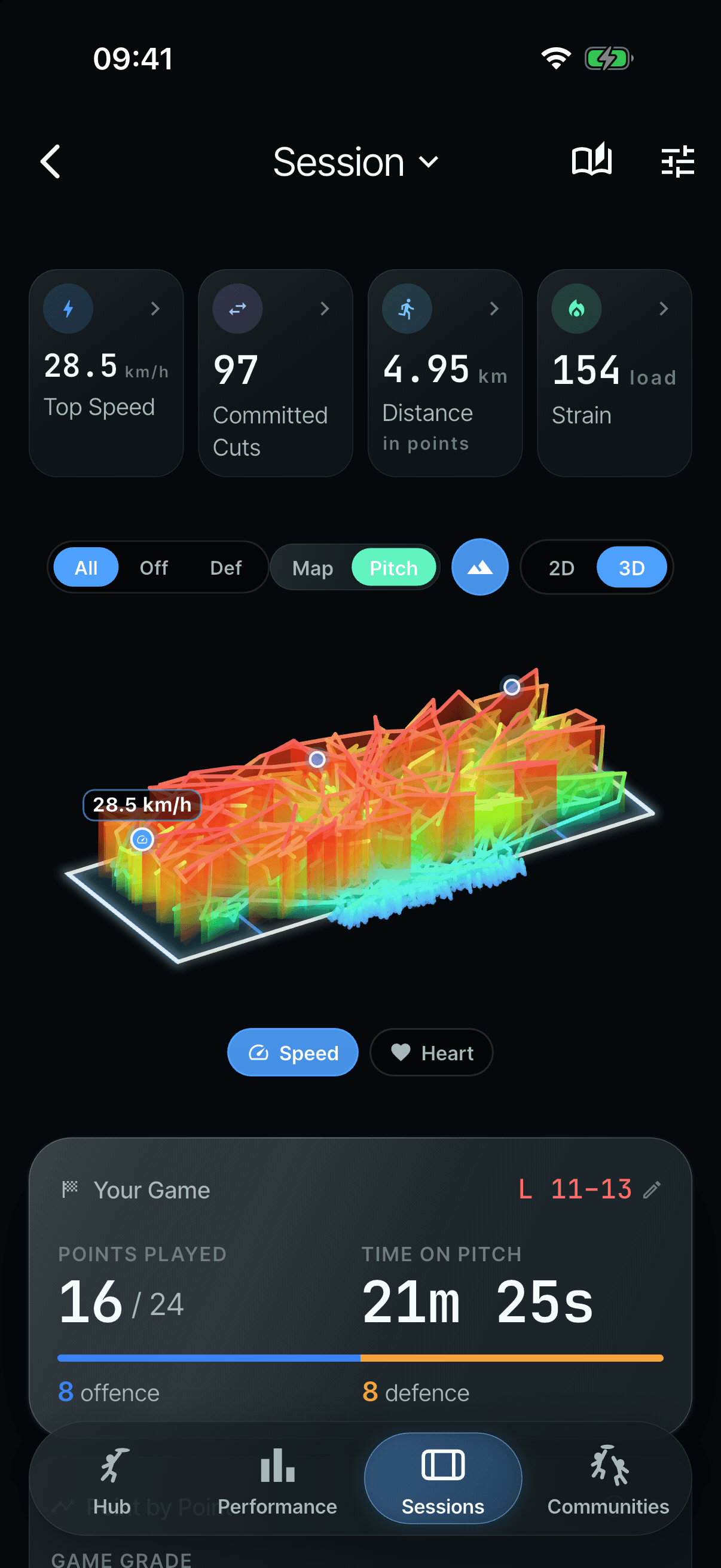
The 3D pitch: where the fast running happened. - (open larger image)
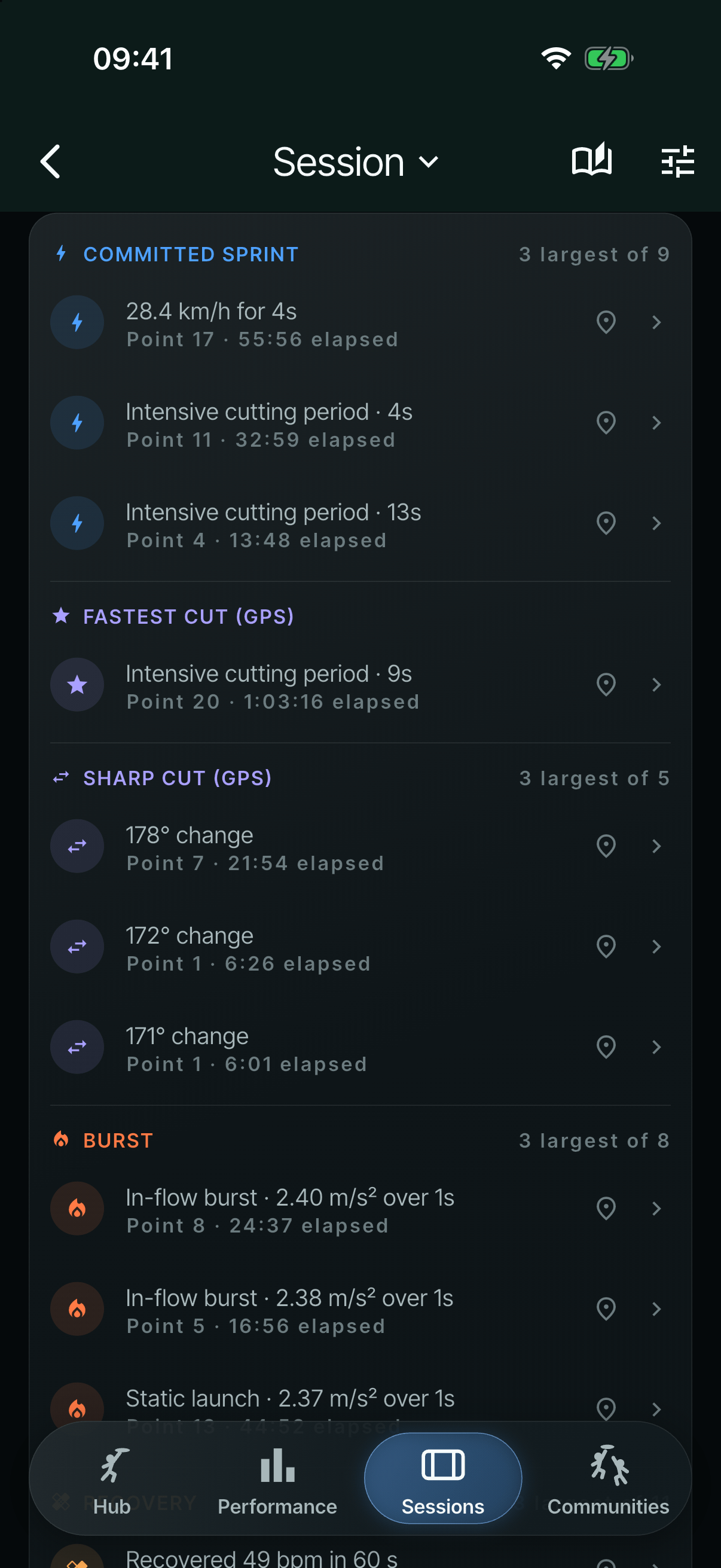
Key moments, grouped and labelled with their source. - (open larger image)
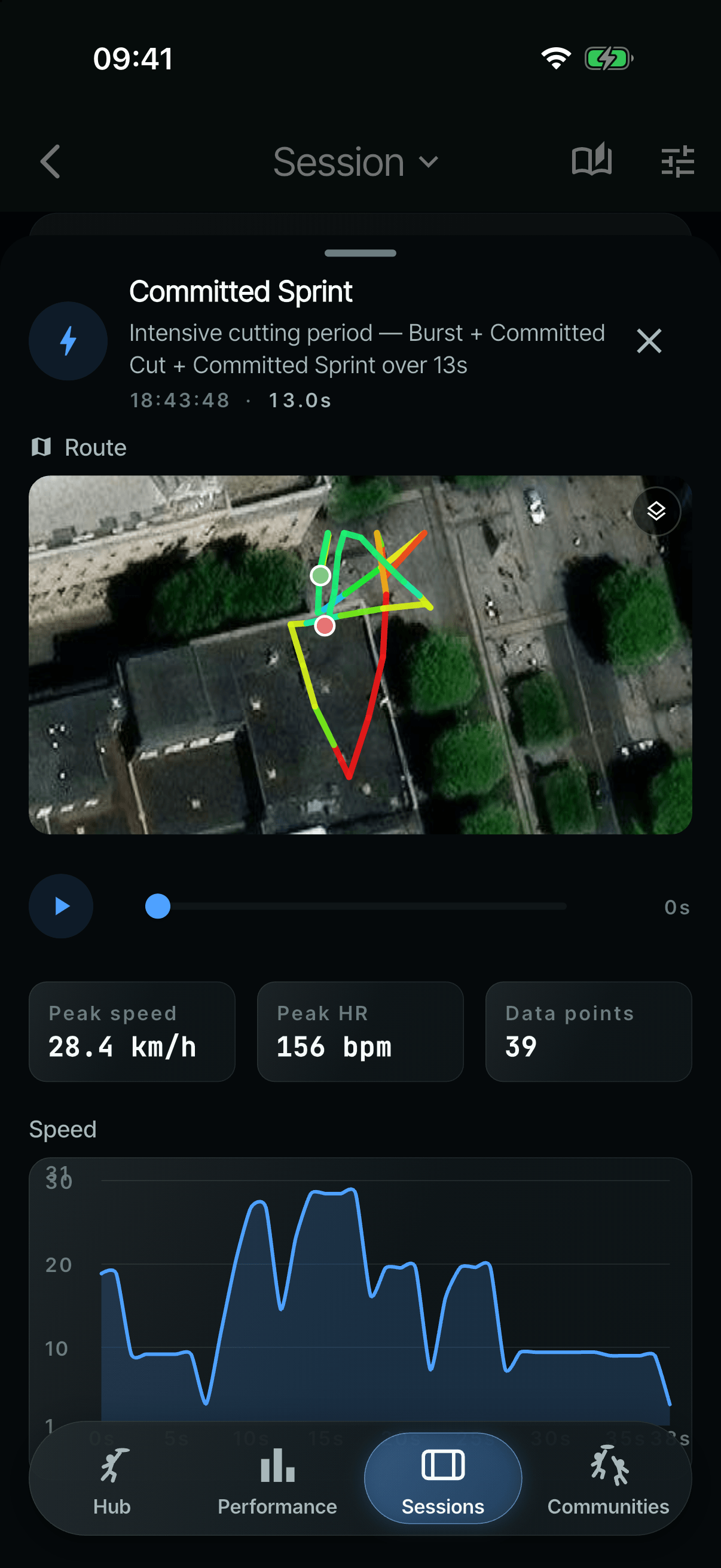
One moment, with its route, playback and readouts.
Review and correct
The app never presents a guess as fact, and players can fix what it got wrong:
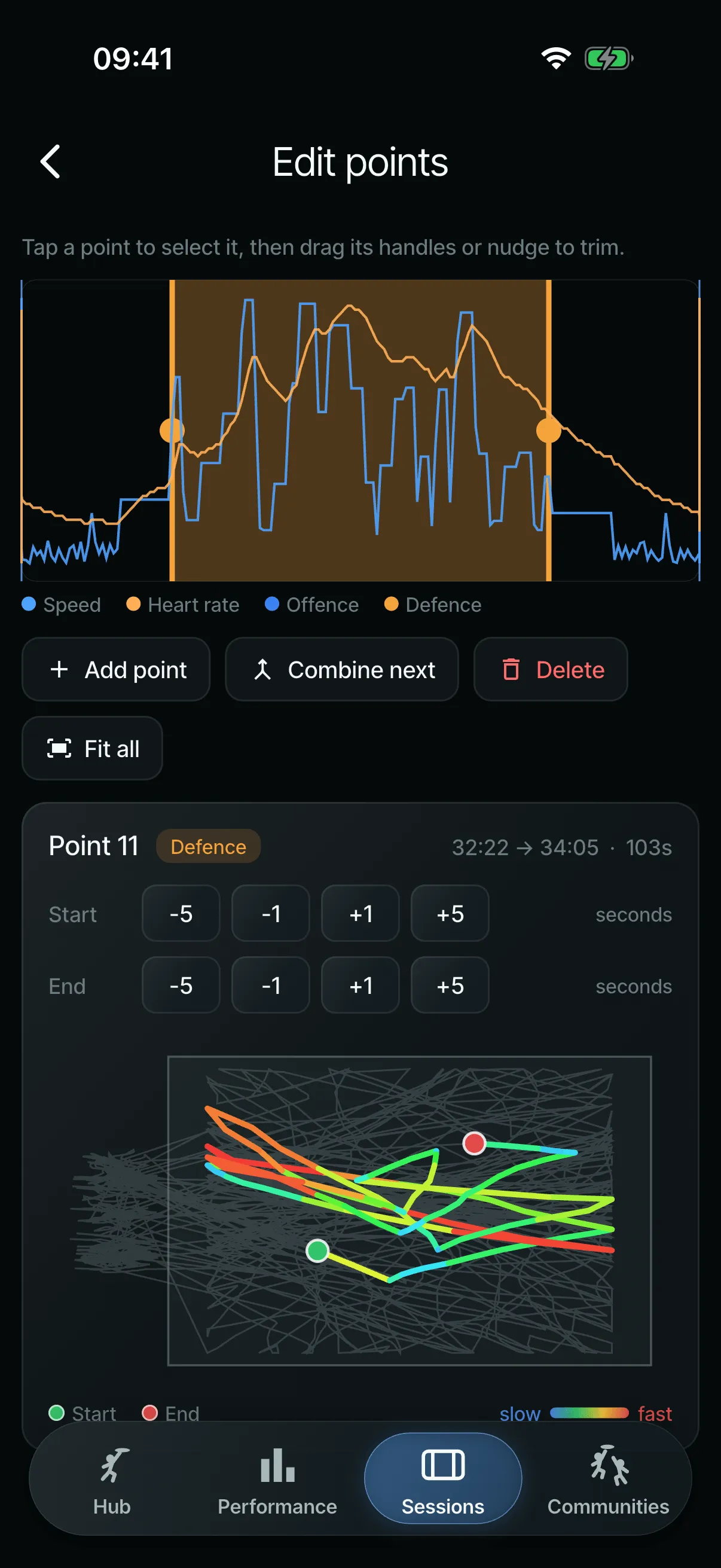
- edit points (trim, combine or delete)
- place a point on the pitch
- relabel throws
Each correction is stored as “the detector said X, the player said Y”, ready to train better detection.
Those kept corrections are the groundwork for what comes next: accurate start and end marks for points, and accurate pitch boundaries, learned from where players correct the rules, with the rules as the baseline to beat.
- (open larger image)
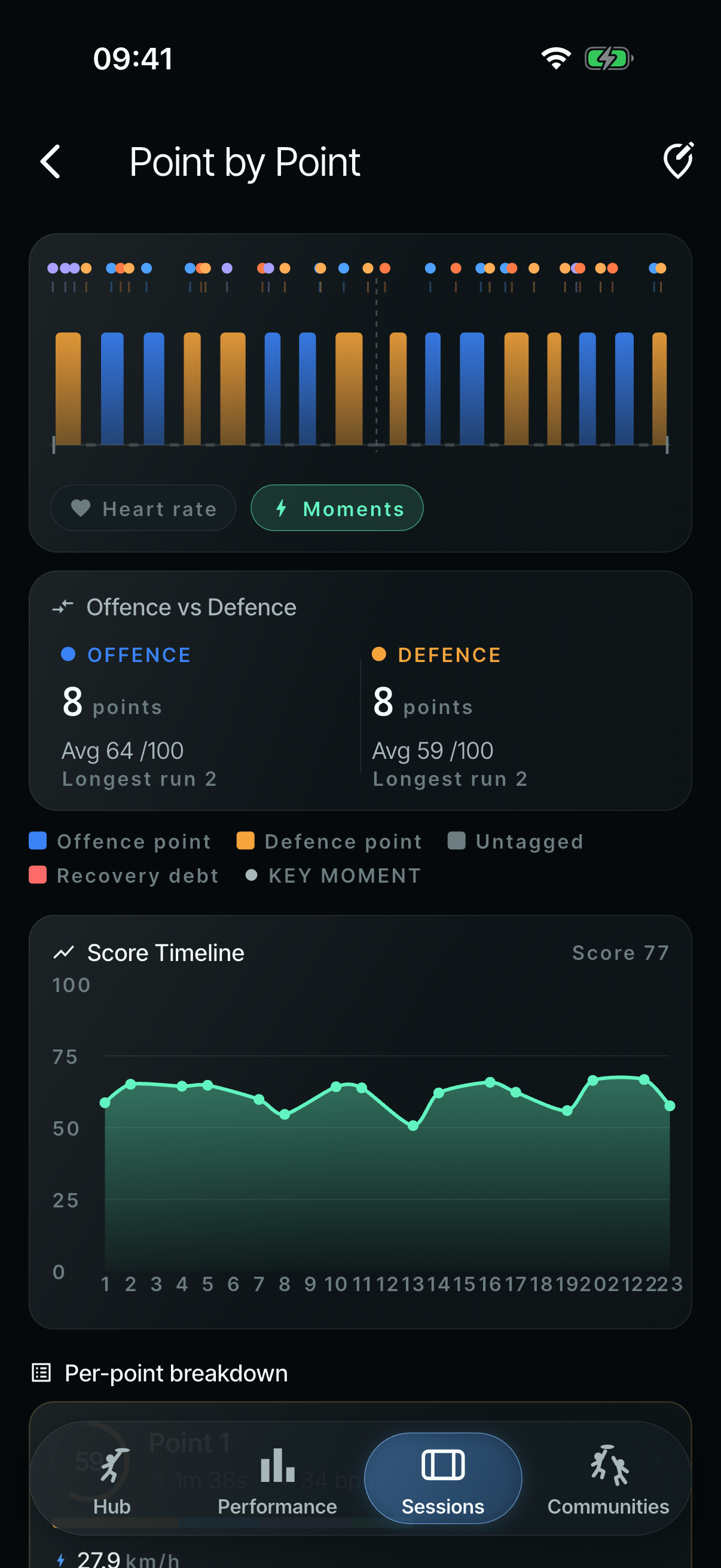
Every point in a game, offence and defence. - (open larger image)
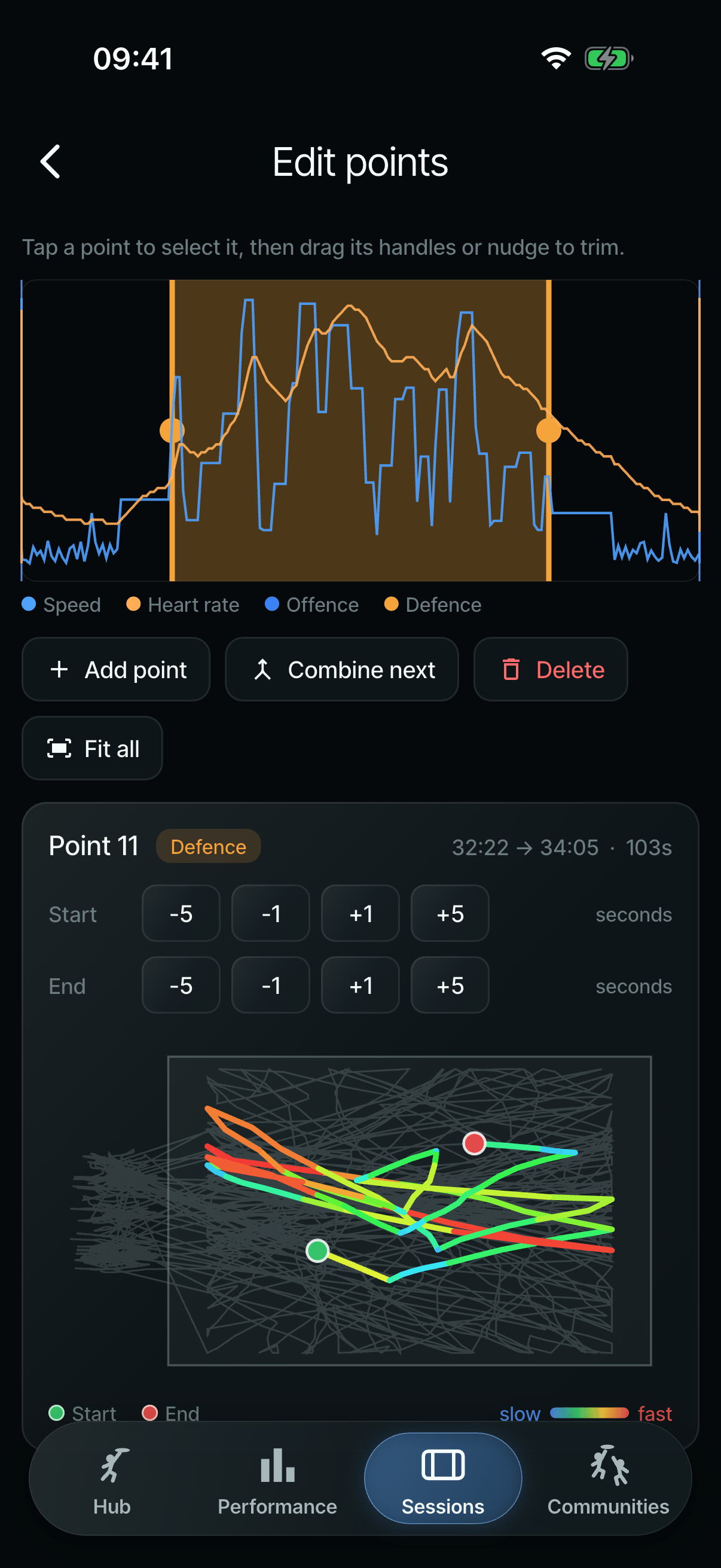
Fixing a point: trim, combine, delete or add.
Teams and communities
Players can join a team and choose what their captain and teammates can see. Beyond the team, community boards rank players on Ultimate measures such as in-point distance, points played and longest point. All-time boards use each player’s best chapter, so early users have no head start. New players join the boards by default, after a notice during setup, and can switch it off in Settings, which says exactly what is shared: name, position, division and best figures for each period, nothing else.
The design system
A design system came first, in the May refresh:
- design tokens
- a type scale in Space Grotesk, Inter Tight and JetBrains Mono
- a shared card component
By July, an audit showed the app had drifted into two design systems at once, with a lot of information boxes in plain sight making the screens messy. Detail views were moved onto the newer tokens, and the app was brought back to one system with a matte-metallic finish and new rings.
Deliver
Watch to phone
Getting a session from the watch to the phone was the hardest problem in the project, and the one I tested hardest. Garmin’s own cloud route wasn’t open to us, so the link had to be built from what Connect IQ allows on the watch itself.
The route to a working link
8 steps · 2 reworks · 1 milestone
- Step
- Rework: went back and changed something
- Milestone
1PlanMay 2026
A file plus a sidecar
The watch saved a normal Garmin activity, plus a small JSON “sidecar” of point and pitch data for the phone.
The v2 plan
One compact binary file as the record, sent over a direct Bluetooth link: no Garmin approval, SDK or quotas, and about 60–90 seconds for a 50 KB session.
Reworked later in05
The format frozen
A “UI01” header, tagged fields and a checksum, deliberately separate from however the bytes travel.
2Build and pivot29 May – 3 June
Roles flipped
The watch can only lead a Bluetooth connection, so the phone had to advertise, with each write capped at 20 bytes.
Connect IQ messaging instead
Sessions moved to Garmin’s Connect IQ messaging, which works alongside that pairing. The payload format carried over unchanged.
Why: On real hardware the link never formed: the watch can’t open a second Bluetooth connection to a phone it’s already paired with through Garmin Connect.
First sync, end to end
A session went from my Forerunner 965 to my iPhone. Seventeen watch builds were made that day.
3Make it reliable3–12 June
Resend only what’s missing
Long transfers stalled because messages could drop without warning. The phone now lists the missing pieces, and only those are sent again.
A queue for several sessions
For a training night with three sessions and no phone nearby.
Reworked later in09
Journal-first recording
Back to 08: A queue for several sessions
Every session is written to a journal while it records, nothing large is written at the stop, and SYNCED only appears once the phone confirms.
Why: That evening, one session showed as sent but never arrived, and a long training crashed at the stop and kept crashing until the app was deleted. Both were lost.
4Live with itJune – July
Works in the background
The phone receives in the background, remembers the pairing and re-registers when reopened. The watch checks the phone is listening before it sends.
Apple Watch, same bytes
The Apple Watch companion sends the same format over Apple’s own watch link, into the same import.
How a session gets from wrist to phone
- RecordThe session is written to a journal on the watch every couple of minutes
- PrepareAt the stop it’s packed into one checked file, 2 KB at a time, so the watch stays responsive
- CheckThe watch says hello, and only sends once the phone answers
- SendIn numbered 2 KB pieces
- Fill the gapsThe phone lists anything missing, and only that is sent again
- ConfirmThe phone checks and imports it, then confirms. Only then does the watch delete its copy
Everything travels as one format, “UI01”: a header, tagged fields and a checksum. Because the format never depended on how it was sent, it survived both Bluetooth plans and the switch to Connect IQ, and the Apple Watch companion writes the same bytes in Swift, checked against the phone’s reader with shared test files. A session keeps the watch’s own id, so sending it twice can’t create a duplicate.
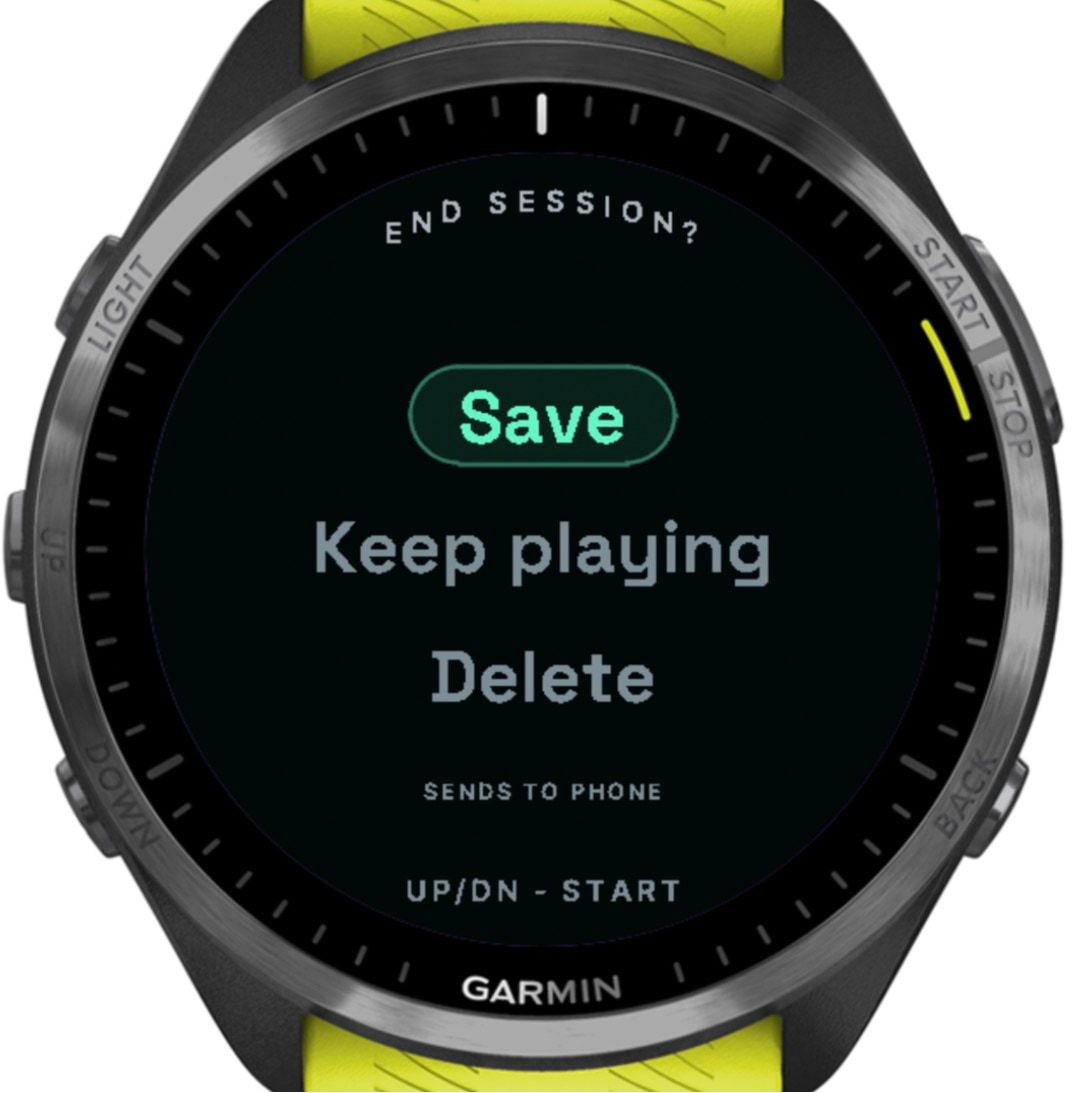
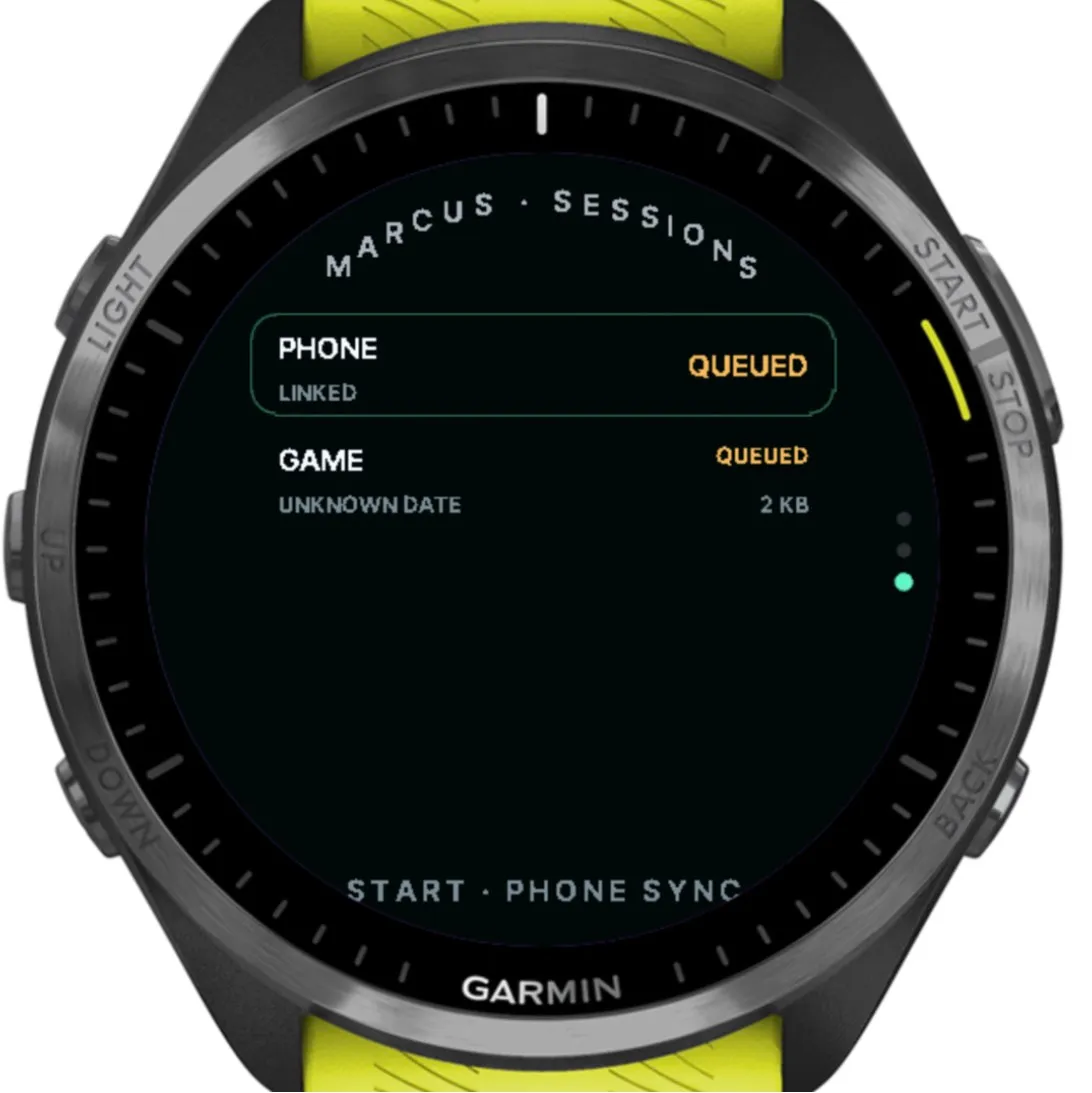
Saving a session queues it for the phone. 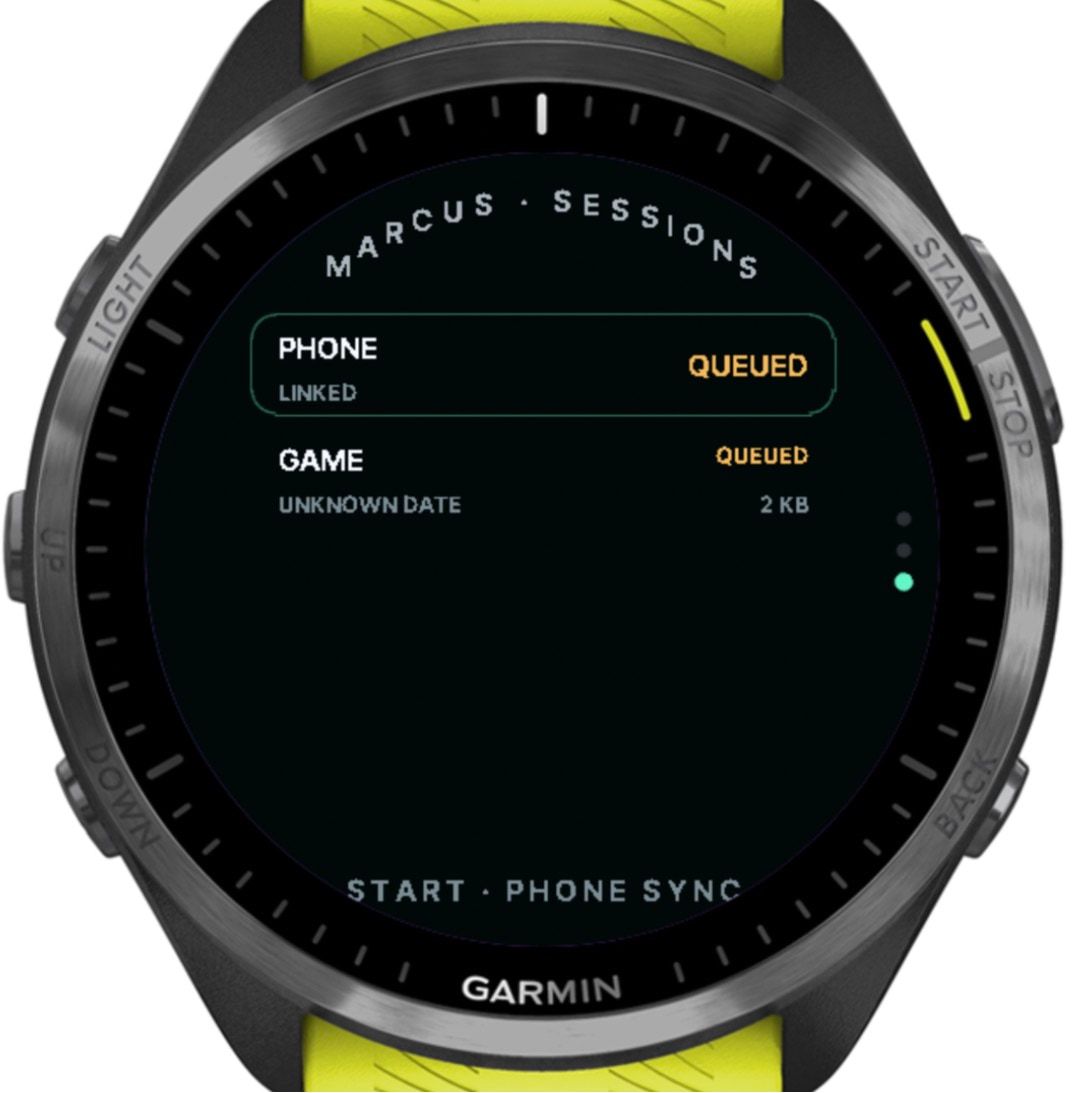
The queue says what’s waiting, and how big it is. 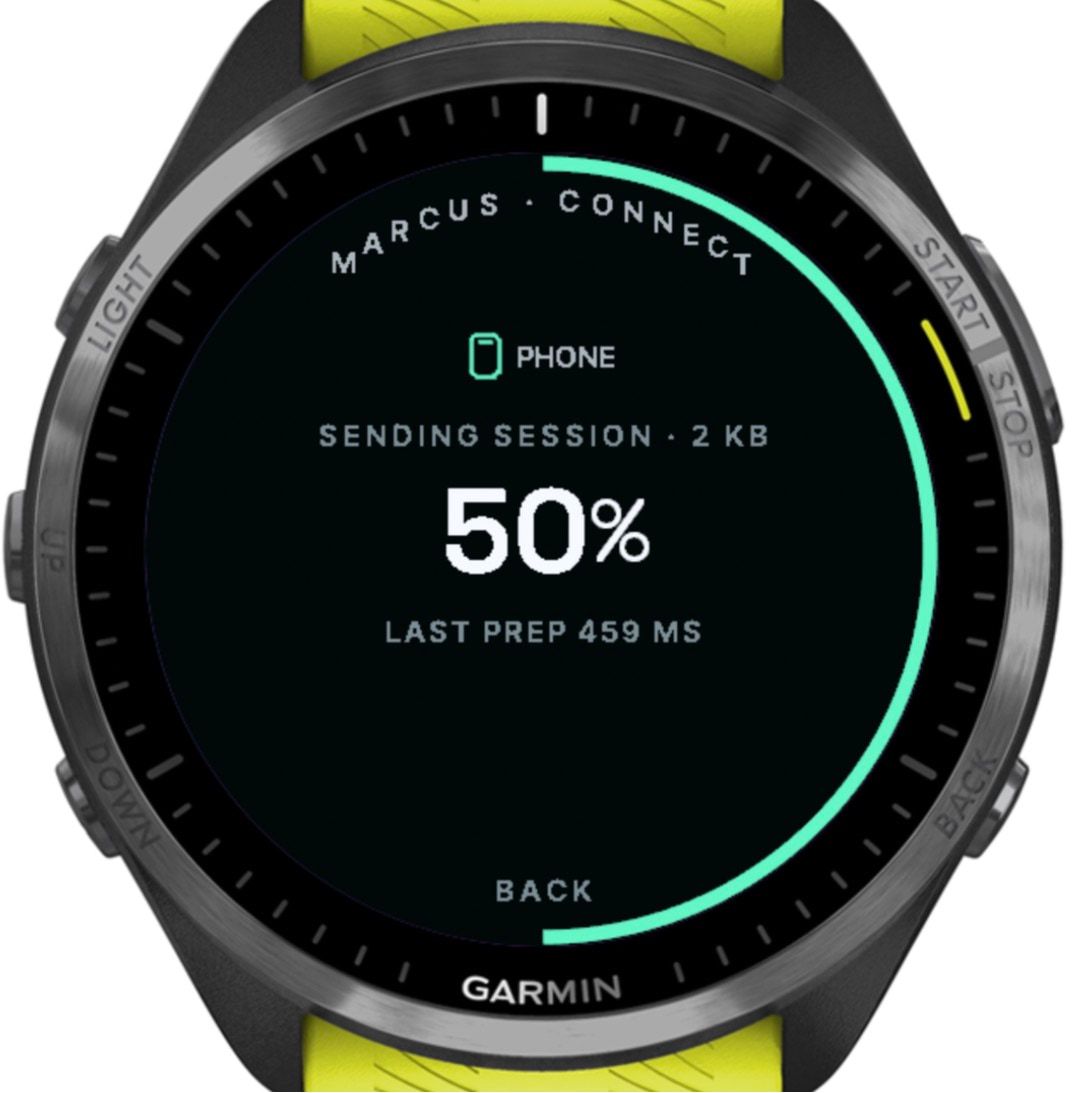
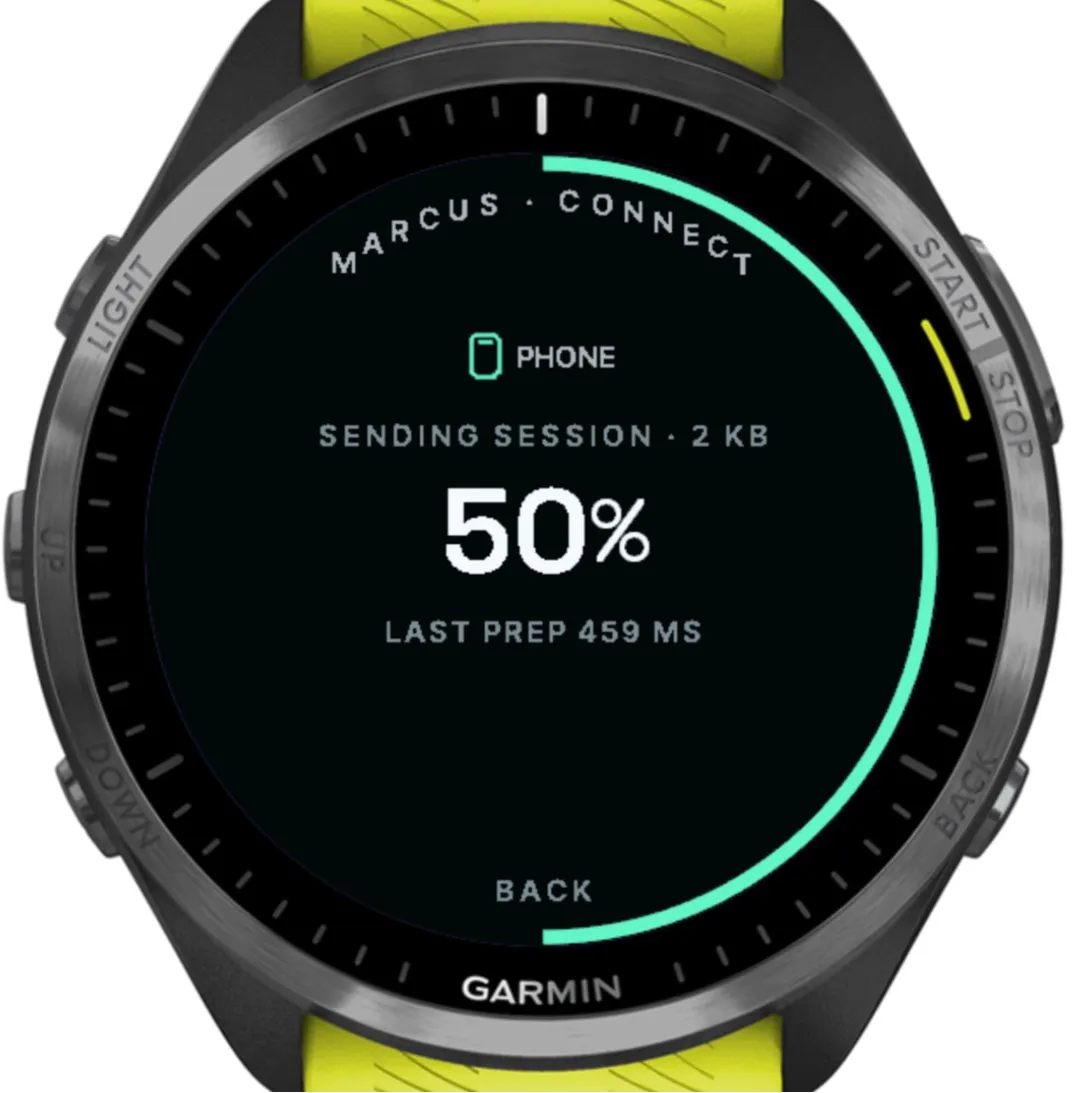
It waits at 50% until the phone confirms. In the simulator, no phone ever does. 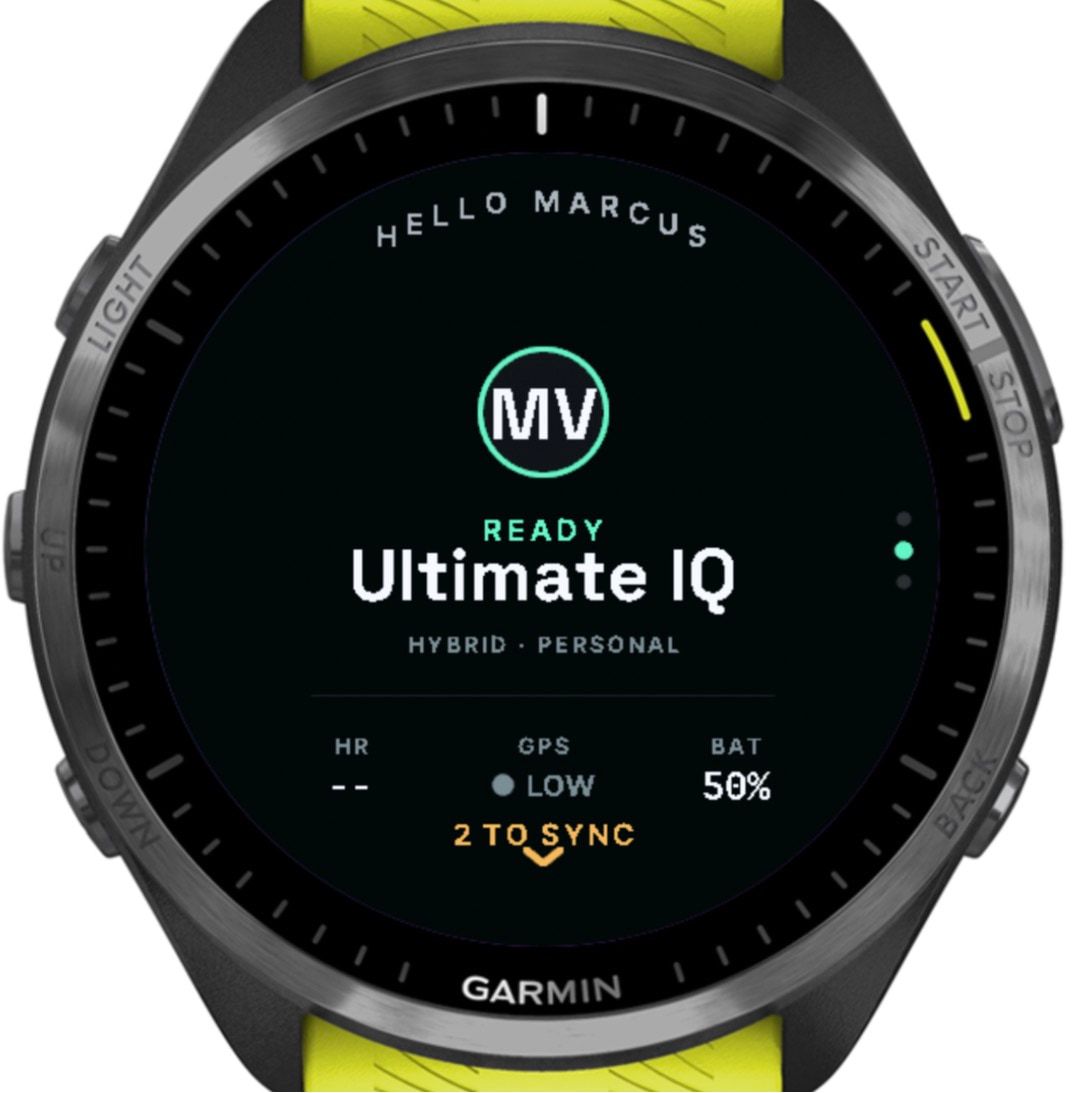
While I made this page, Garmin’s simulator crashed twice when linked to the phone app. Both sessions were still waiting when it restarted.
- (open larger image)
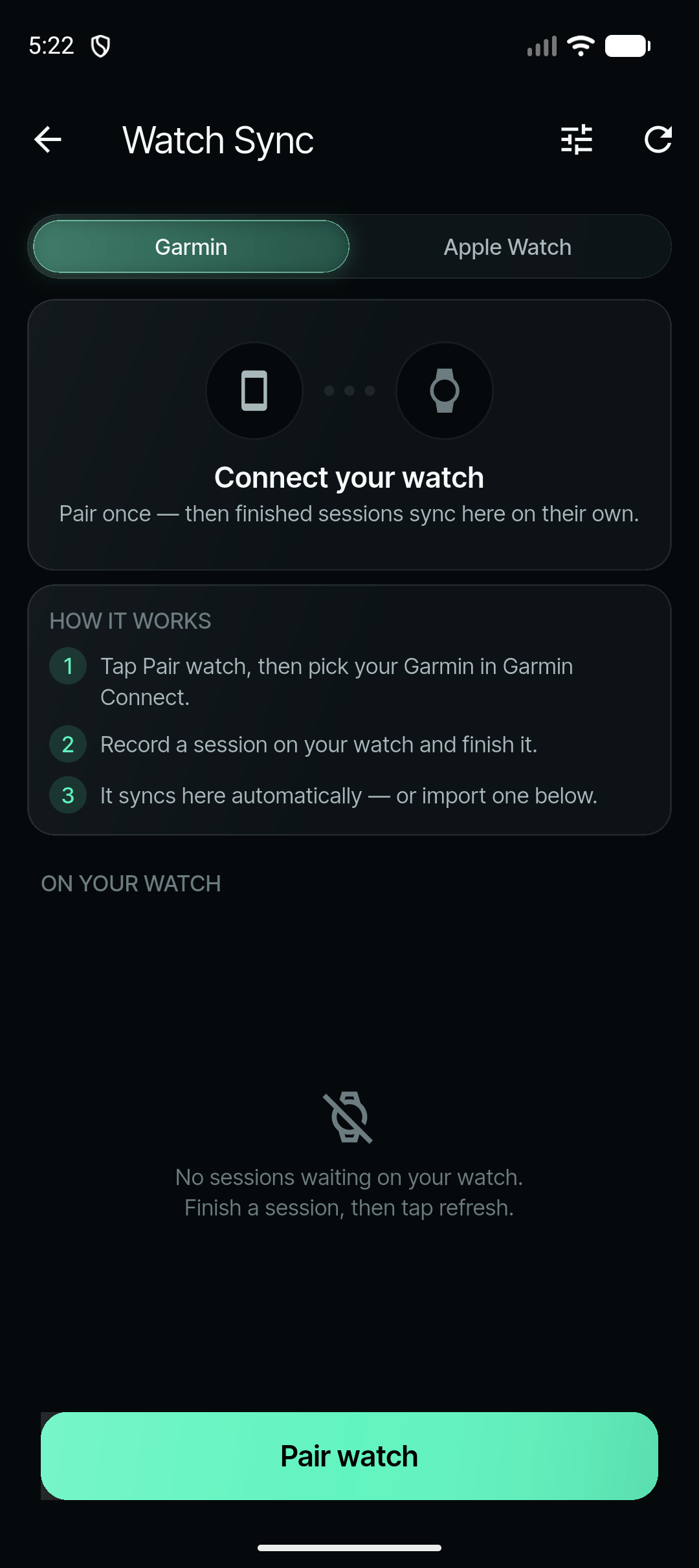
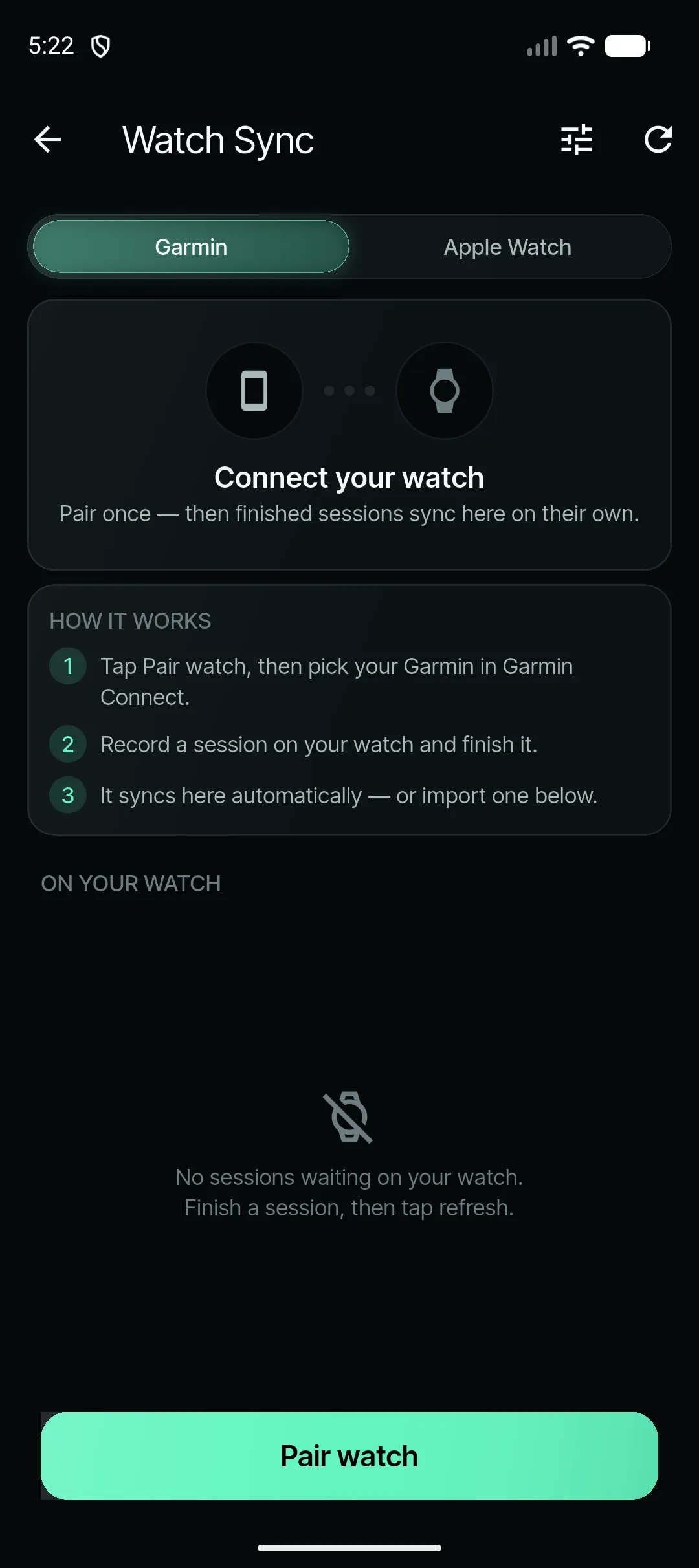
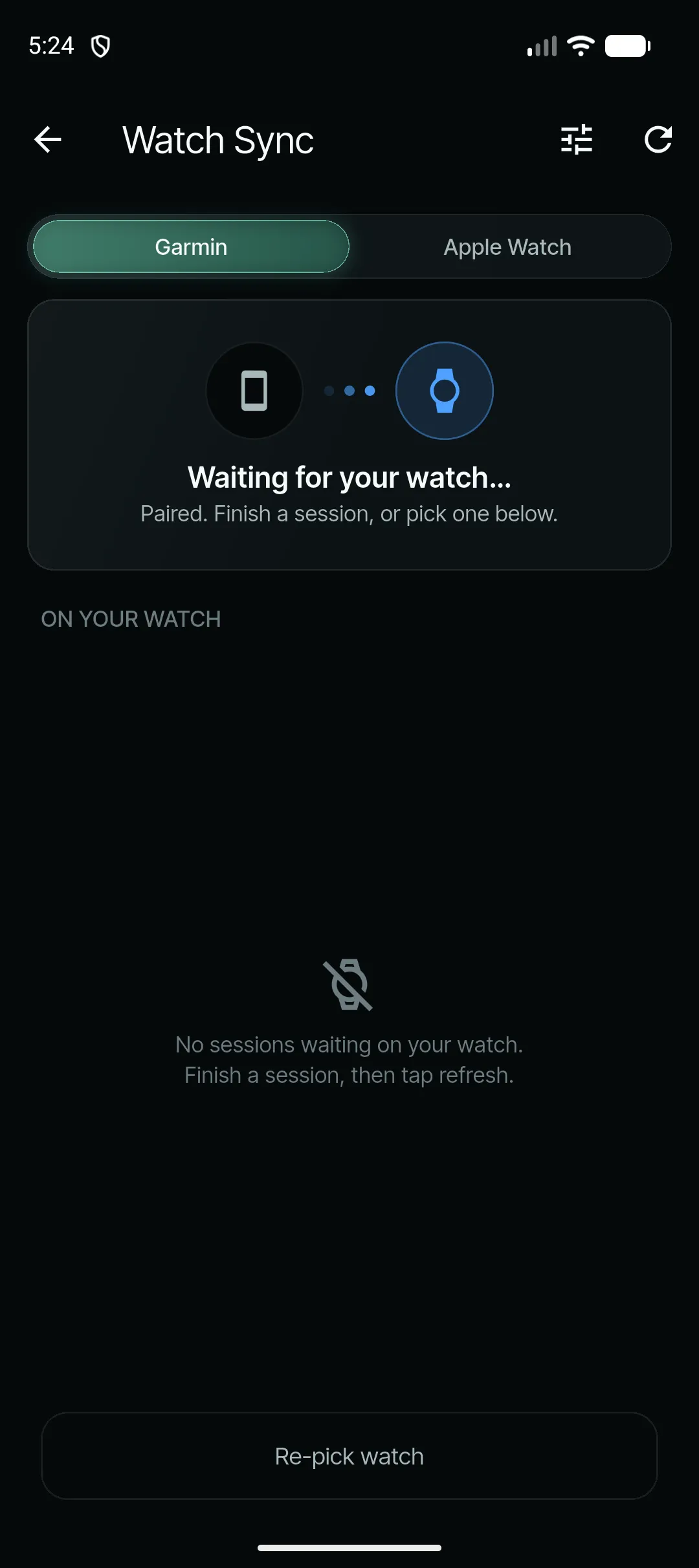
Pair once, and finished sessions sync on their own. - (open larger image)
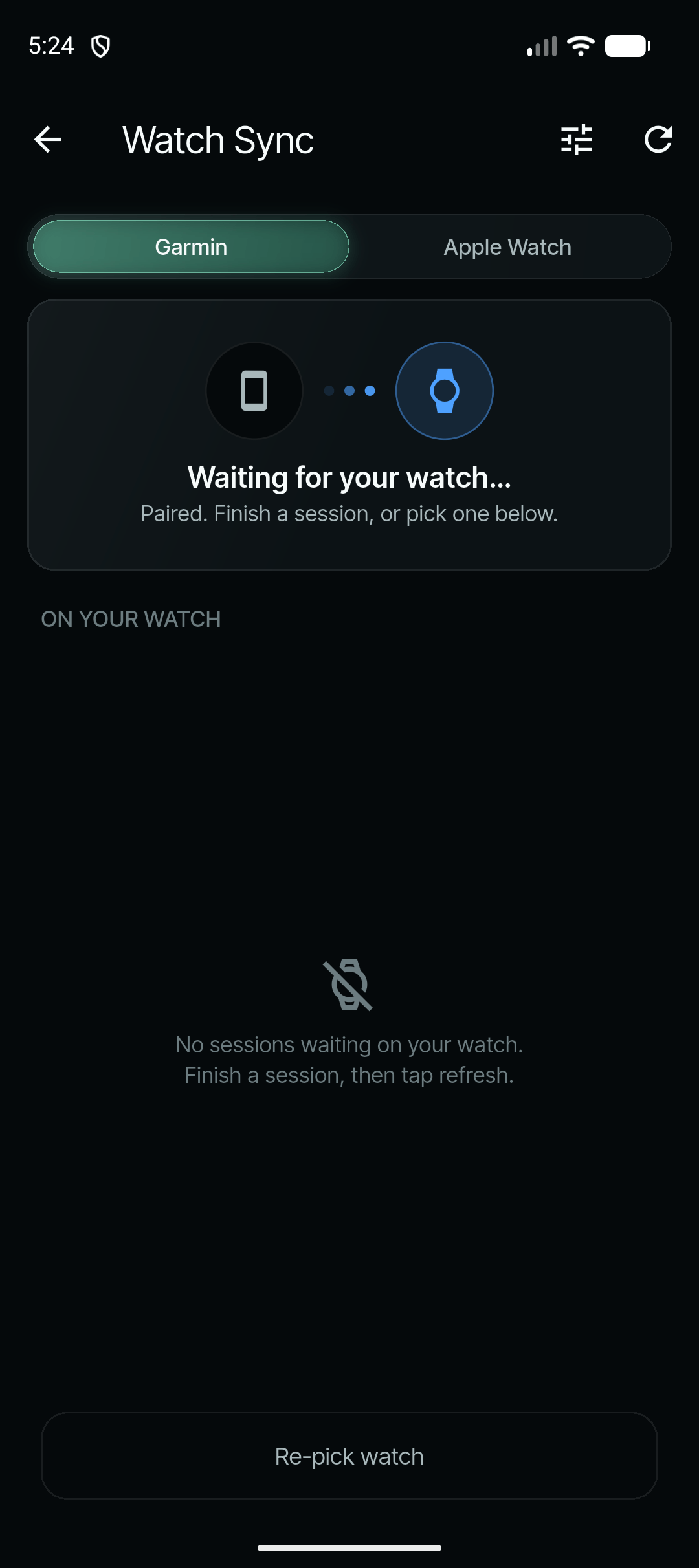
Paired, and waiting for the next session.
Troubleshooting
There was a lot of it. These are the problems that shaped the link, in the order they turned up.
| What went wrong | Leads to | What fixed it |
|---|---|---|
| Every session failed the phone’s checksum. | One field was writing 14 of its 15 bytes. Fixed the same day (3 June). | |
| A 2-minute session took over 8 minutes to arrive. | Garmin’s own activity upload was competing for the link, so it can now be switched off (3 June). | |
| Game-length transfers got stuck, some on the very first piece until the app was relaunched. | Missing pieces are resent on request, and a channel that goes quiet for 10 seconds rebuilds itself, keeping what already arrived (3–4 June). | |
| Long sessions crashed the watch at the stop. | One very large write was to blame. The file is now streamed from memory (5 June). | |
| A repeatable crash after 1 minute 25 seconds. | Connect IQ allows three timers and a fourth is fatal, so syncing now pauses during a session (10 June). | |
| A session said “sent” but never arrived, and a long training crashed and kept crashing. Both were lost (11 June). | Journal-first recording, an honest WAITING status, a “No FIT backup” warning, and any session involved in two crashes is held back so it can’t block the queue (12 June). | |
| An on-watch storage test “died at W32”. | A single 32 KB write is fatal, so every write is now capped at 16 KB (12 June). | |
| Sessions stayed “kept on watch” after the phone already had them. | Late confirmations are accepted, and the phone re-confirms anything it already holds (12 June). | |
| Duplicates, and two transfers overwriting each other. | Each session keeps the watch’s own id, and each transfer has its own buffer (18 June). | |
| Lag, and sometimes the phone app needed restarting. | The phone re-registers when it’s reopened, and the watch checks it’s listening before sending (1–2 July). | |
| Training segments never arrived. | Segment markers are now saved in the journal too (13 July). |
The next morning, after the rebuild, two syncs stalled. Re-syncing the watch in Garmin Connect cleared it straight away, so that became an “Open Garmin Connect” button in the app. The next try worked.
Debugging without a cable
My watch didn’t show up on my Mac over USB, so there were no logs to read.
Instead, the watch saves a breadcrumb before each heavy step, and the next launch reports where it stopped. To find the storage limit, a test wrote bigger and bigger blocks until the watch crashed: that’s the “died at W32” above. Every build reached the watch through a private Connect IQ store listing.
Testing the link
- 86Watch builds archived between 28 May and 24 July
- ~140Automated tests for the link and the payload format
- 3 sTo prepare a three-hour session (about 130 KB) in the simulator
The simulator can’t do Bluetooth, and it can’t reproduce how slow storage writes are on a real watch, so the tests that mattered happened on my wrist:
- 3 June: sessions of 15 seconds, and 2, 3 and 15 minutes.
- 11 June: a three-session training night, which failed.
- 12 June: a test with no phone nearby (the watch crashed, but the session survived), two stalls, then a sync that worked.
- July: reports from games and training, each one fixed in turn.
What made it work
- The format outlived the transportThe same “UI01” bytes survived three ways of sending, and the Apple Watch writes them byte for byte.
- Resend only what’s missingThe link can drop messages without saying so. The phone asks for the gaps, and a stuck channel resets itself without losing what arrived.
- The recording is the backupThe journal written during play is the safe copy. Nothing large is written at the stop, and nothing heavy at launch.
- Honest statusWAITING means handed over, not delivered. SYNCED only appears once the phone confirms, and the watch warns when there’s no Garmin backup.
- Confirmations repair themselvesA late or lost confirmation is fixed from either side, including when the sync screen is opened.
- My fix became a buttonRe-syncing in Garmin Connect cleared a stuck link, so the app now has an “Open Garmin Connect” button.
Still open
- If the phone app has been force-quit, nothing syncs until it’s opened again. iOS doesn’t relaunch a force-quit app.
- There’s no measured transfer speed yet.
- Android and the Apple Watch companion haven’t been tested on real devices.
- Compression is designed to shrink the once-a-second GPS and heart-rate data 2 to 2.5 times. The only measurement so far, about 1.7 times, was on the motion data, which is a different stream.
The data
Everything the phone shows is worked out by explicit rules, not a black box. The same session always gives the same numbers: a test runs the whole pipeline five times on a real game file and fails if any result differs. When a rule can’t measure something, the app says so instead of guessing.
From samples to insight
- RecordThe watch logs GPS, speed and heart rate every second, motion 25 times a second, and every O/D press
- CleanImpossible jumps, stray fixes and gaps are fixed or flagged, never quietly kept
- Find the pitchIts size, position and direction, from how the player moved
- Find the pointsFrom the watch’s O/D marks, or by rule when a file has none
- DetectSprints, cuts, bursts and heart-rate peaks, each placed on the pitch and inside a point
- ScorePer point, per game, and over two-week chapters
Cleaning follows fixed rules too:
- GPS fixes more than 2 km from the session’s centre are dropped, unless that would remove half of them.
- “Teleports” that imply more than 12 m/s are replaced.
- Gaps of 10 seconds to 10 minutes are filled with samples marked as made up, and no distance is counted across them.
- Speed is smoothed over three samples, and heart rate is kept between 30 and 230 bpm.
- Warm-ups, half-time and the time before and after a game are masked out, so they can’t set a peak.
Finding the pitch
Ultimate is played on a regulation pitch: 100 × 37 m, with 18 m end zones. The app assumes that shape and works out where the pitch is and which way it faces from how the player moved, ignoring the first 10 minutes of warm-up:
- Direction: the main line through the places the player sprinted (faster than 4 m/s) is compared with the main line of their sprint directions. If the two agree within 15°, the positions win; otherwise, the direction of travel.
- Two estimates: one maps where the player sprinted, walked and stood still in 1 m squares, putting the end lines where sprinting fades and the end zones where players stood on the line. The other draws a box around nearly all of their sprints.
- Best of both: direction and centre come from the first. Length and width each come from whichever estimate lands closer to 100 × 37.
- Map check: after import, a satellite or map image of the area is scanned for the pitch’s lines, and the pitch is turned only if the strongest line is 2–15° off.
- The player has the last word: “Place pitch on map” lets them move, turn and resize it, and their placement is kept from then on.
It took a while to get here. The pitch was first mapped by walking a lap, then by tapping four corners on the watch, until that was removed on 23 June so players don’t have to do anything. In July, a single GPS fix about 10 km away dragged a pitch off its field, which is why far-off fixes are now dropped.
Finding the points
- O or D is never guessed. Only the player’s press on the watch sets it. Points found any other way are shown as “Untagged”.
- When a file has no marks, a point starts when the player has stood still for 3 seconds within 6 m of a goal line, then runs at 2.5 m/s or faster within 10 seconds. It ends when they stop near a line, leave the pitch or stand still for 30 seconds. Points under 15 seconds are dropped.
- Half-time is only marked with at least six points, and a longest rest of at least two minutes and 2.5 times the typical rest.
- Recovery debt is a point of 45 seconds or more followed by a rest shorter than 60% of it.
Speed and sprints
- Top speed is the fastest sample that a neighbouring sample within 2.5 seconds agrees with, to within 15%. Samples without a GPS lock, or outside a point or off the pitch, don’t count. The watch’s own peak can back it up, but never exceed it.
- A committed sprint is a second or more at 85% of the player’s best top speed over the last 30 days. Until there’s history, it’s labelled “calibrating”.
- The fastest 40 m comes from the watch first, then the GPS trace, then an estimate, and it says which.
The top-speed rule came from my own report. On 14 July I noticed a session’s top speed was higher than anything on its own speed chart. Two days later, the headline became the fastest sample that survives the spike check, checked against each point’s own trace, so it can never be higher than the chart.
Cuts and bursts
A committed cut, as I defined it, is a clear slowdown, then a sudden change of direction, then a sudden burst. The watch looks for that shape in the accelerometer as three steps within 80–600 milliseconds: a plant of at least 3 g, an unload below 1.8 g, and a drive of at least 2.5 g. It only counts again once the signal settles, and readings that hit the sensor’s limit are flagged.
- The watch can’t measure the change of direction itself, as there’s no compass in play. It infers it from the plant, unload and drive.
- GPS finds cuts too: a change of heading of 20° or more at speed. These are shown separately as “Sharp cut (GPS)”, and the two counts are never blended.
- Peak cut impact is the middle value of the three hardest cuts, and needs at least five cuts to show anything.
- Bursts are rises in speed, split into from standing and in flow. One-second GPS can’t catch a sub-second peak, so the standing-start peak is modelled, and capped.
Getting cuts right took several tries. One version counted about 193 cuts per point (17 June). Cut Snap read about 360 ms in every session, which turned out to be running cadence (22 July), so it was retired (29 July).
Effort, load and recovery
- Strain blends three signals each second: heart rate (45%), watch motion (35%) and GPS speed and acceleration (20%), reweighted when one is missing. The code marks these weights as provisional, because they haven’t been calibrated yet.
- Chapters are two-week windows that move on a week at a time. Each is compared with 70% of the last chapter plus 30% of the one before, as I asked.
- Recovery is how far heart rate falls in the minute after a point, skipped when the heart-rate data has a gap.
- Aerobic drift compares speed per heartbeat in the first half of a session with the second half.
- Game grade scores each point (heart-rate intensity 30, distance and sprints 25, cuts per minute 20, peak speed 15, recovery 10), weighted by how long it lasted. A game gains up to 10 for playing more points, and up to 5 for a balanced O/D split.
Throws
Throwing uses the watch’s motion sensors 50 times a second. A throw needs a sharp spin and a sharp push, at least 800 ms apart, with one clear spike. It’s typed as overhead when the arm is raised, otherwise as a backhand or forehand by its spin, adjusted for left-handers. One button takes a wrong throw off the count.
- 10 June: a throw-type model shipped saying “95.7% accurate”, measured on one athlete.
- 18 June: the claim was deleted.
- 2 July: detection went from 0 to 10 out of 10 throws on my watch in a drill.
- 1 August: wrist snap was retired, because the same test both counted the throw and produced the number.
Rules you can check
- Same input, same outputRun a session again and every number comes out the same, checked by an automated test on a real game.
- Sources on showNumbers say whether they came from the watch, GPS or an estimate.
- No fake zerosAnything that can’t be measured shows a dash, not a zero.
- Never blendedWatch and GPS counts stay separate, so one can’t quietly prop up the other.
- Old codes never reusedA retired metric keeps its slot, so stored data can’t be misread later.
- Corrections are keptWhen a player fixes a point or the pitch, the app keeps what the rule said and what the player said.
Built for Ultimate
A general fitness app sees a run. Ultimate IQ sees a game:
| For | Ultimate IQ shows |
|---|---|
| Lines | O and D points, offence against defence, streaks, and O/D filters on maps and the 3D pitch |
| Games | Points played, time on pitch, typical rest, work-to-rest, recovery debt, half-time and a point-by-point timeline |
| Movement | Committed cuts, peak cut impact, intensive cutting periods, committed sprints, the fastest 40 m, and bursts from standing or in flow |
| Effort | Recovery after each point, a game grade that rewards playing both lines, and how a game was paced by quarter |
| Training | Warm-up, throwing, drills and game segments, and backhand, forehand and overhead throws |
| Positions | Work-rate references for cutters, handlers and hybrids |
Testing
I tested everything on myself, in real games and training, and the biggest changes came from that.
- A lost session (11 June) led to the journal-first rebuild on the watch.
- Readiness: testing showed that compounded load should be the only thing feeding Game Readiness.
- Throw detection drills counted correctly 10 out of 10.
- Cut Snap crashed during a game (16 July), the worst possible time for a crash. It was later retired.
Alongside that, the automated tests grew from 111 to 1,524, automated checks ran on every change from 18 June, a walkthrough in the simulator led to eight fixes, and adversarial reviews looked for problems before they reached the watch.
- 1,524Automated tests by 1 August, up from 111
- 26Findings in the watch accessibility audit
- 10/10Throws counted correctly in a detection drill
Beyond my own games and training, I tested it with five teammates’ Garmin sessions: at least five each, from both games and training.
Outcome
One game, from wrist to phone
Each screen was captured separately in a simulator: the watch with simulated sensor data, the phone with the app’s demo data, so the numbers don’t carry from one to the other. The sync itself isn’t shown, because Garmin’s simulator crashed when linked to the phone app.
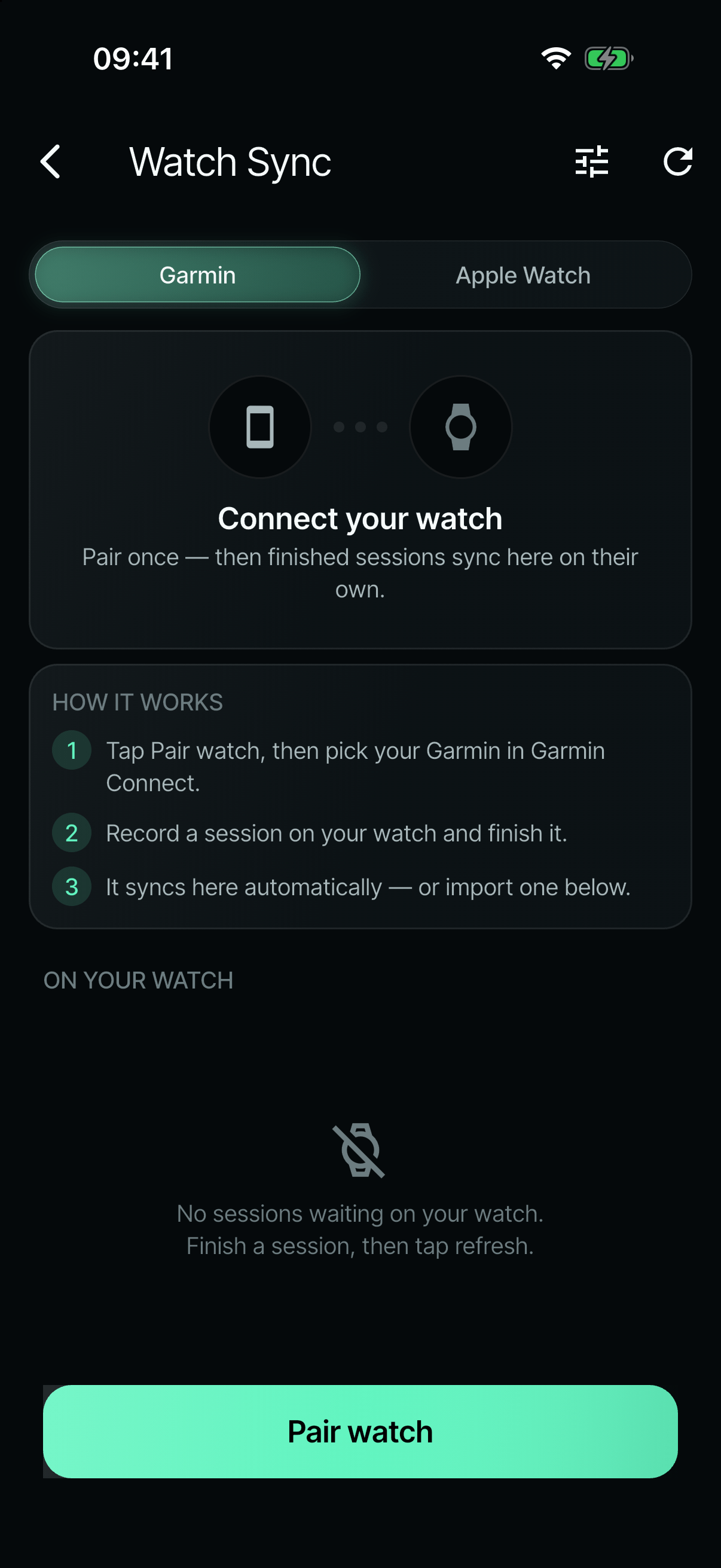
On the phoneStep 1 of 13Pair onceIn the app, the watch is paired once. After that, finished sessions come across on their own, with nothing to export. On the watchStep 2 of 13Ready to playThe watch app opens on heart rate, GPS and battery, so a player knows it’s ready before the pull. On the watchStep 3 of 13Pick a modeMatch, training, fitness or skills. Each one records what that kind of session needs. On the watchStep 4 of 13One click: O or DUP for an offence point, DOWN for defence. That single click is what the Ultimate stats on the phone are built on. On the watchStep 5 of 13Play the pointThe line, the point clock and live heart rate. Holding for a second ends the point, so a stray press can’t. On the watchStep 6 of 13RecoverBetween points, a rest timer runs alongside heart rate, ready for the next click. On the watchStep 7 of 13Hold to finishHolding START for 1.5 seconds ends the game. Letting go cancels it. On the watchStep 8 of 13The game on the wristPoints played and the O/D split straight away, while the watch packs the game up to send. On the watchStep 9 of 13Sent, then confirmedThe game goes to the phone in pieces. The watch keeps its copy until the phone confirms it has it. 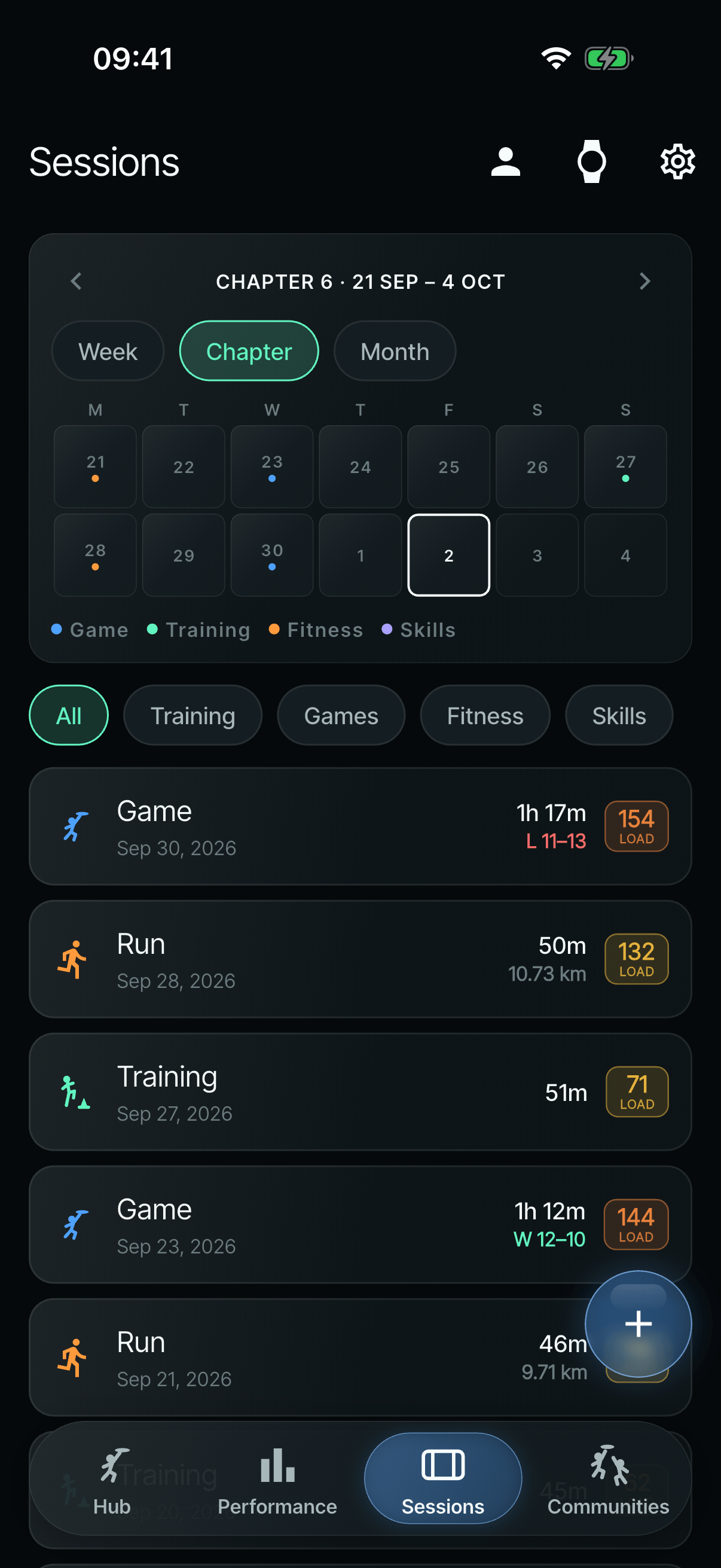
On the phoneStep 10 of 13On the phoneEach game lands in Sessions with its result and load. From here on, the phone shows its built-in demo data. On the phoneStep 11 of 13Every pointOffence and defence, point by point, all built from those single clicks. On the phoneStep 12 of 13Where it happenedSpeed drawn on a 3D pitch, with the fastest moment marked. On the phoneStep 13 of 13Two weeks at a glanceEvery session adds to the two-week chapter, measured against the player’s own target.
Where it stands
As of August 2026, Ultimate IQ is pre-launch. It works end to end: watch recording, sync, the chapter dashboard, check-ins, the injury timeline, key moments, communities and corrections. It is tested with my own games and training and five teammates’ sessions, and it isn’t publicly available in the App Store or Google Play yet. It is free. Privacy, terms and account-deletion pages are written, accounts are built but switched off for now, and the Apple Watch app is waiting for a test on a real device.
Along the way, I removed every feature and claim that the data couldn’t back up: Game Readiness, Cut Snap, jumps, wrist snap and a “95.7% accurate” throw-type claim.
What’s next?
Ultimate IQ works end to end, but it isn’t in other players’ hands yet. This plan builds on work I’ve already started.
Now: ready for launch
- Real devices. Test more Garmin watches (including one without a gyroscope), Android sync, the Apple Watch app on a real watch, two people using Communities, background sync, and battery life across a whole session.
- Accounts on. Accounts are built but switched off. Turning them on needs the app registered properly in Firebase, Sign in with Apple, final wording for 36 placeholder messages and the switch-over to the final database rules, all checked in a TestFlight build.
- Into the stores. Buying the Apple and Google developer accounts was parked in June. Then come the privacy labels, and Google Play’s closed test with 20 testers for 14 days.
- The last safeguard back on. App Check, which stops unverified copies of the app reaching the database, runs in monitor-only mode during testing and goes back on at launch.
Next: fix what testing found
- On the phone: two map styles need a key, the Stamina tile disagrees with its detail screen, one chart’s axis looks upside down, and a few labels overlap, get cut off or read oddly.
- On the watch: the training clock’s colon, a hint cut off by the round screen, “Preparing” covering the units, queued sessions showing “Unknown date”, and test readouts and diagnostics that need to come out.
- In the data: throws in a split training session’s throwing block are dropped, demo data needs keeping off the real leaderboards, and old sessions should update by themselves when a metric changes.
- On Android: sending to the watch has to move off the main thread, or the tethered link crashes.
Then: build on what’s started
- Learning from each player. The newest work saves what every correction teaches: the exact time of each point button press, and the pitch the app guessed when a player fixes it. Nothing uses it yet. The aim is that anything a player marks by hand today can one day be detected automatically. A plan for capturing raw motion and detecting it on the phone is drafted.
- One design system. A nine-stage plan moves the dashboard fully onto the newer design tokens.
- More from each game. Who won each point (for hold and break rates), a playback scrubber, a fatigue overlay, and an “Opening Sprint” stat for the defensive sprint after the pull.
- A fuller Apple Watch app. Runs, intervals, matches and gym sessions are built; storing sessions on the watch and sending them as files are still to come.
- Health Connect on Android, to match Apple Health on the iPhone.
Parked
- Strava import, switched off for the first version.
There’s no release date yet: it’s the off-season for Ultimate, so testing picks up again when the season starts.